> ## Documentation Index
> Fetch the complete documentation index at: https://help.latchel.com/llms.txt
> Use this file to discover all available pages before exploring further.
# Google Calendar Integration (Service Provider)
> Latchel allows you to integrate your **Google Gmail account** so that you can automatically sync new work events to the Google calendar of your choice. Set up upcoming work order reminders today!
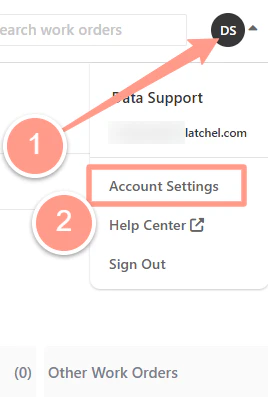
When logged into Latchel, click your initials/avatar on the top-right of the page and click **Account Settings**.
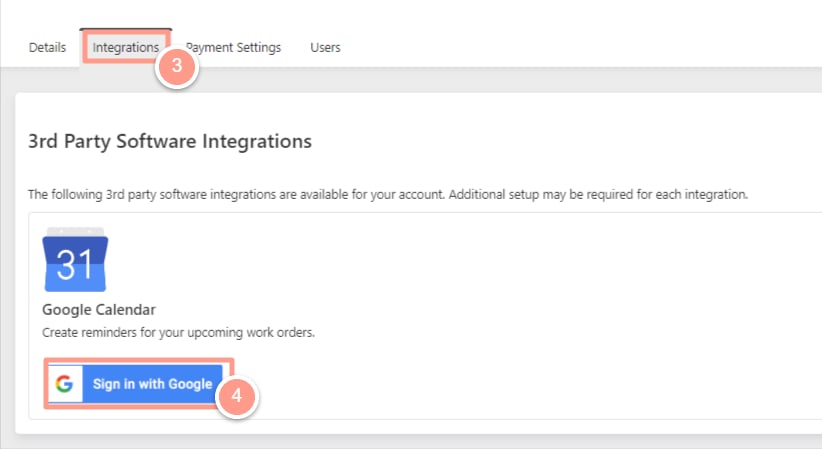
 On the **Integrations** tab, click **Sign in with Google** under the Gmail section.
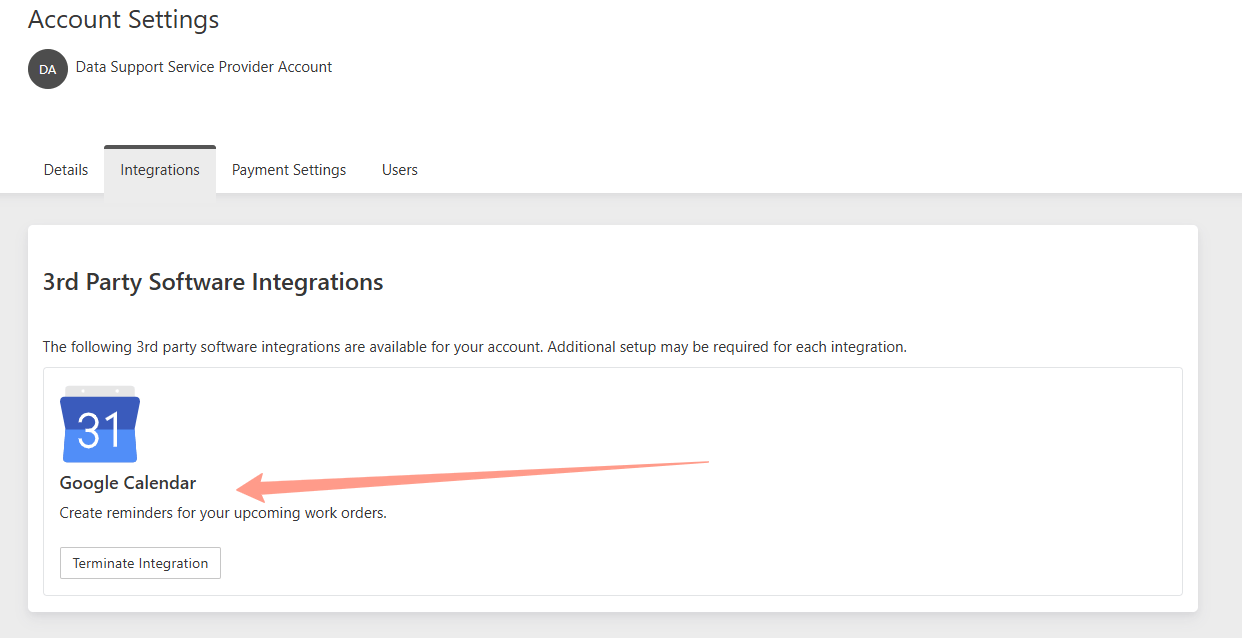
 A new browser window will open. Log in to the Gmail account you wish Latchel to use for work order events. Once completed, you'll know your Google Calendar is active when the option to **"Terminate Integration"** appears.
 Existing appointments aren't retroactively added to the calendar; only appointments scheduled after the integration goes live will appear.