> ## Documentation Index
> Fetch the complete documentation index at: https://help.latchel.com/llms.txt
> Use this file to discover all available pages before exploring further.
# Resetting Your Latchel Password (Service Provider)
> Forgot your Latchel password? No worries! This guide will walk you through the simple steps to reset your password and regain access to your account. Follow the instructions below to get back in quickly.
### **Steps to Reset Password**
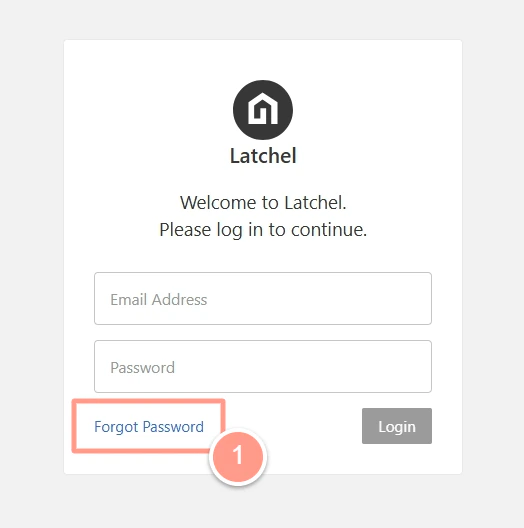
Click the button above. Then, click **Forgot Password**.
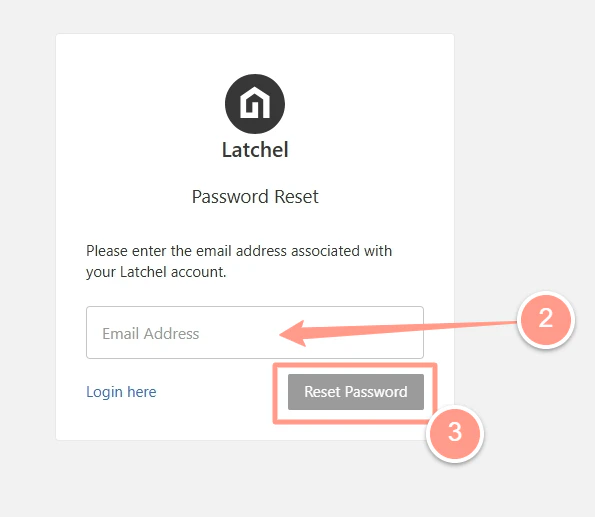
 Enter the **email address** associated with your Latchel account, then click **Reset Password**.
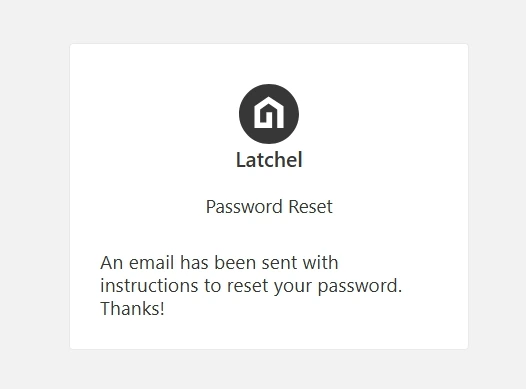
 A confirmation message will appear, indicating that an email with reset instructions has been sent.
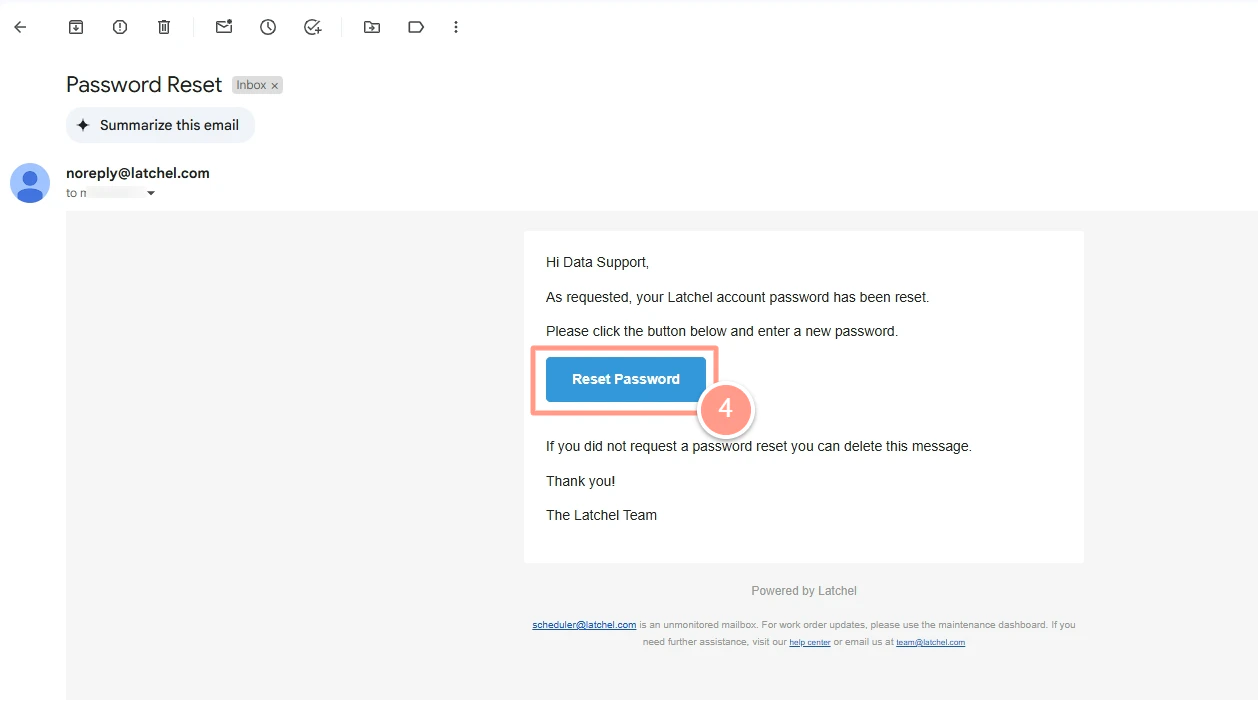
 Check your inbox for an email from Latchel containing a password reset link. Open the email and click Reset Password.
 In the new tab that opens, **enter your new password**, then **re-enter it to confirm**. Click **Submit Password** to complete the reset process. You will then be taken to your
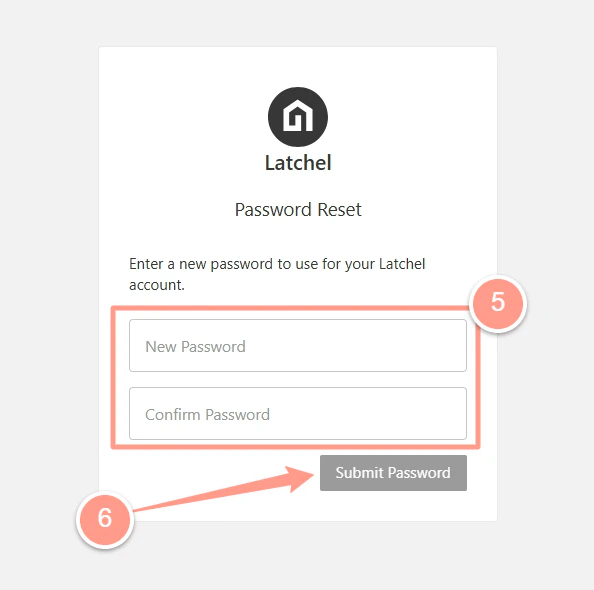 Your new password must include at least **one uppercase letter**, **one lowercase letter**, and **a special character**.
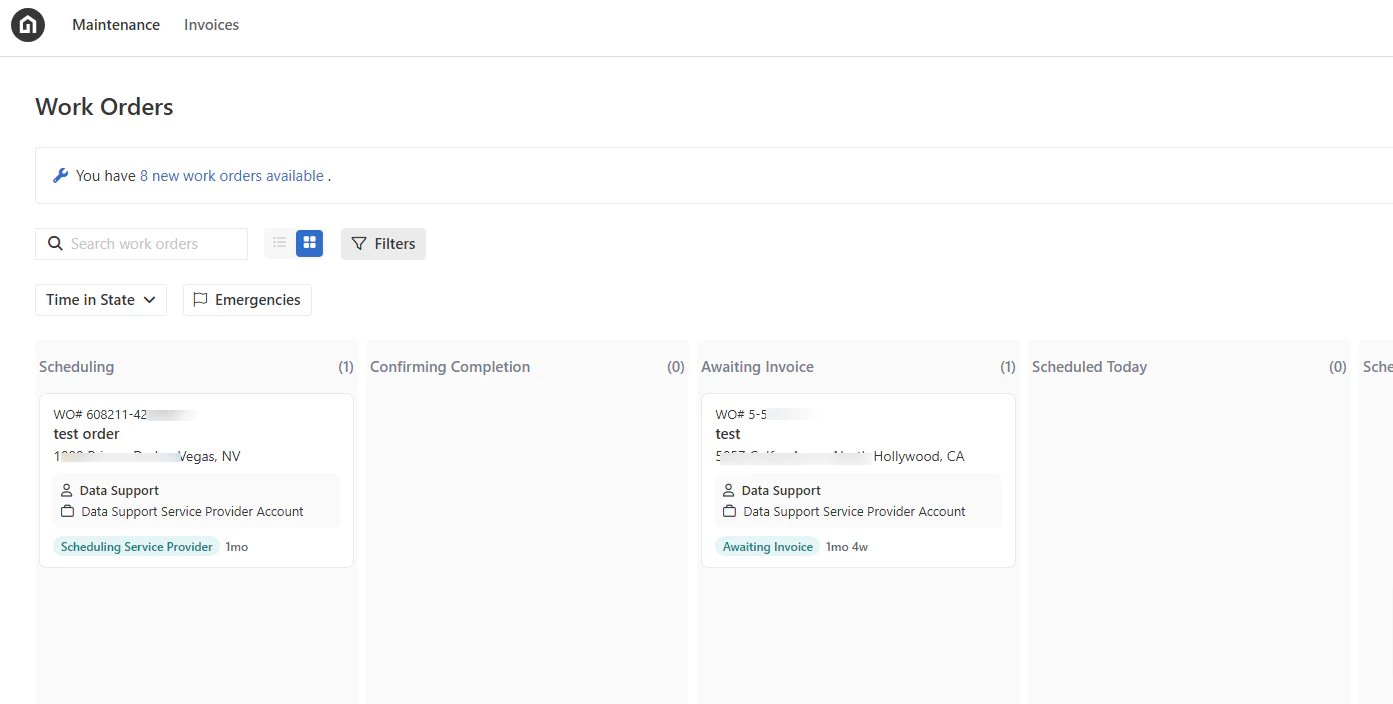
Once completed, you will be redirected to your **Work Orders** page in Latchel.
Your new password must include at least **one uppercase letter**, **one lowercase letter**, and **a special character**.
Once completed, you will be redirected to your **Work Orders** page in Latchel.
 And that's how easy you can reset your password!