> ## Documentation Index
> Fetch the complete documentation index at: https://help.latchel.com/llms.txt
> Use this file to discover all available pages before exploring further.
# Adding Your Company Address
Access your **Account Settings** by clicking your **user icon** at the far right corner of your dashboard.
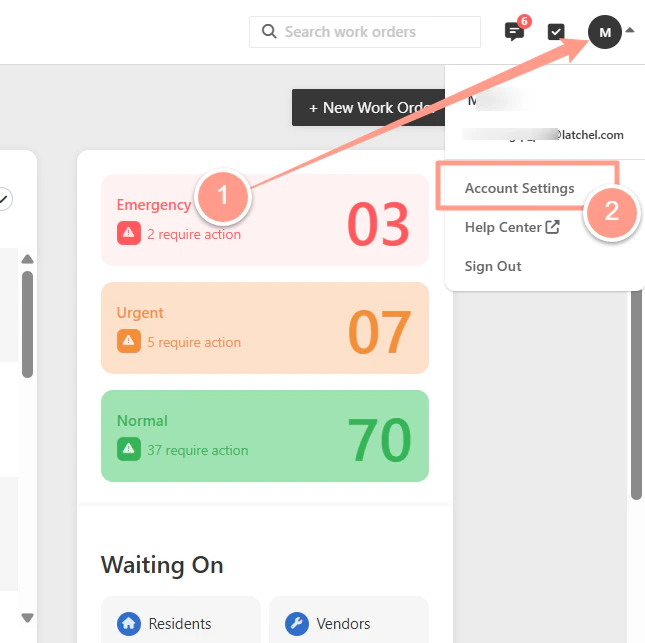 Expand **Address**, then add or update your company address. Click **Save** once done.
 And that's how easy you can update your company address on file!