> ## Documentation Index
> Fetch the complete documentation index at: https://help.latchel.com/llms.txt
> Use this file to discover all available pages before exploring further.
# Emergency Process Quick Guide
> Handling an emergency work order is a high-priority task where all parties involved - be it a resident, a Latchel Admin, or a Property Manager - receive priority service. This guide will outline how to handle a resident-initiated emergency work order.
#### **Initiating the Emergency Work Order**
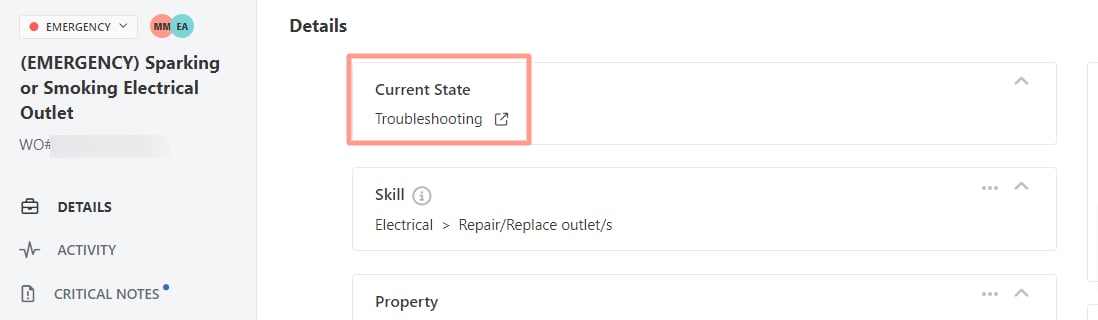
**1.** Once a work order is designated an emergency, its initial status is set as **"Troubleshooting"**.
 #### **Evaluating the Emergency**
**2.** A Latchel Troubleshooter engages the resident to determine the nature of the order: whether it's a duplicate, possibly damaging to the property, a utility issue, or can be de-escalated through troubleshooting. If resolved via troubleshooting, the order will be closed as **"Completed"** and downgraded to **"Normal"**. If confirmed as an emergency, it remains open. The resident's age (18 years of age requirement) and ideal visit time will be recorded and the urgency of service provider dispatch evaluated.
#### **Dispatch Instructions and Scheduling**
**3.** Based on the emergency's severity, an immediate dispatch may be required or it could be scheduled later. Notably, property-damaging or extreme habitability issues should be addressed the same day.
**4.** Work orders during business hours are forwarded to the Property Manager if the account is enabled for after-hour emergencies.
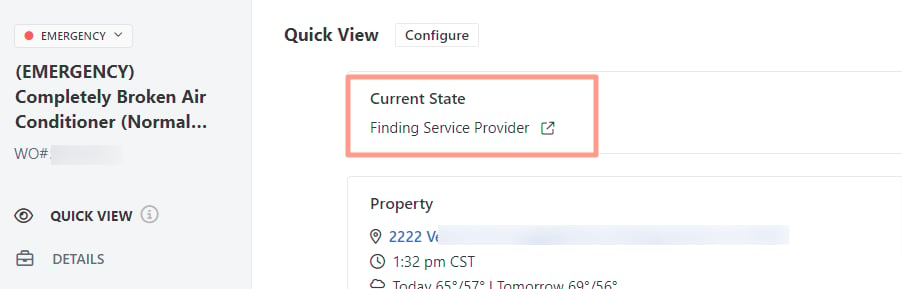
**5.** If a same-day schedule is possible, the work order status will be updated to **"Finding Service Provider"**.
#### **Evaluating the Emergency**
**2.** A Latchel Troubleshooter engages the resident to determine the nature of the order: whether it's a duplicate, possibly damaging to the property, a utility issue, or can be de-escalated through troubleshooting. If resolved via troubleshooting, the order will be closed as **"Completed"** and downgraded to **"Normal"**. If confirmed as an emergency, it remains open. The resident's age (18 years of age requirement) and ideal visit time will be recorded and the urgency of service provider dispatch evaluated.
#### **Dispatch Instructions and Scheduling**
**3.** Based on the emergency's severity, an immediate dispatch may be required or it could be scheduled later. Notably, property-damaging or extreme habitability issues should be addressed the same day.
**4.** Work orders during business hours are forwarded to the Property Manager if the account is enabled for after-hour emergencies.
**5.** If a same-day schedule is possible, the work order status will be updated to **"Finding Service Provider"**.
 #### **Finding and Assigning a Service Provider**
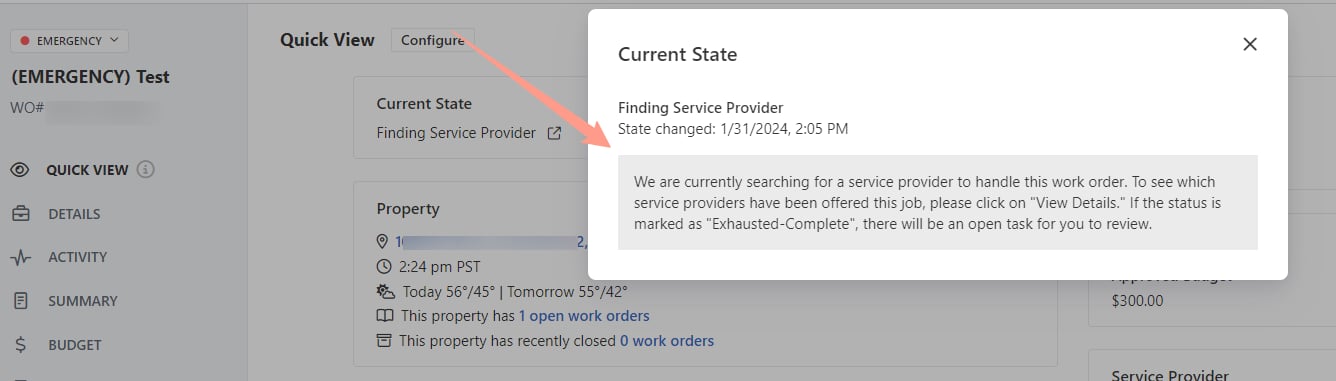
**6.** The service provider assignment process is kicked off and Latchel will assign someone for the task. For more information on assigning or reassigning service providers, follow this guide: [**How to Assign and Reassign Service Providers on Work Order (New Experience)**](/s/topic/0TO5e000000h9wqGAA/How-to-Assign-and-Reassign-Service-Providers-on-Work-Order-New-Experience)
#### **Finding and Assigning a Service Provider**
**6.** The service provider assignment process is kicked off and Latchel will assign someone for the task. For more information on assigning or reassigning service providers, follow this guide: [**How to Assign and Reassign Service Providers on Work Order (New Experience)**](/s/topic/0TO5e000000h9wqGAA/How-to-Assign-and-Reassign-Service-Providers-on-Work-Order-New-Experience)
 #### **Service Provider Acceptance and Scheduling**
**7.** Once a Service Provider accepts the job and sets an appointment, the work order moves to **"Awaiting work date"**.
#### **Service Provider Acceptance and Scheduling**
**7.** Once a Service Provider accepts the job and sets an appointment, the work order moves to **"Awaiting work date"**.
 #### **Completing or Remaining Open**
**8.** After the visit, if the service provider successfully resolves the problem, the work order becomes **"Completed"**. If not, it remains **"Open"** due to various reasons, such as a need for a second visit, awaiting materials or approval, or a work order being placed on hold.
#### **Owner Approval**
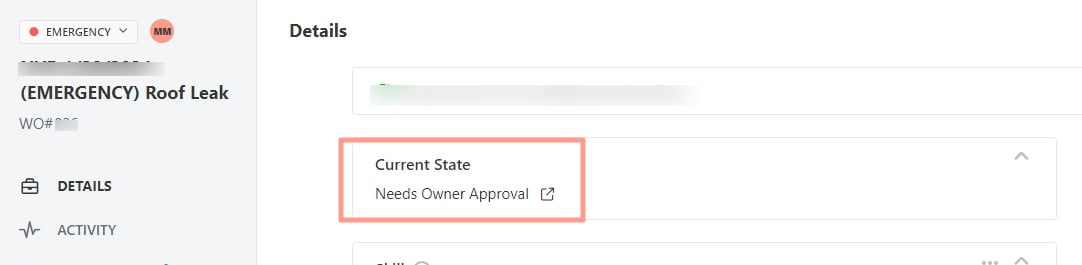
**9.** If a cost estimate approval is needed, the work order status updates to **"Needs Owner Approval"**. Learn about managing requested bids: **[How to Approve or Deny an Estimate or Bid](/s/topic/0TO5e000000h9wqGAA/How-to-Approve-or-Deny-an-Estimate-or-a-Bid)**.
#### **Completing or Remaining Open**
**8.** After the visit, if the service provider successfully resolves the problem, the work order becomes **"Completed"**. If not, it remains **"Open"** due to various reasons, such as a need for a second visit, awaiting materials or approval, or a work order being placed on hold.
#### **Owner Approval**
**9.** If a cost estimate approval is needed, the work order status updates to **"Needs Owner Approval"**. Learn about managing requested bids: **[How to Approve or Deny an Estimate or Bid](/s/topic/0TO5e000000h9wqGAA/How-to-Approve-or-Deny-an-Estimate-or-a-Bid)**.
 #### **Rescheduling**
**10.** Post-approval, the status moves to ‘Scheduling with Service Provider’ and repeats the **"Awaiting Work Date"** process (refer to step 7.)
#### **Rescheduling**
**10.** Post-approval, the status moves to ‘Scheduling with Service Provider’ and repeats the **"Awaiting Work Date"** process (refer to step 7.)
 #### **Confirmation of Completion**
**11.** After the visit date, the status updates to **"Confirming Completion"**. The resident and service provider will receive notifications to confirm the issue resolution.
#### **Confirmation of Completion**
**11.** After the visit date, the status updates to **"Confirming Completion"**. The resident and service provider will receive notifications to confirm the issue resolution.
 #### **Awaiting Invoice and Completion**
**12.** Once the invoice is uploaded by the service provider, the work order is moved to **"Completed"**. Note, that the Property Manager can opt to disable automatic invoice collection. Learn how to: [**H**](/s/topic/0TO5e000000h9wqGAA/How-to-Disable-Automatic-Invoice-Collection-from-Preferred-Service-Providers)**[ow to Disable Automatic Invoice Collection from Preferred Service Providers.](/s/topic/0TO5e000000h9wqGAA/How-to-Disable-Automatic-Invoice-Collection-from-Preferred-Service-Providers)**
#### **Awaiting Invoice and Completion**
**12.** Once the invoice is uploaded by the service provider, the work order is moved to **"Completed"**. Note, that the Property Manager can opt to disable automatic invoice collection. Learn how to: [**H**](/s/topic/0TO5e000000h9wqGAA/How-to-Disable-Automatic-Invoice-Collection-from-Preferred-Service-Providers)**[ow to Disable Automatic Invoice Collection from Preferred Service Providers.](/s/topic/0TO5e000000h9wqGAA/How-to-Disable-Automatic-Invoice-Collection-from-Preferred-Service-Providers)**

