> ## Documentation Index
> Fetch the complete documentation index at: https://help.latchel.com/llms.txt
> Use this file to discover all available pages before exploring further.
# Export Severity Settings as a CSV File
> If you would like to export a CSV version of your company's severity settings, you can do so with the following steps.
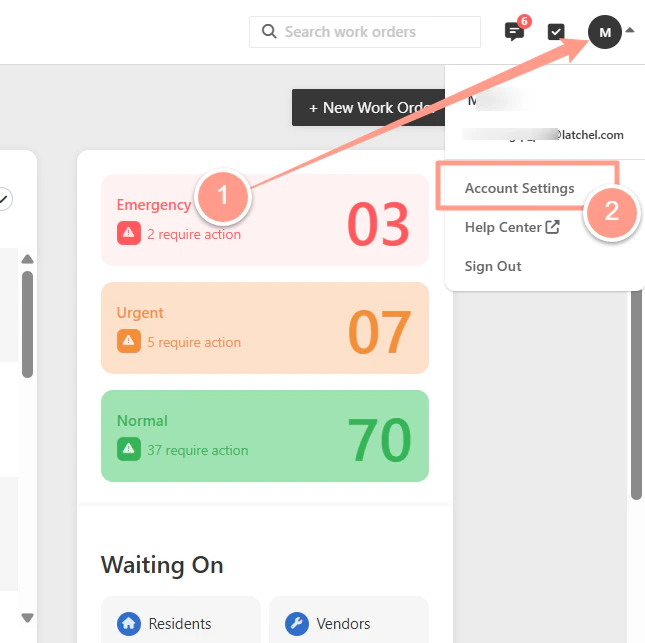
On your Latchel dashboard click your initials on the top right-hand corner, and on the drop select **Account Settings**.
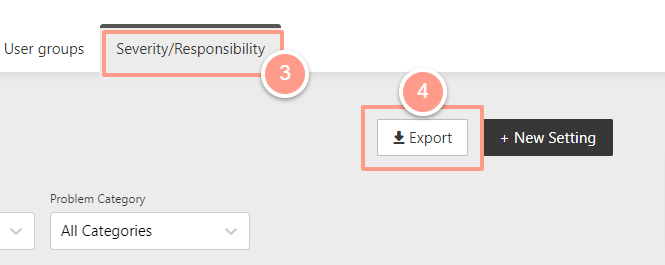
 Then on the **Severity/Responsibility** tab, click the **Export** icon.
 And click **OK.**
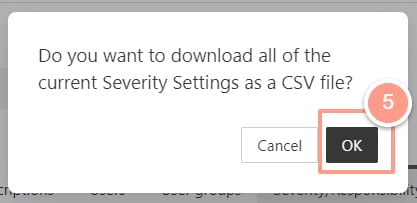 Once the download is complete, please check your computer downloads to access the (.)CSV file.