> ## Documentation Index
> Fetch the complete documentation index at: https://help.latchel.com/llms.txt
> Use this file to discover all available pages before exploring further.
# How to Access & Read Call Logs
> This guide walks you through how to access and read call logs for service requests. Call logs provide a detailed record of communication between Latchel and residents or service providers, helping you track updates, follow up as needed, and stay informed on the status of each job.
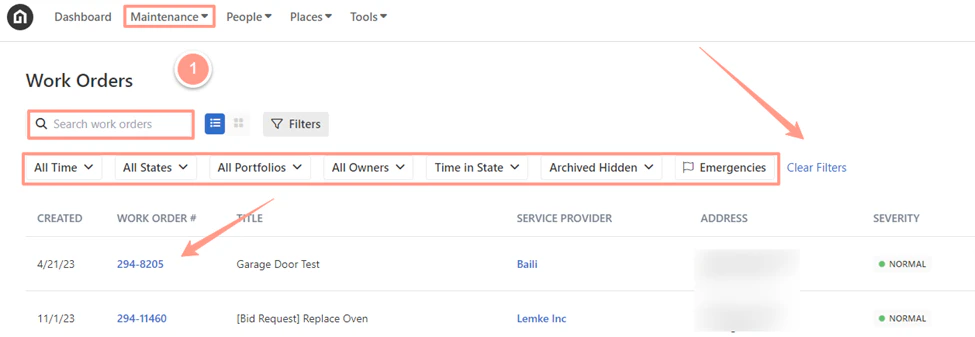
From the dashboard, click on **Maintenance**, and open the work order by either **searching and/or clicking the specific order number**. You can also use the **Filter** and **Clear Filters** option for a more refined search.
To learn more about how to use the **Filter**, check out this help guide: [**How to Use the Filter Options in the Work Order Tab Page**](https://help.latchel.com/s/topic/0TO5e000000h9wqGAA/How-to-Use-the-Filter-Options-in-the-Work-Order-Tab-Page)**.**
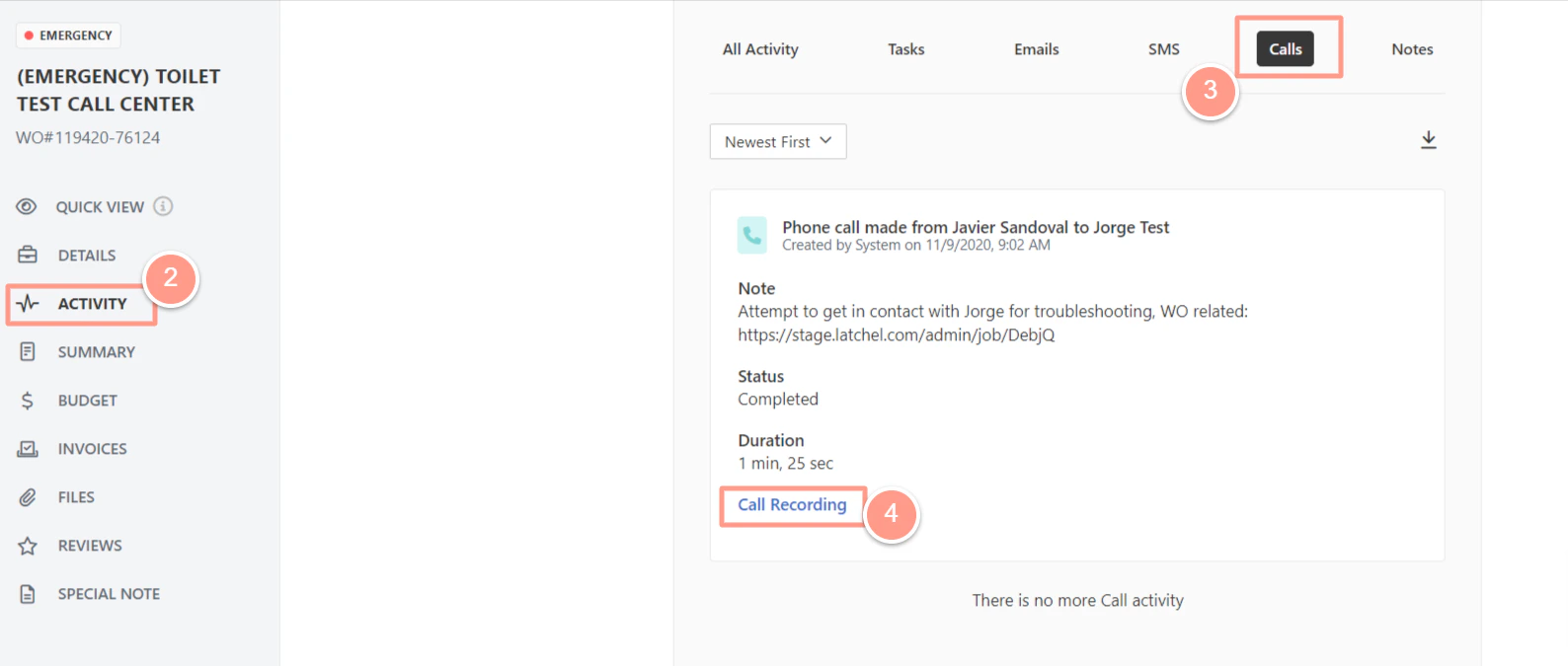
 Once on the work order page, click on **Activity**, and from **Activity**, choose **Calls**. Below the comment information, the admin user or Property Manager may click on **Call Recording** to listen to the call.