> ## Documentation Index
> Fetch the complete documentation index at: https://help.latchel.com/llms.txt
> Use this file to discover all available pages before exploring further.
# How to Activate the Client Propertyware Integration
> This guide walks you through the steps to activate the Propertyware integration for your account. By enabling this integration, Latchel will automatically sync with your Propertyware data, ensuring your properties, residents, and work orders stay up-to-date without manual input.
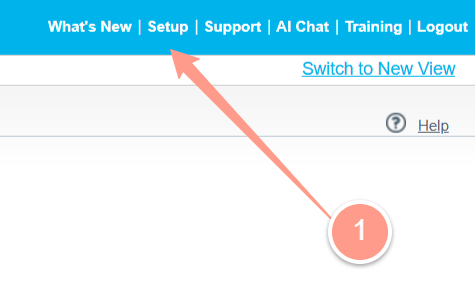
To get started, head to your Propertyware dashboard and click on **Setup** located in the top right corner.
 Next, expand the **Administration Setup** located in the left corner, and click on **Manage Users**.
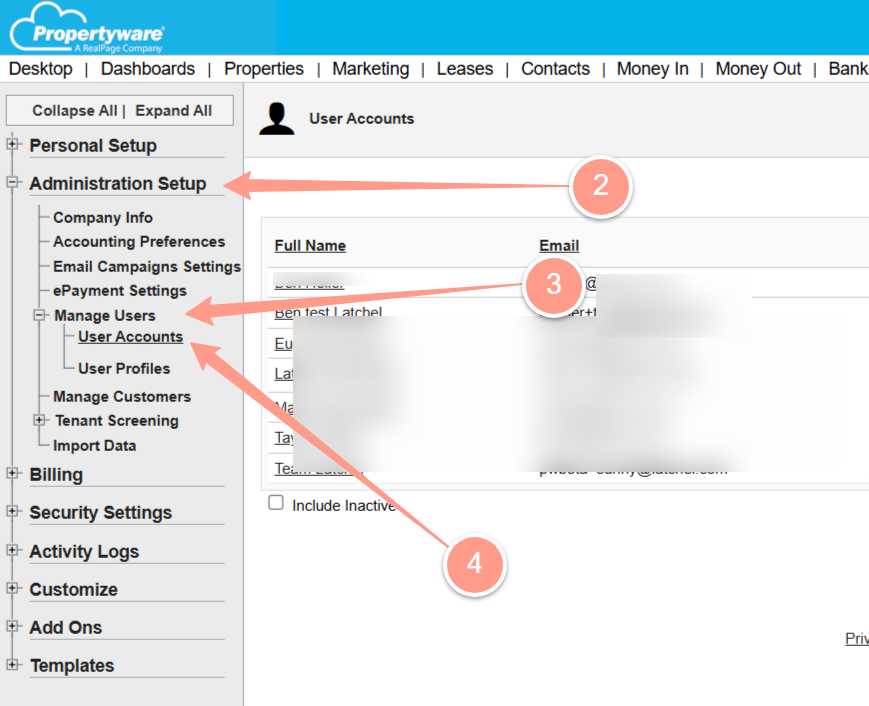 Here, we need to create a Latchel user within Propertyware.
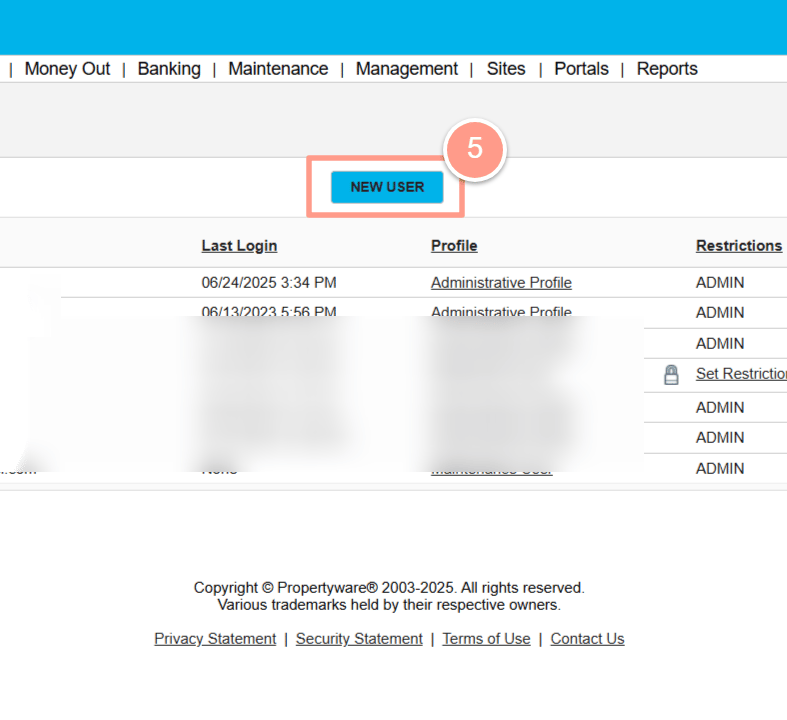
To do this, click on **New User** and fill out all of the necessary fields.
Here, we need to create a Latchel user within Propertyware.
To do this, click on **New User** and fill out all of the necessary fields.
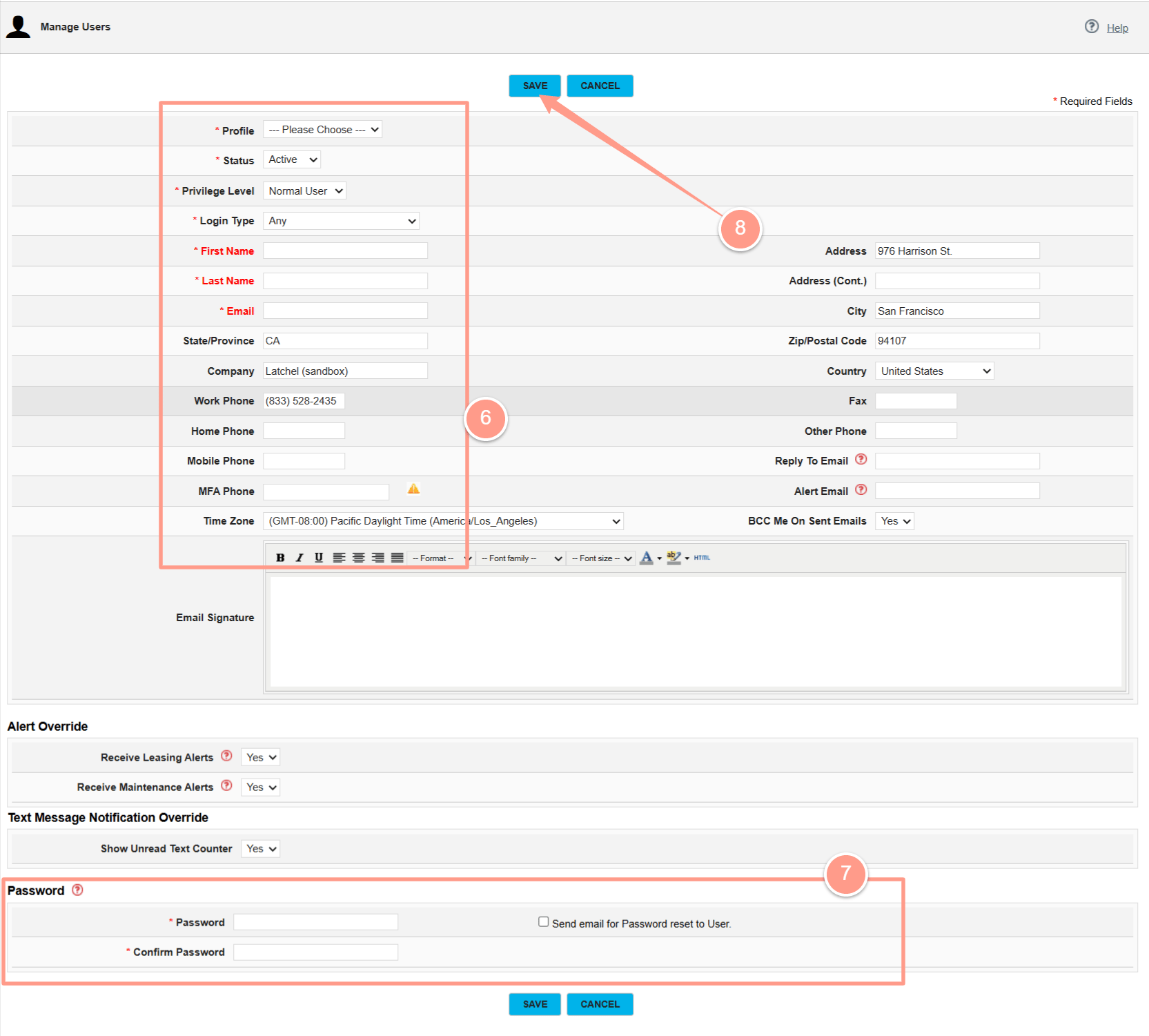 **Make sure to fill out the following data in the form:**
* **Profile:** Administrative Profile
* **Status:** Active
* **Privilege Level:** Normal user
* **First Name:** Team
* **Last Name:** Latchel
* **Email:** [**pwbeta+pmcompanyname@latchel.com**](mailto:pwbeta+pmcompanyname@latchel.com) (Please change "pmcompanyname" with your company name.)
* **Password:** Create a password.
* **Confirm Password:** (retype the password to confirm)
Please **share the password** you created for Latchel, or you can **check the box** for **"Send email for Password reset to User"** for Latchel to reset the initial password you created.
After ensuring that all the data is correct and complete, click the **Save** button.
Now that you have completed the steps outlined in this guide, it's time to work with Latchel's Customer Success team to take the next steps. Let your onboarding representative know that you've finished this guide, and they'll be happy to help you with whatever comes next.
**Make sure to fill out the following data in the form:**
* **Profile:** Administrative Profile
* **Status:** Active
* **Privilege Level:** Normal user
* **First Name:** Team
* **Last Name:** Latchel
* **Email:** [**pwbeta+pmcompanyname@latchel.com**](mailto:pwbeta+pmcompanyname@latchel.com) (Please change "pmcompanyname" with your company name.)
* **Password:** Create a password.
* **Confirm Password:** (retype the password to confirm)
Please **share the password** you created for Latchel, or you can **check the box** for **"Send email for Password reset to User"** for Latchel to reset the initial password you created.
After ensuring that all the data is correct and complete, click the **Save** button.
Now that you have completed the steps outlined in this guide, it's time to work with Latchel's Customer Success team to take the next steps. Let your onboarding representative know that you've finished this guide, and they'll be happy to help you with whatever comes next.