> ## Documentation Index
> Fetch the complete documentation index at: https://help.latchel.com/llms.txt
> Use this file to discover all available pages before exploring further.
# How to Add a Special Note to a Work Order
> The description of a work order is crucial for Service Providers to understand the problem that needs to be addressed. It provides a summary of the responses to the diagnostic flow completed during the work order creation. Moreover, a **Special Note** will provide other additional information on how a work order must be treated or considered.
Here's how you can add a special note to any work order:
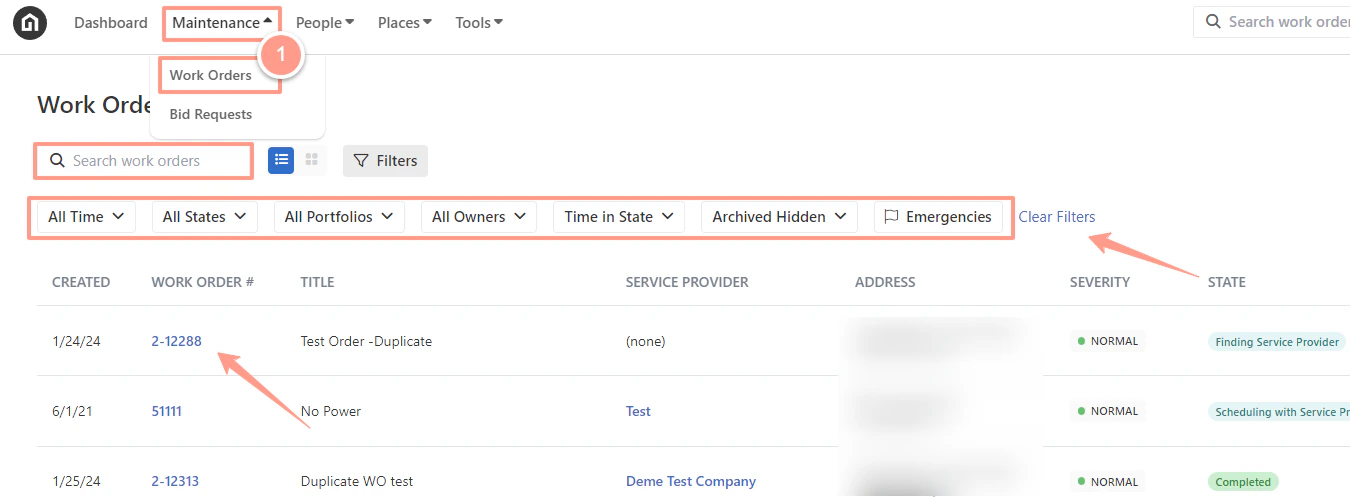
To select the desired work order, from the dashboard, click on the **Maintenance tab**, and open the work order by either **searching and/or clicking the specific order number.** You can also use the **Filter** and **Clear Filters** option for a more refined search. To learn more about how to use the Filter, check out this help guide: [**How to Use the Filter Options in the Work Order Tab Page.**](/s/topic/0TO5e000000h9wqGAA/How-to-Use-the-Filter-Options-in-the-Work-Order-Tab-Page)
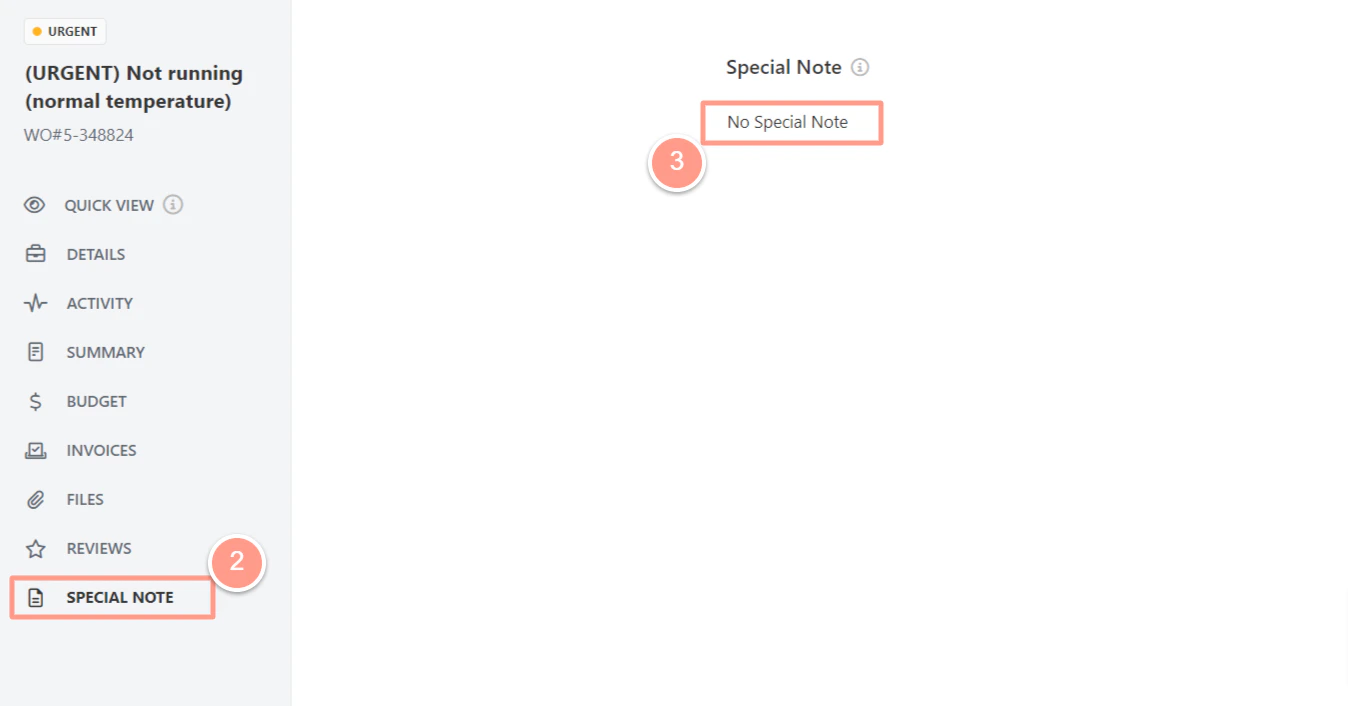
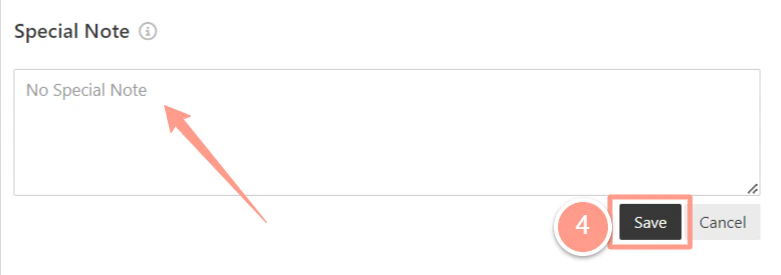
 From the work order page, click on \*\*Special Note, \*\*and the **Special Note section** will be presented. To type in an additional special note, click the **No Special Note** to activate the box where you can add new notes.
 Click **Save** once done adding the special note.
 [**Are you having difficulty finding the right property you need to work on? Check out Quick Search Box for Work Orders.**](/s/topic/0TO5e000000h9wqGAA/Quick-Search-Box-for-Work-Orders)