> ## Documentation Index
> Fetch the complete documentation index at: https://help.latchel.com/llms.txt
> Use this file to discover all available pages before exploring further.
# How to Change the Primary Resident on a Work Order
> Latchel will text all residents for availability on the property but uses the primary resident on a job so the vendor has access in case they require a conversation with the resident.
Here's how you can change the primary resident on a work order:
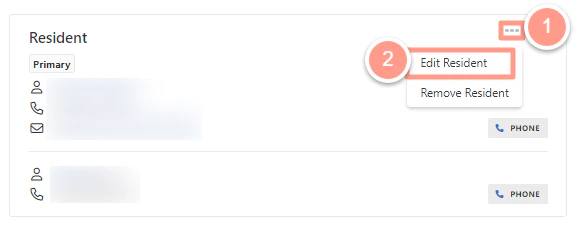
In the work order page, click on the 3 dots next to the **Resident** modal and select **Edit Resident.**
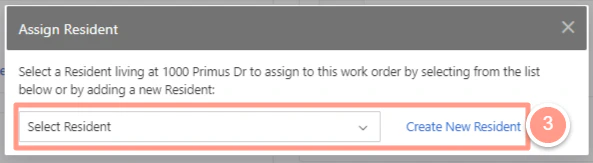
 You will be prompted to **Select** or **Create New Resident.**
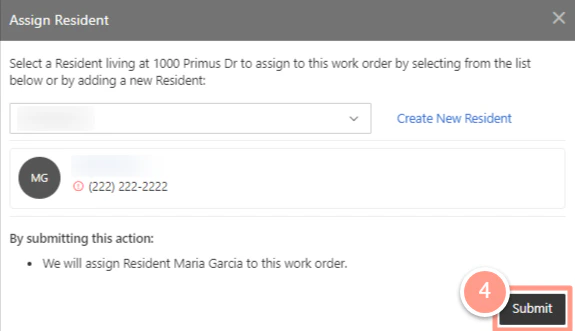
 Select the appropriate resident from the prompted list, then **Submit.**
 And that's how easy you can change a resident in a work order!