> ## Documentation Index
> Fetch the complete documentation index at: https://help.latchel.com/llms.txt
> Use this file to discover all available pages before exploring further.
# How to Change the Service Provider on a Work Order
> This guide will show you how to update a work order by changing its assigned service provider. You’ll learn how to edit the provider details or remove a provider altogether when needed.
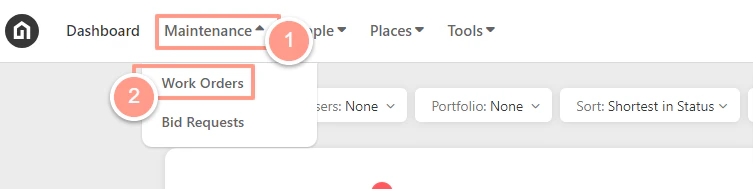
First, **search for the work order** you need to update. From your **Dashboard**, click the **Maintenance** dropdown and select **Work Orders**.
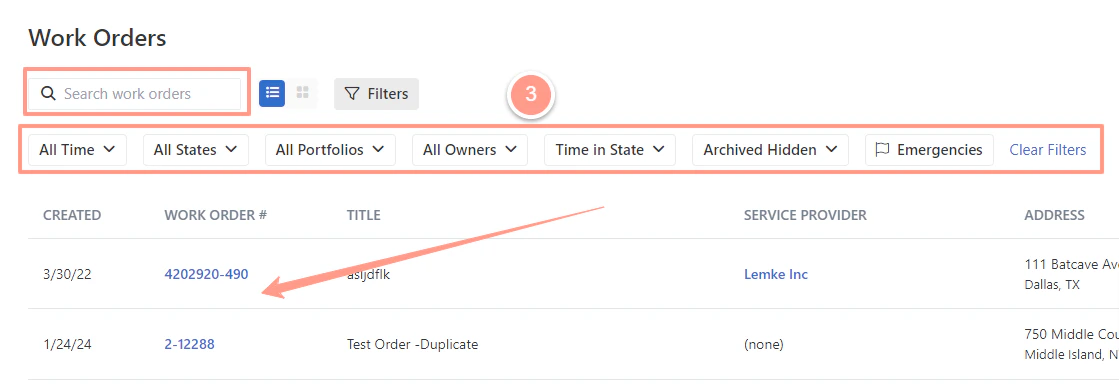
 Now to select the desired work order, use the **Search Bar** then click on the **Work Order ID** on the Work Order page. You can also use **Filter** for easy search.
 ### **How to Edit/Change the Service Provider Assigned on a Work Order**
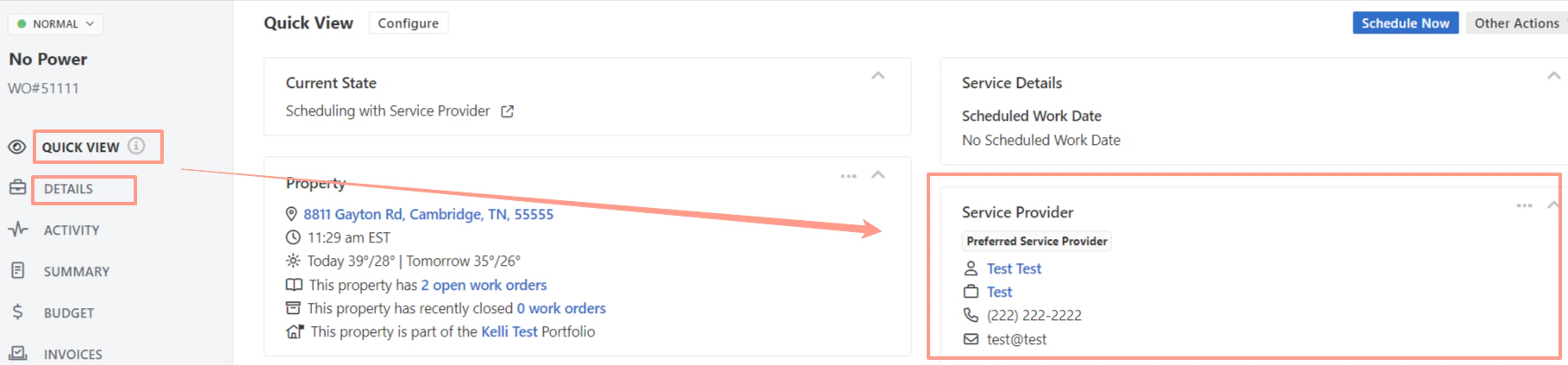
Once you are in the work order select **Quick View** or **Details** tab, then look for the **Service Provider** section.
### **How to Edit/Change the Service Provider Assigned on a Work Order**
Once you are in the work order select **Quick View** or **Details** tab, then look for the **Service Provider** section.
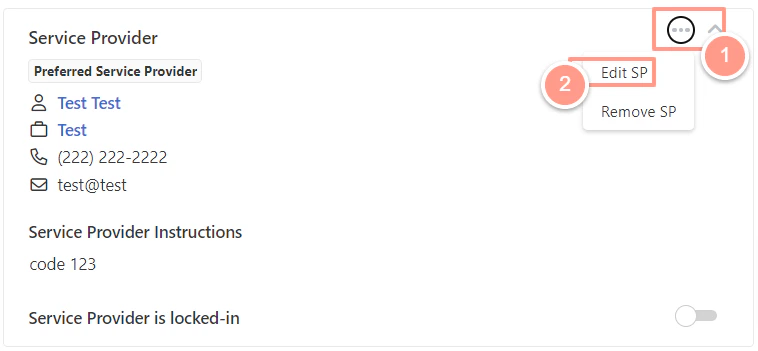
 From there click the ellipsis , then choose **Edit SP**.
 You may select from the list of the **Service Providers** for Work Order's required skill. Or **Search** for the Service Provider company if the service provider is not on the list, then click **Select**.
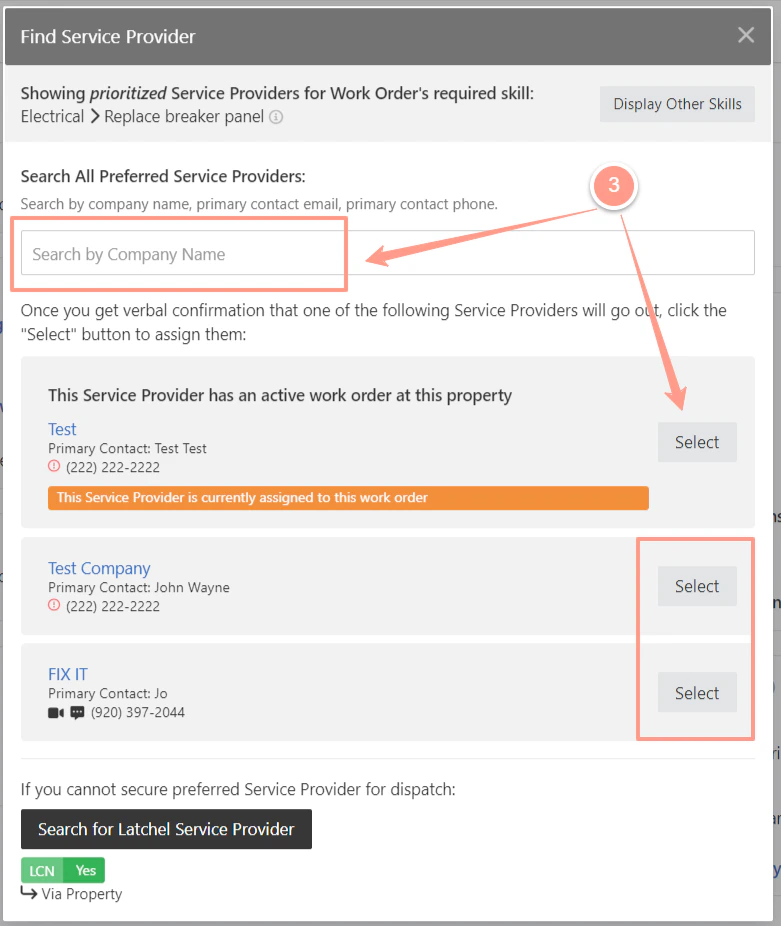 Once you have chosen the Service Provider, fill out the box providing details of why you are changing the service provider, and click **Add to Work Order.**
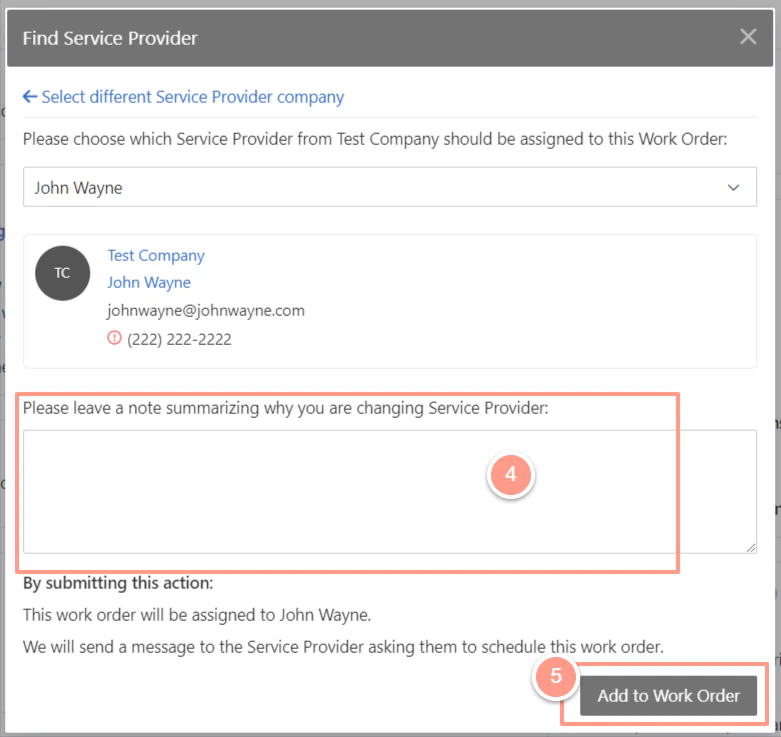 If there are multiple users in the service provider company, please also select the user to be assigned in the work order.
### **How to Remove the Service Provider Assigned on a Work Order**
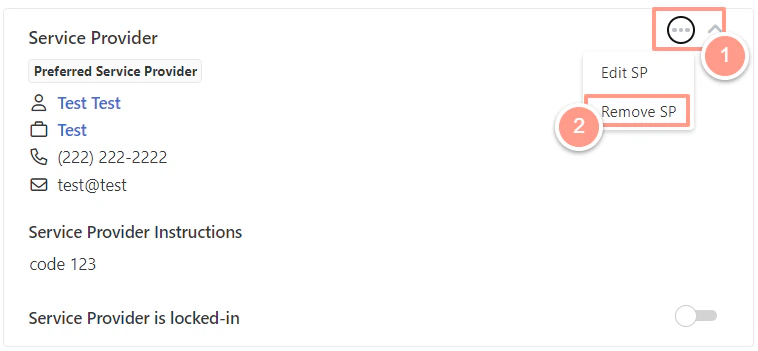
From the Service Provider section click the**ellipsis** and choose **Remove SP** if you need to completely remove or unassign the service provider from the work order.
Removing a service provider assigned to the work order will **not** prompt you to assign or choose a different service provider. If you wish to re-assign another service provider, choose **Edit SP** instead.
If there are multiple users in the service provider company, please also select the user to be assigned in the work order.
### **How to Remove the Service Provider Assigned on a Work Order**
From the Service Provider section click the**ellipsis** and choose **Remove SP** if you need to completely remove or unassign the service provider from the work order.
Removing a service provider assigned to the work order will **not** prompt you to assign or choose a different service provider. If you wish to re-assign another service provider, choose **Edit SP** instead.
 Next, leave a note summarizing why you are removing the service provider. Then click **Submit**.
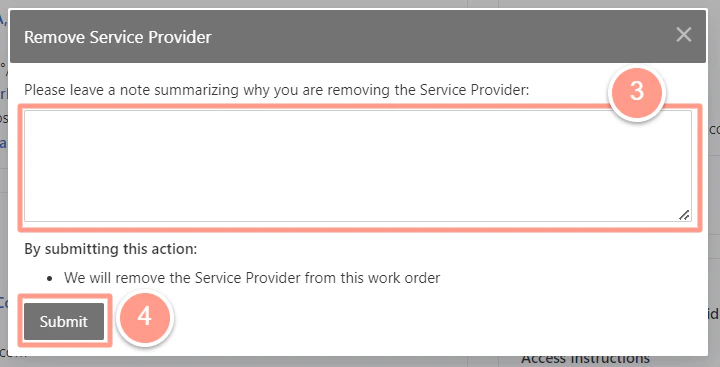 When a service provider is unassigned from the work order, the work order will be changed to Finding Service Provider status.