> ## Documentation Index
> Fetch the complete documentation index at: https://help.latchel.com/llms.txt
> Use this file to discover all available pages before exploring further.
# How to Contact Latchel
> There are several ways to reach Latchel depending on the kind of support or assistance you need. Here’s a quick guide to help you connect with the right team efficiently.
### **Your Customer Success Manager**
For **training sessions**, **major configuration updates**, **company structure changes**, or **meetings that need coordination or follow-ups**, your **CSM** is happy to help! These meetings are scheduled based on your CSM’s calendar availability.
### **Email Latchel**
For **technical support**, **configuration assistance**, **account settings**, or **billing-related questions**, please reach out to [success@latchel.com](mailto:success@latchel.com) — our team will get back to you within **1 business day**.
### **Work Order-Related Concerns**
For active **work order updates**, including **emergency work orders**, simply text **(not call)** your assigned maintenance hotline number or use webchat. Our team will respond **within 10 minutes**.
* **Latchel Assigned Maintenance Hotline Number**
To know more about **your assigned maintenance hotline number**, visit:
Learn to know where to find the phone number assigned to your Latchel account.
* **The Latchel Webchat**
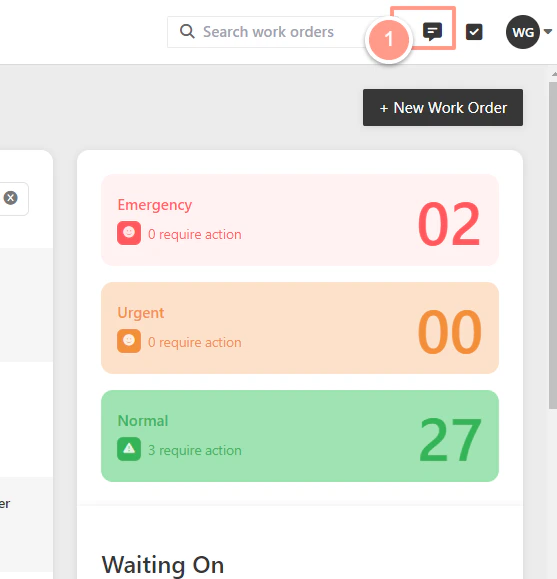
From the top right corner of your dashboard, click the **SMS icon**.
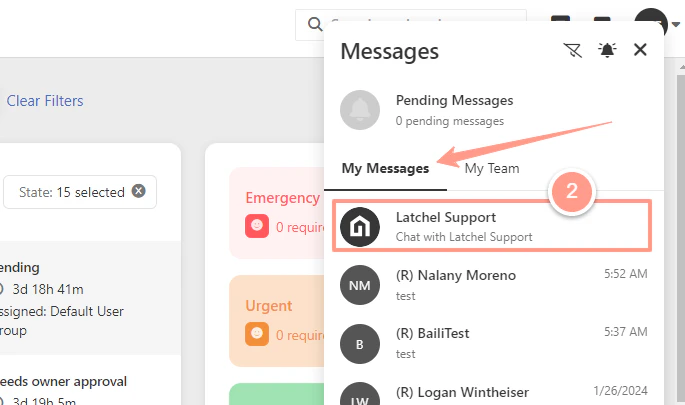
 In the message section under the **"My Messages"** tab click **Latchel Support**.
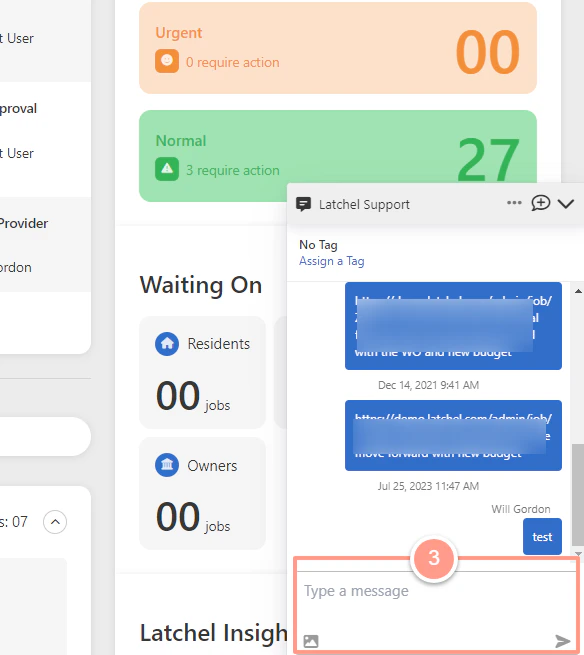
 Then place your concern on the pop-up message that will show in the lower right corner. Hit **Enter** on your keyboard to send the message.
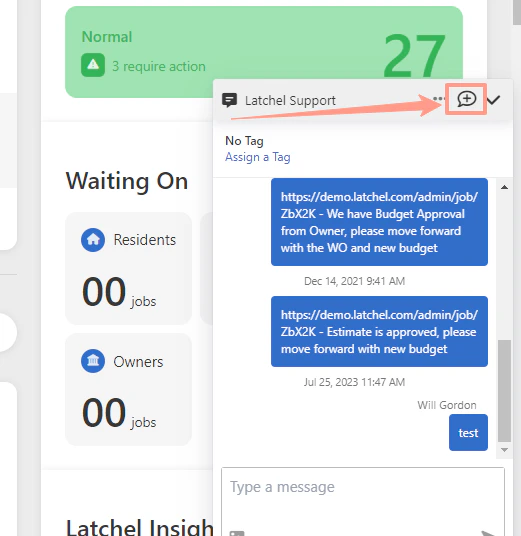
 You can also select the **New Message icon** to search and tag your concern to a specific work order.