> ## Documentation Index
> Fetch the complete documentation index at: https://help.latchel.com/llms.txt
> Use this file to discover all available pages before exploring further.
# How to Delete a Portfolio
> Through this Help Guide, property managers will learn how to delete portfolios that are no longer needed.
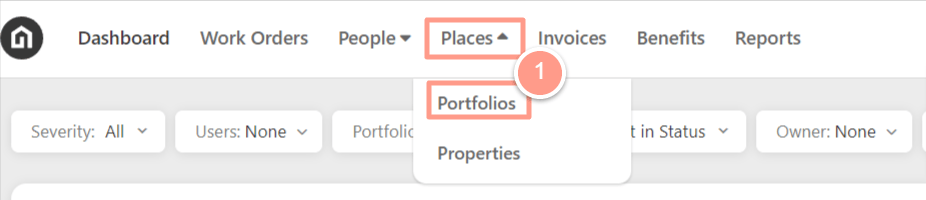
On your dashboard click **Places** and then select **Portfolios** on the dropdown.
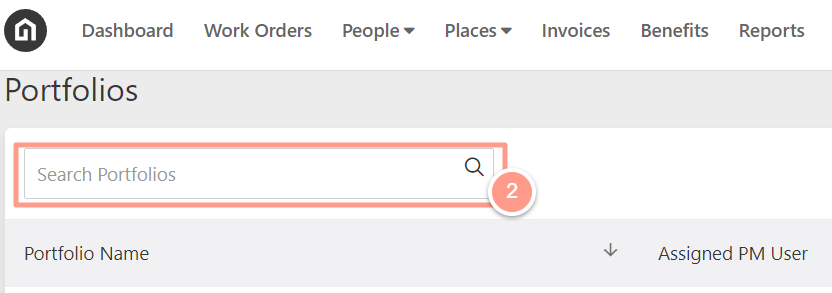
 Then search for the Portfolio name in the **Search bar**.
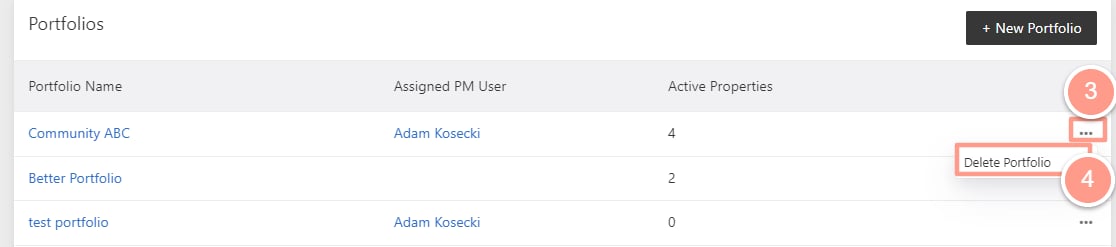
 Once you found the portfolio name, navigate to the right side of the page, click the **ellipses icon,** and select **Delete Portfolio**.
 A pop-up message will appear, and to confirm action click **OK**.
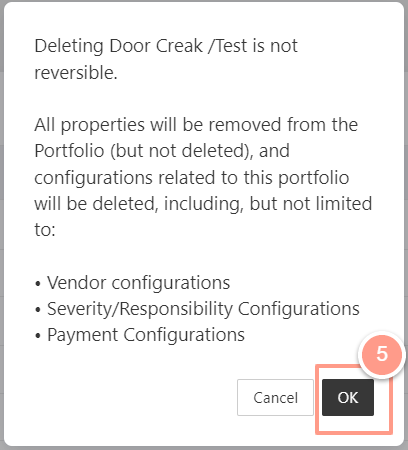 Deleting a portfolio will not affect the status of the properties included in it. The purpose of deleting a portfolio is to ungroup the properties.