> ## Documentation Index
> Fetch the complete documentation index at: https://help.latchel.com/llms.txt
> Use this file to discover all available pages before exploring further.
# How to Download a Work Order History
> You can download a PDF of the work order history from the work order page in Latchel. The PDF will include all notes, actions taken, status changes, and sent emails.
**Pro Tip:** If you are not using an integration, we recommend exporting the work order history and uploading the PDF file to the corresponding work order in your Property Management system. This will help you keep a log of everything we did in Latchel in your management system!
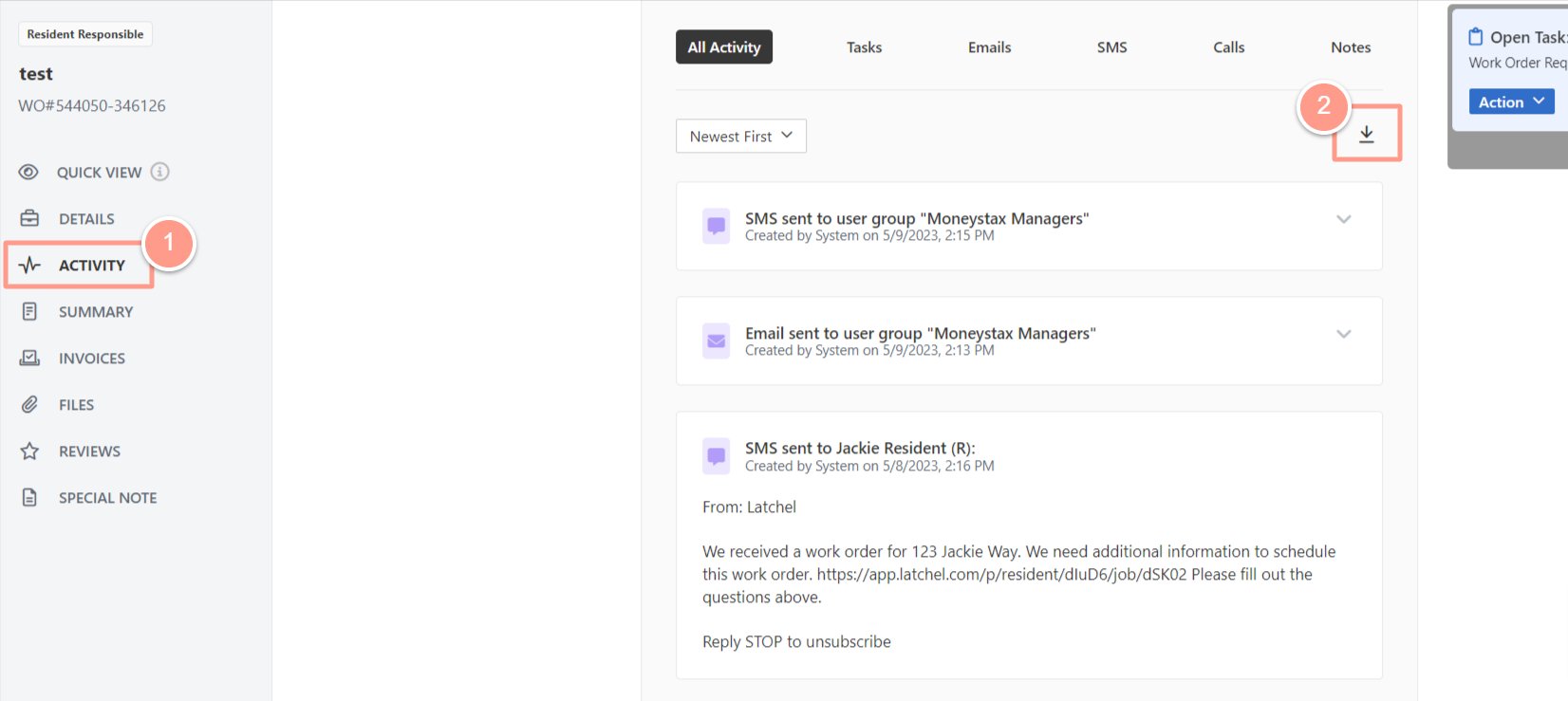
Open the work order then go to the **Activity** tab. Under **All Activity**, a **download icon** can be clicked to download the all details of the work order.
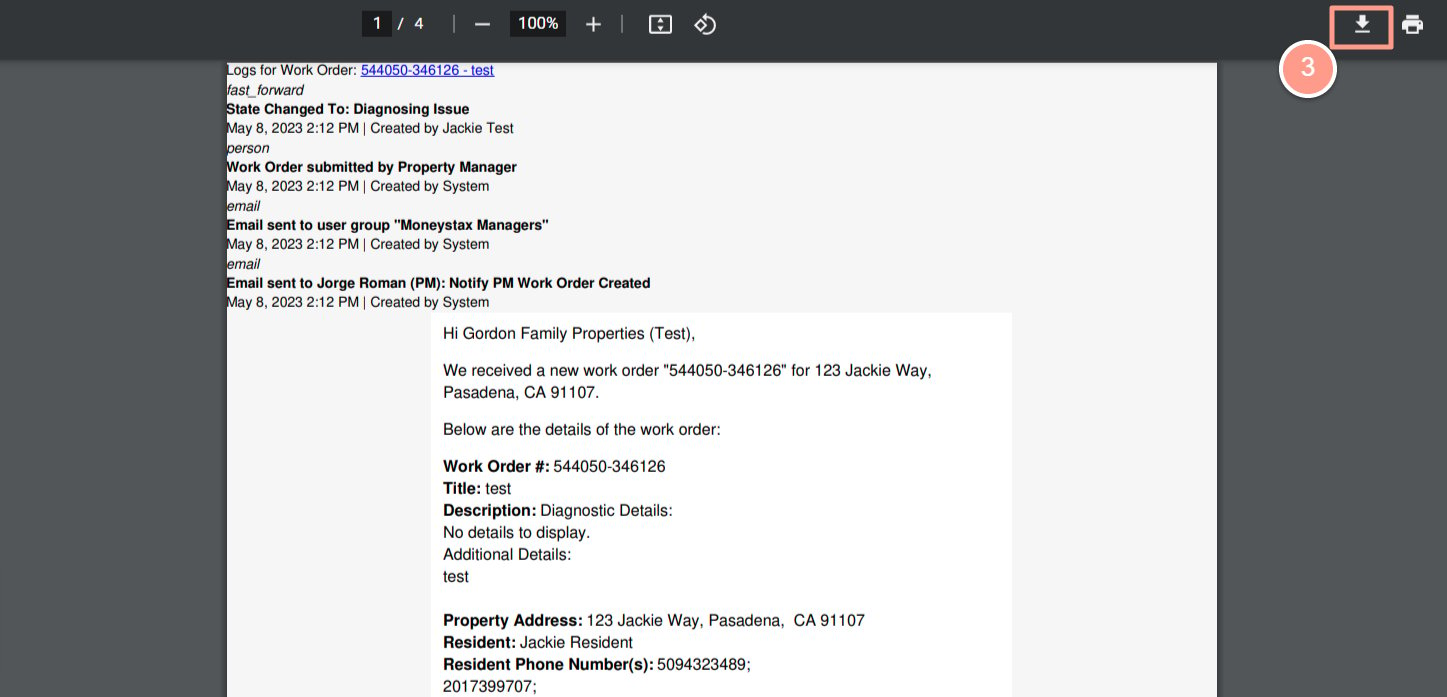
 Once the PDF file preview opens an option to either download the PDF file to your computer or print it out is a the upper right-hand corner of the screen. Click the download icon to download it to your computer.
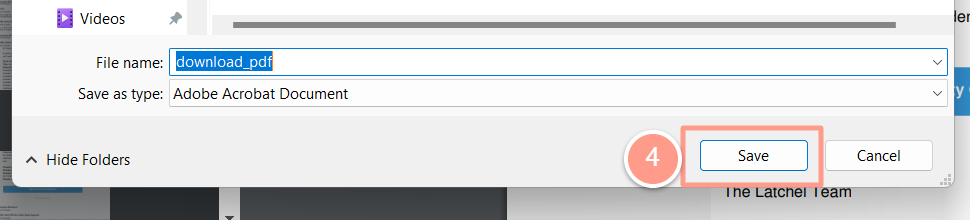
 A pop-up window should appear, prompting you to specify the location where you’d like to save the file. If you’d like, you can rename the file at this point. If not, skip this step. Click **Save** or **OK** to save the PDF file to your computer.