> ## Documentation Index
> Fetch the complete documentation index at: https://help.latchel.com/llms.txt
> Use this file to discover all available pages before exploring further.
# How to Enable or Disable a Resident in Latchel
> This help guide will provide property managers with the necessary steps to enable or disable residents in Latchel, as well as outline the status with integrations.
### **Searching and Enabling Residents**
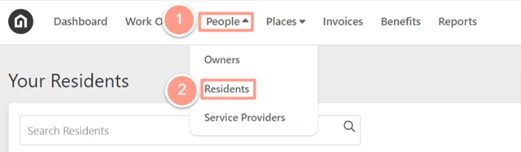
From the top navigation menu click **People**, then on the dropdown select **Residents**.
 On the residents page check the **Show Disabled Accounts** box to display all resident profiles. Now in the **Search Field**, you could use either the resident's name, email, or phone number to search for the resident's profile.
Once searched, click on the **Name** of the resident.
On the residents page check the **Show Disabled Accounts** box to display all resident profiles. Now in the **Search Field**, you could use either the resident's name, email, or phone number to search for the resident's profile.
Once searched, click on the **Name** of the resident.
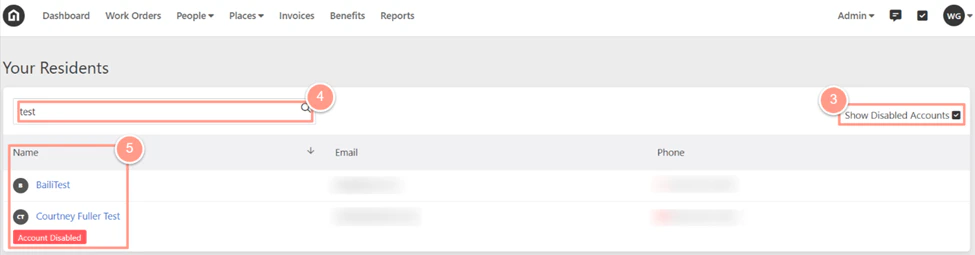 A disabled resident's account will have an **"Account Disabled"** tag displayed under their name.
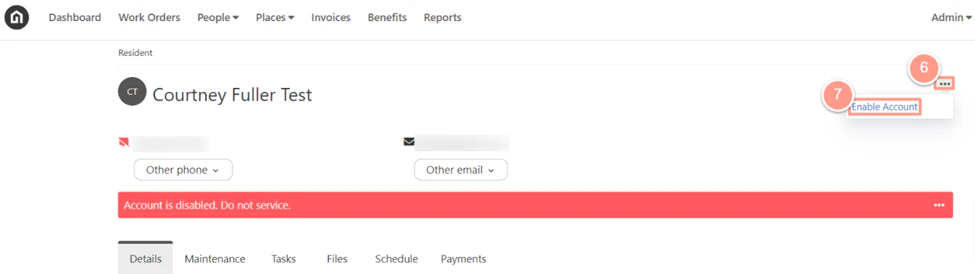
Now in the resident's profile, click on the **ellipsis icon** (three dots) across the resident's name then select **Enable Account**.
A disabled resident's account will have an **"Account Disabled"** tag displayed under their name.
Now in the resident's profile, click on the **ellipsis icon** (three dots) across the resident's name then select **Enable Account**.
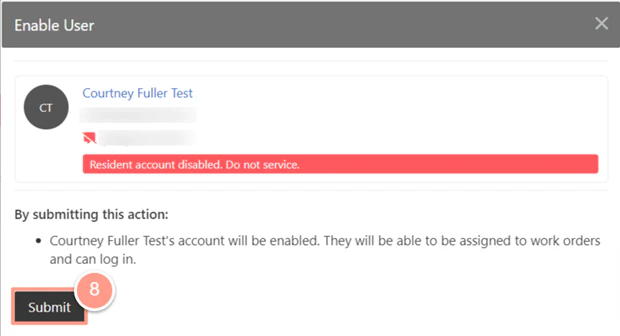
 And click **Submit**.
 ### **Disabling Residents**
In the resident's profile, click on the **ellipsis icon** (three dots) across the resident's name then select **Disable Account**.
### **Disabling Residents**
In the resident's profile, click on the **ellipsis icon** (three dots) across the resident's name then select **Disable Account**.
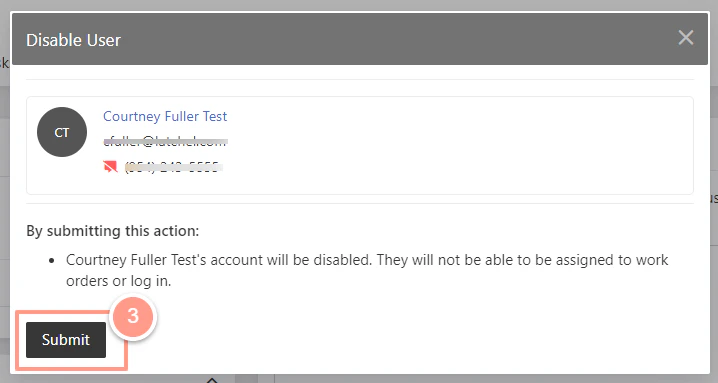
 And click **Submit**.
 This action is **only** applicable to accounts **without an integration** unless the Property Manager has provided a report with a list of residents that require a status change.