> ## Documentation Index
> Fetch the complete documentation index at: https://help.latchel.com/llms.txt
> Use this file to discover all available pages before exploring further.
# How to Export All Work Orders
> As a Property Manager, you can download all of the Work Orders as a CSV file from your Latchel portal.
From the dashboard, scroll down until you see the **All Work Orders section**. Then, click on the export icon to the right of the **All Work Orders** title.
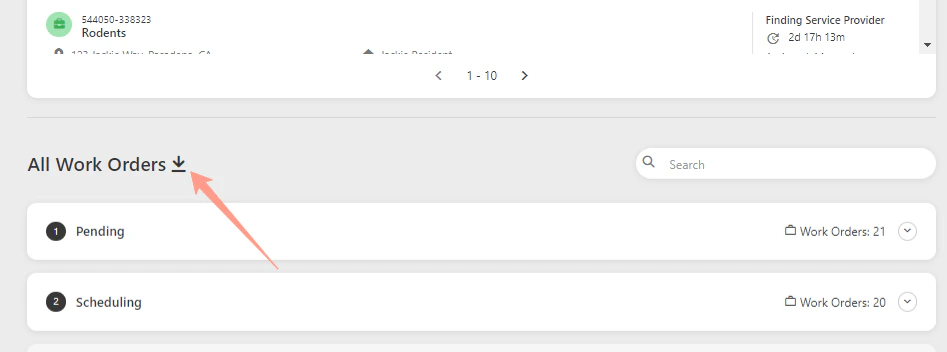 A downloaded CSV file will be saved to your computer. Access the CSV file from your recent downloads. And that's how you can download the complete list of your work orders!