> ## Documentation Index
> Fetch the complete documentation index at: https://help.latchel.com/llms.txt
> Use this file to discover all available pages before exploring further.
# How to Export Your Invoice Data to a CSV
> Here's how you can export your invoice data in Latchel:
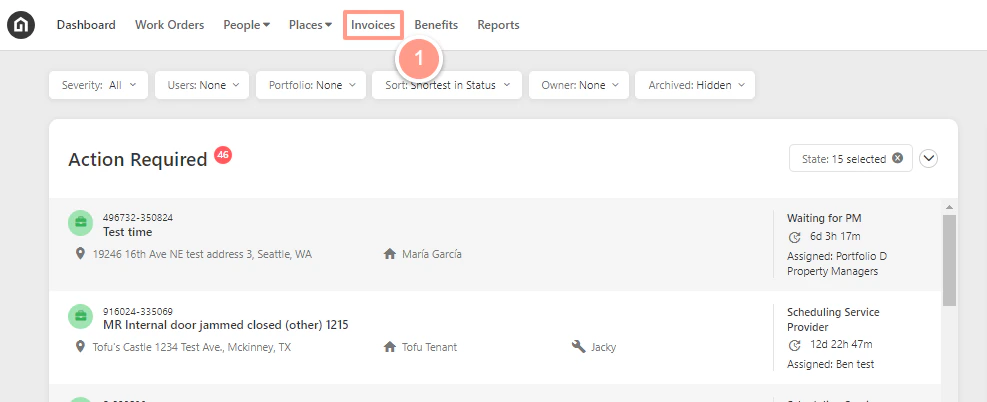
From your dashboard, click on **Invoices** from the top.
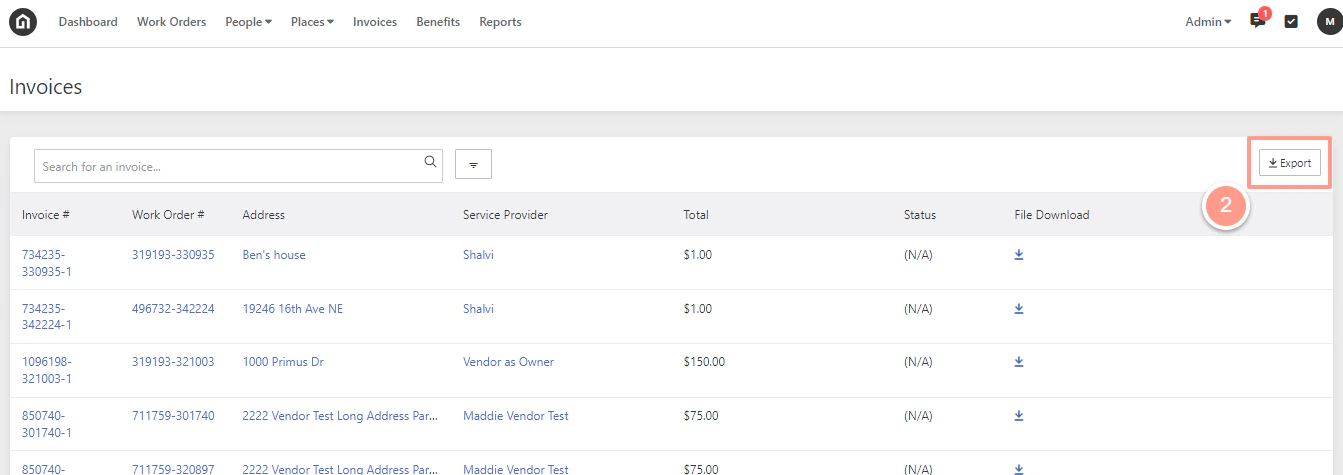
 Next, click **Export** in the top right corner.
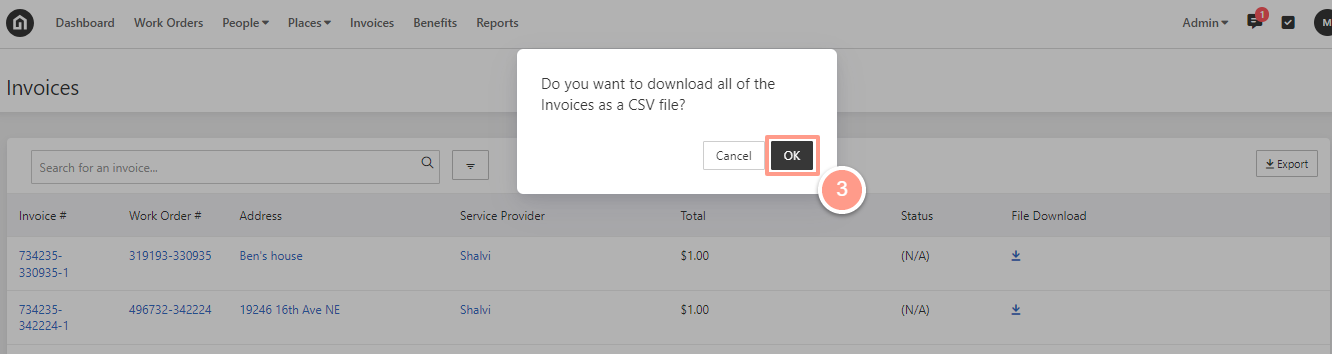
 A pop-up will then appear asking if you want to download all of the invoices to a CSV file. Click **Ok**.
 Depending on your computer browser settings, you will be asked to save the CSV file or it will automatically download. Access the CSV file from your computer downloads folder once done downloading.