> ## Documentation Index
> Fetch the complete documentation index at: https://help.latchel.com/llms.txt
> Use this file to discover all available pages before exploring further.
# How to Generate an API Key
> **API (Application Programming Interface)** **key** is a unique identifier that is used to authenticate and authorize your access to your Latchel console. It serves as your security token.
Latchel Property Managers can generate (for the first-time) or regenerate an API key right from the Latchel [console](http://app.latchel.com/)! Keep reading to learn more.
### **How to generate an API Key for the first time?**
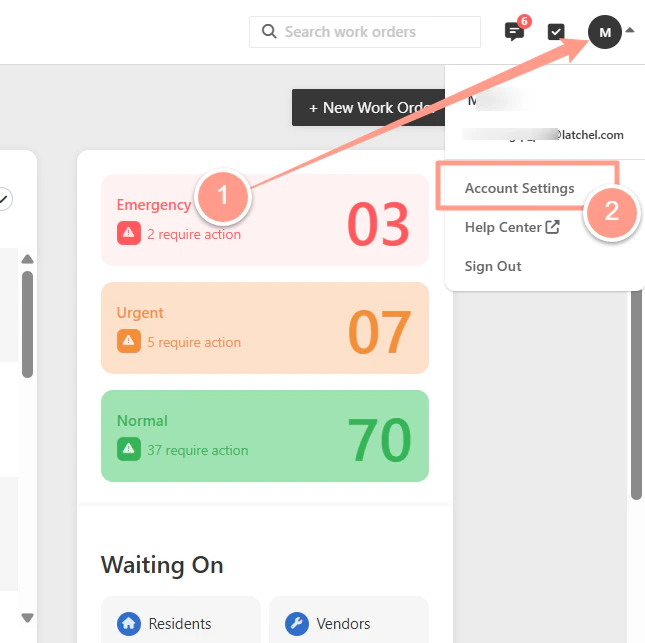
On your Latchel dashboard click the initial icon and on the dropdown select **Account Settings.**
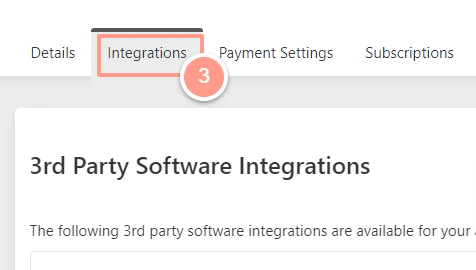
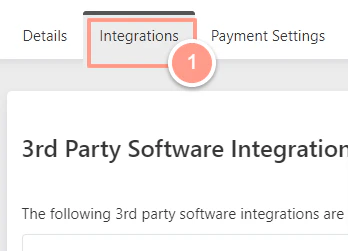
 Select the **Integrations** tab from the sub-navigation menu.
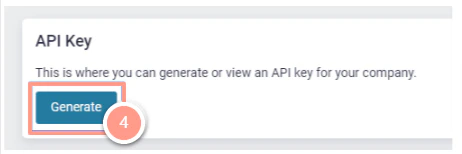
 Scroll down to the **API Key** panel, then select **Generate.**
 Click on the eye symbol to view your key. You should copy your key and keep it secure.
 ### ****How to re-generate an API key?****
In the same **Integrations** tab.
### ****How to re-generate an API key?****
In the same **Integrations** tab.
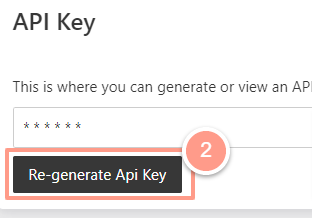
 Scroll down to the **API Key** panel, and click **Re-Generate API Key.**
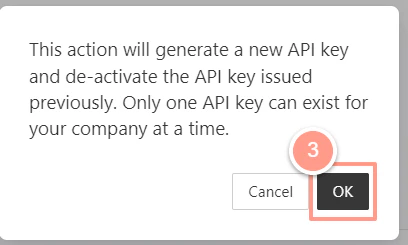
 Then click **OK** to generate a new API key.