> ## Documentation Index
> Fetch the complete documentation index at: https://help.latchel.com/llms.txt
> Use this file to discover all available pages before exploring further.
# How to Modify Custom Resident Benefit
> Need to update a benefit you’ve created? This guide shows you how to edit the details of a custom resident benefit so your offerings stay accurate and relevant.
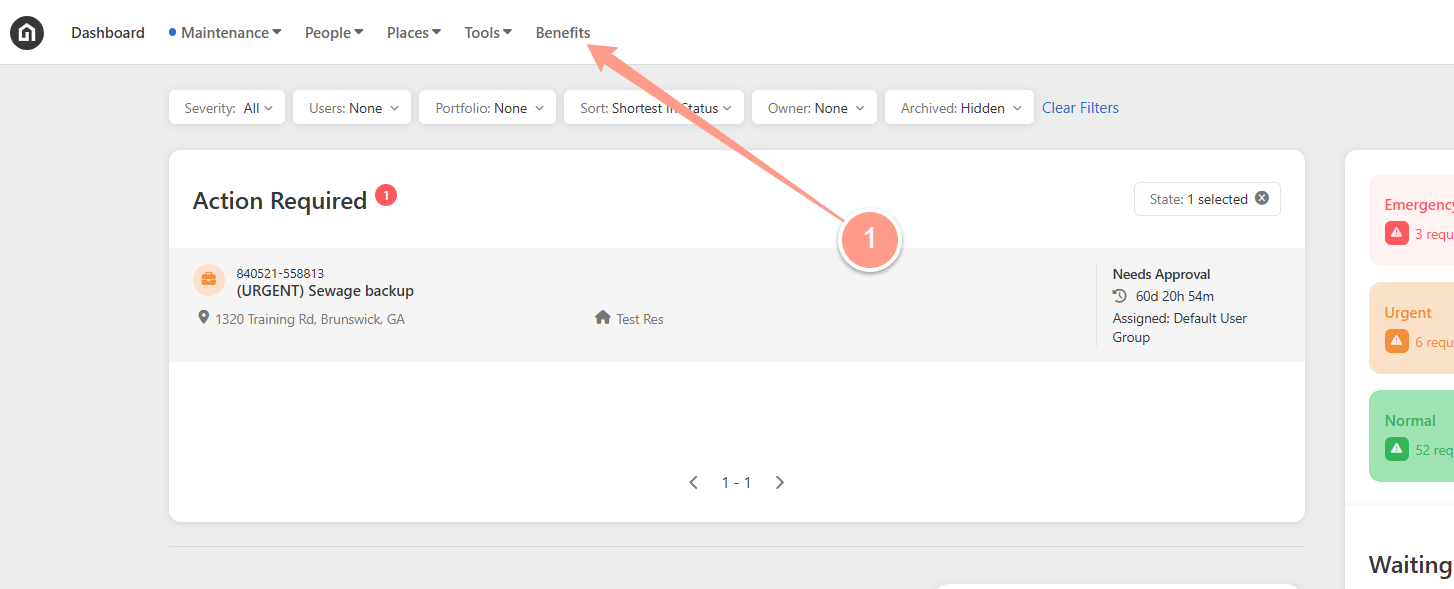
From your Dashboard, click **Benefits** at the top.
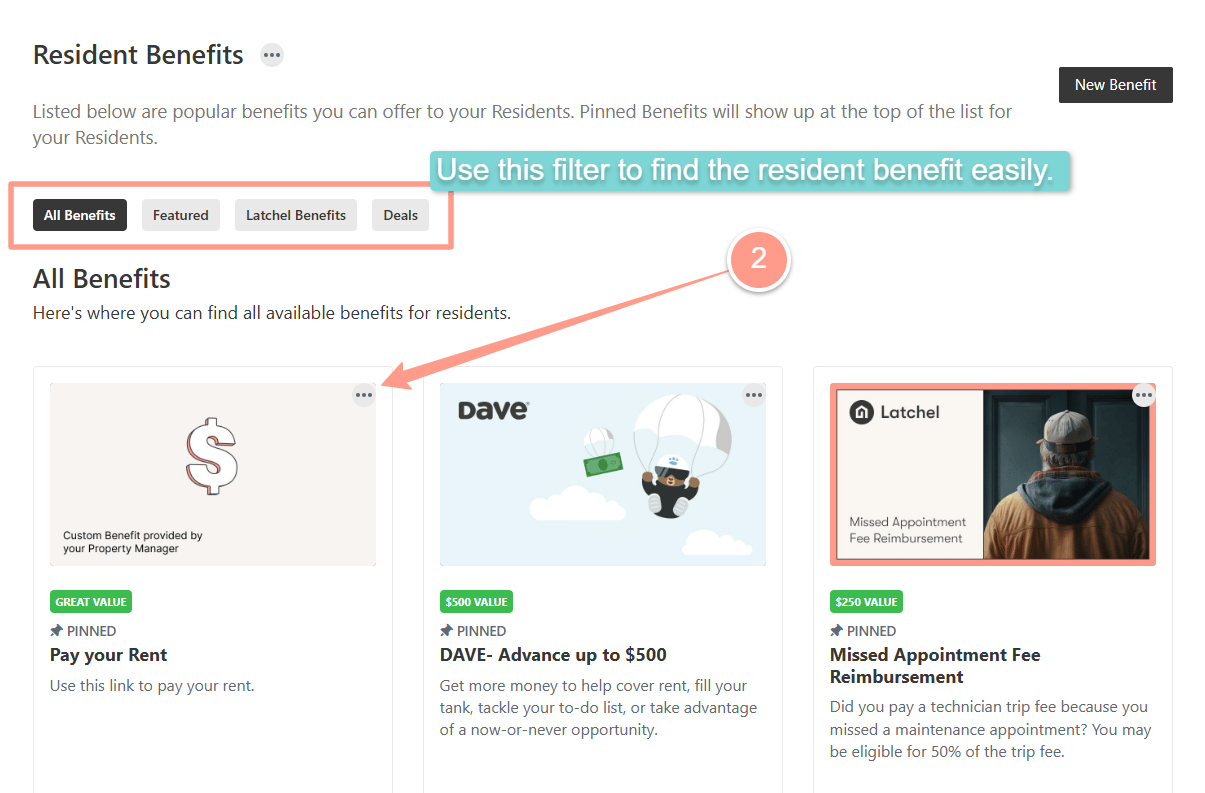
 Then you can just locate the custom benefit you wish to modify and click the ellipses icon. You may also filter the benefits available by choosing between **All Benefits**, **Featured**, **Latchel Benefits**, and **Deals**.
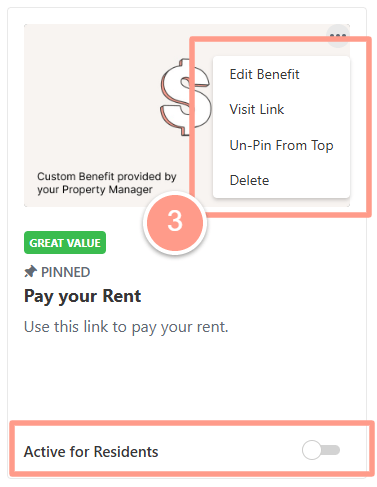
 From here, you can **Edit Benefit**, **Visit the Link, Pin to Top**, or **Delete** the benefit entirely. You can also toggle the switch "**Active for Residents**" **on** or **off** to activate the benefit for residents.
 Do you need to create a new resident benefits? Check [How to Create New Resident Benefit](/s/topic/0TO5e000000h9wqGAA/How-to-Create-New-Resident-Benefit)!