> ## Documentation Index
> Fetch the complete documentation index at: https://help.latchel.com/llms.txt
> Use this file to discover all available pages before exploring further.
# How to Multi-Select Portfolios
> Property Managers can now multi-select the portfolios they want to see on their dashboard. Read this guide to know how it works!
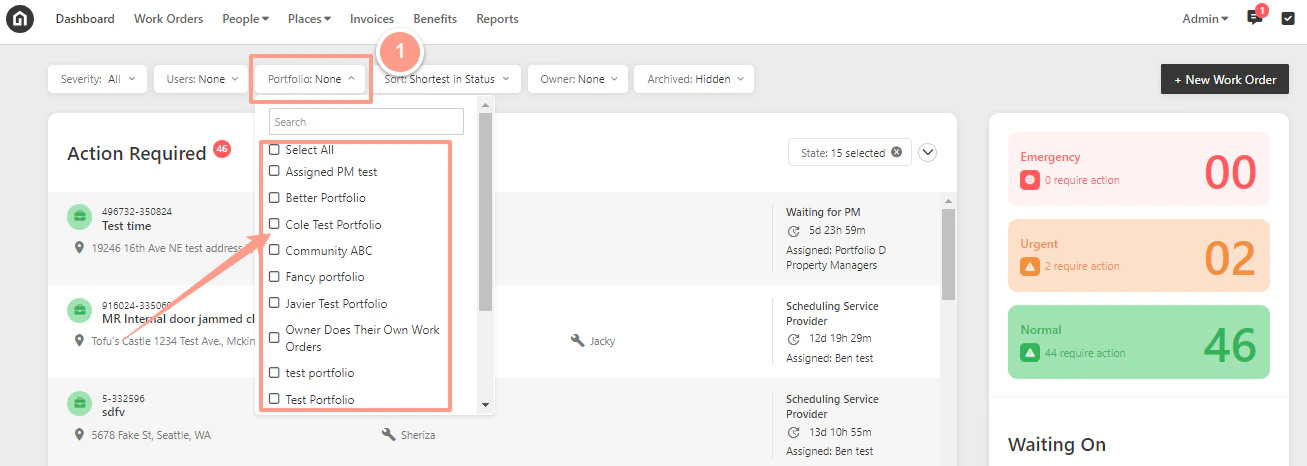
Visit your Latchel dashboard and click on the **Portfolio** drop-down. From here, you can click **Select All** if you want to see all the properties associated with any of your portfolios or select any specific portfolio by choosing the box corresponding to it.
As a result, only properties within the selected portfolio that require any actions will show under the Action Required section.