> ## Documentation Index
> Fetch the complete documentation index at: https://help.latchel.com/llms.txt
> Use this file to discover all available pages before exploring further.
# How to Provide Permission for Service Provider to Access Property for a Work Order
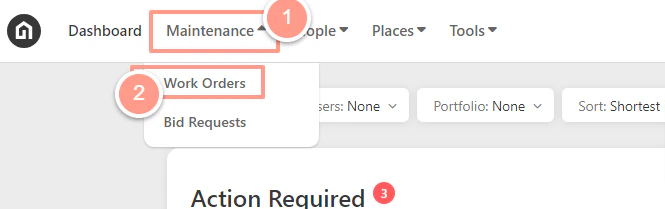
> From your Dashboard, click the **Maintenance** dropdown and select **Work Orders**.
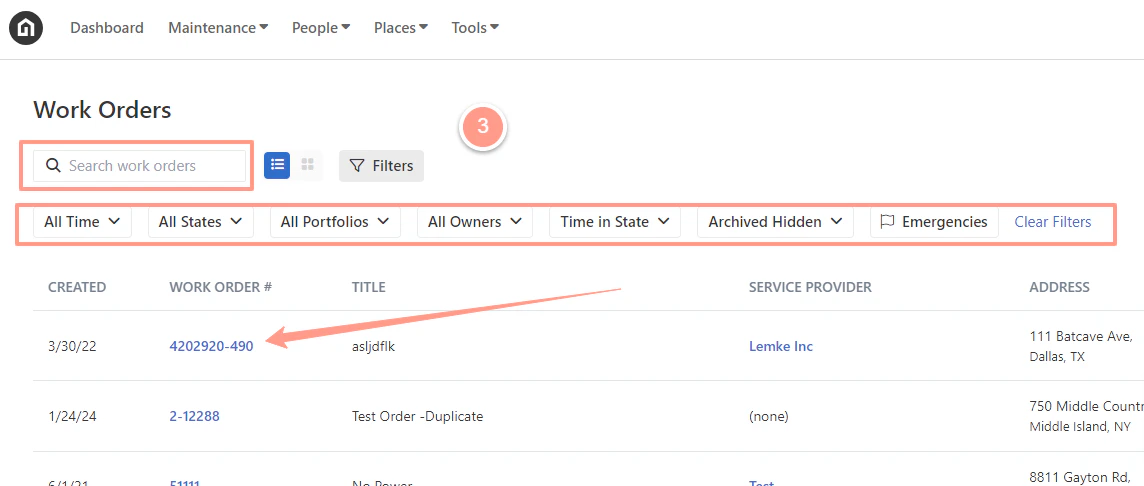
 Now to select the desired work order, use the **Search Bar** then click on the **Work Order ID** on the **Work Order page**. You can also use **Filter** for easy search.
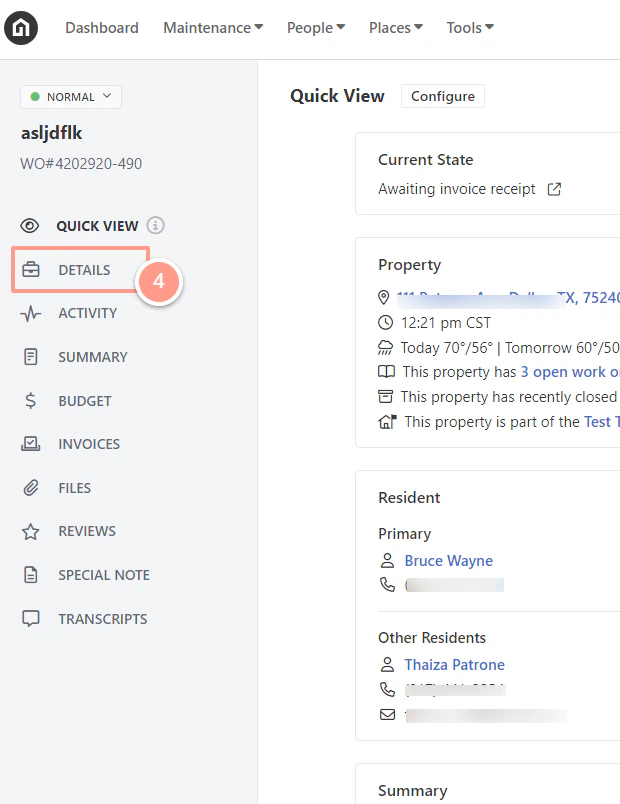
 Next, go to **Details** located on the left side of the page,and navigate to the Property Access section on the right-hand side of the work order page. Then toggle the **Permission for Service Provider to Access Property** to **ON**.
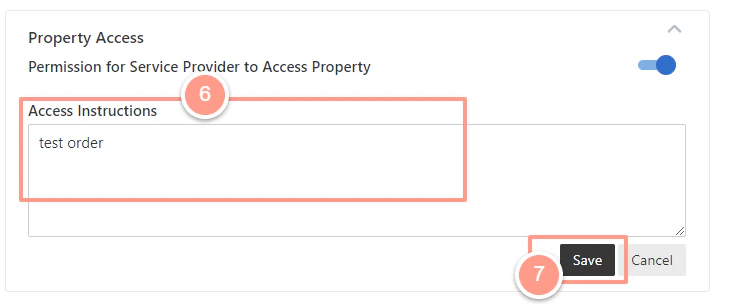
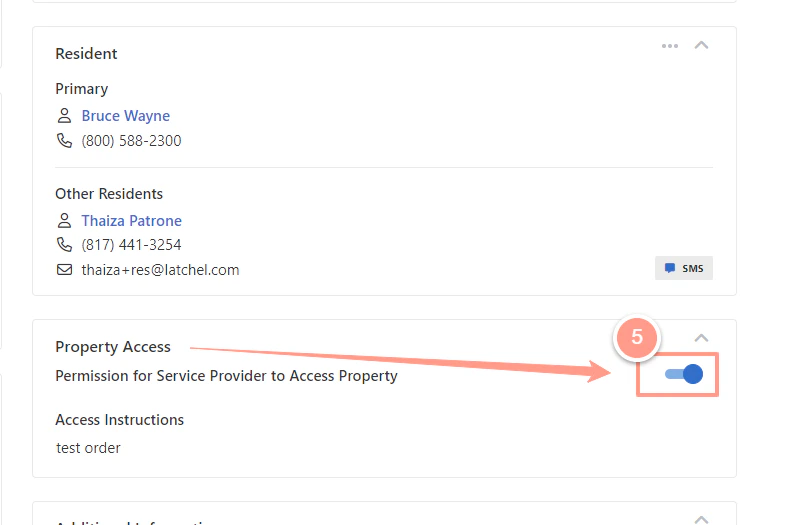 Finally, provide clear access instructions for the service provider. Click **Save**. This will skip the automation for obtaining your resident’s availability for the work order.