> ## Documentation Index
> Fetch the complete documentation index at: https://help.latchel.com/llms.txt
> Use this file to discover all available pages before exploring further.
# How to Remove a Preferred Service Provider (Globally)
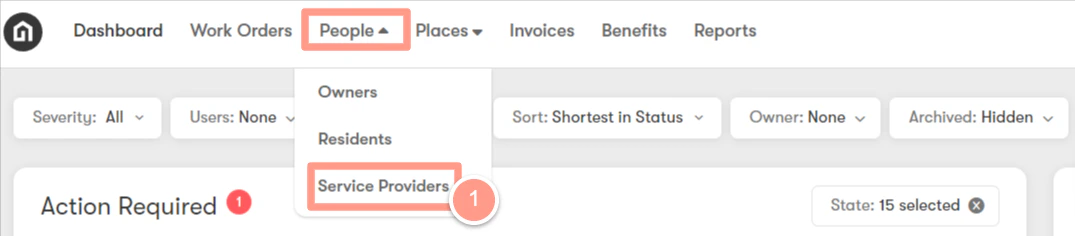
> First, you need to visit your Service Provider page at **People** then **Service Providers**.
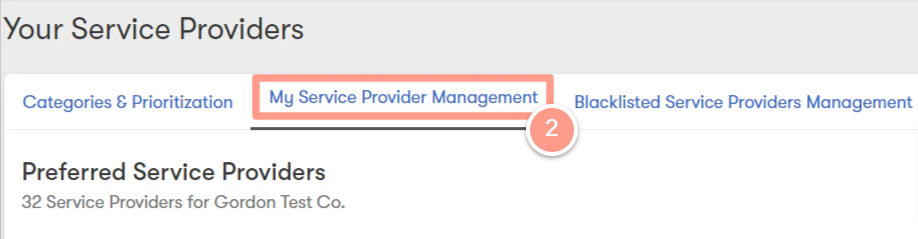
 Then the **My Service Provider Management** tab.
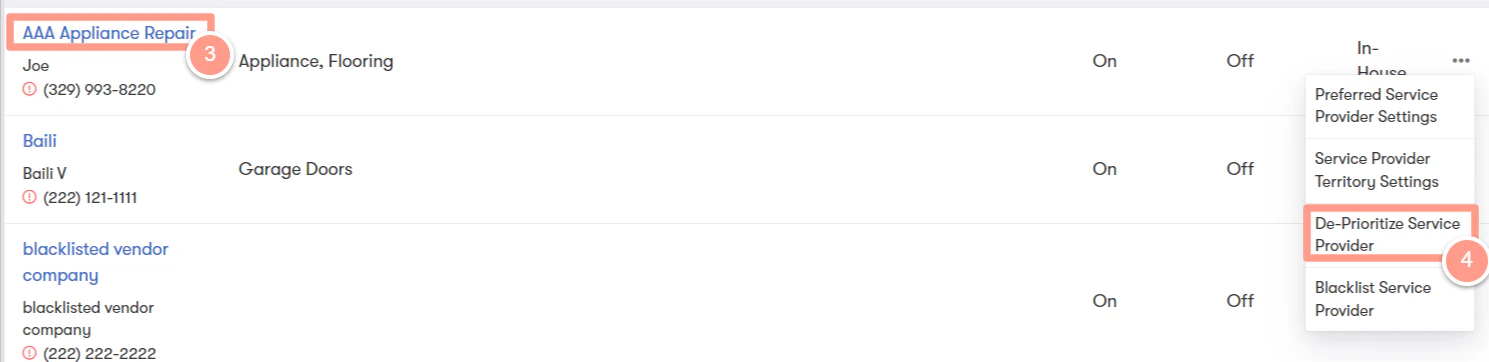
 Look for the Service Provider that you wish to de-prioritize and click the three ellipses across its name. From the drop-down, choose **De-Prioritize Service Provider.**
 This is the option to deprioritize a service provider globally. When you click this option, a warning message appears to confirm your action. Click **Choose** to proceed.
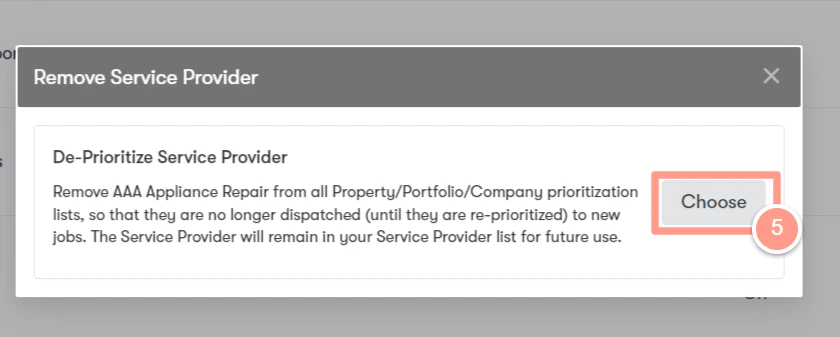 * If you agree to continue, the Service Provider will be deprioritized for all skills and categories in your Latchel portal.
**Note**: This help guide is different from blacklisting a Service Provider. Blacklisting a Service Provider will completely remove the Service Provider from a specific company to prevent them from being assigned to any work orders.
* If you agree to continue, the Service Provider will be deprioritized for all skills and categories in your Latchel portal.
**Note**: This help guide is different from blacklisting a Service Provider. Blacklisting a Service Provider will completely remove the Service Provider from a specific company to prevent them from being assigned to any work orders.