> ## Documentation Index
> Fetch the complete documentation index at: https://help.latchel.com/llms.txt
> Use this file to discover all available pages before exploring further.
# How to Schedule Service Provider Payments in Future Date
> This help guide will give step by step process for scheduling invoice payment set in the future.
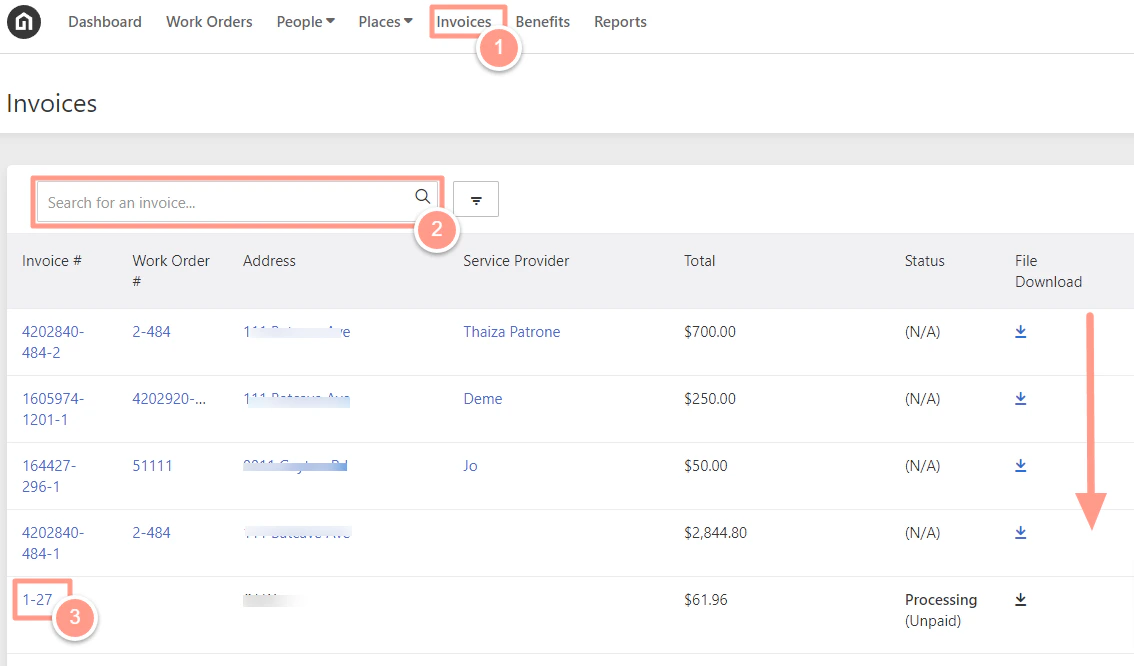
From the dashboard, choose **Invoices**. Property Managers can search for the invoice number, use the filter, or **scroll down** to click the **invoice number** they wish to schedule a payment.
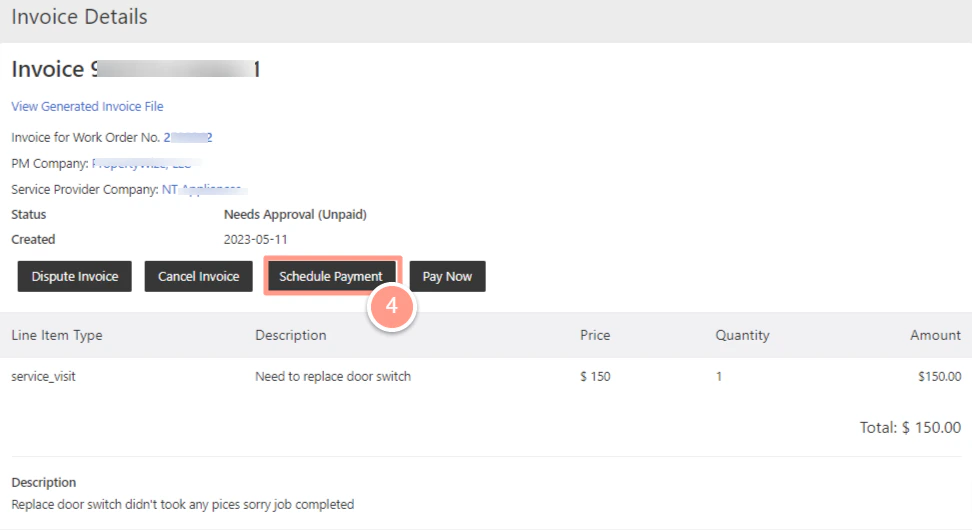
 From the invoice details, click on **Schedule Payment**
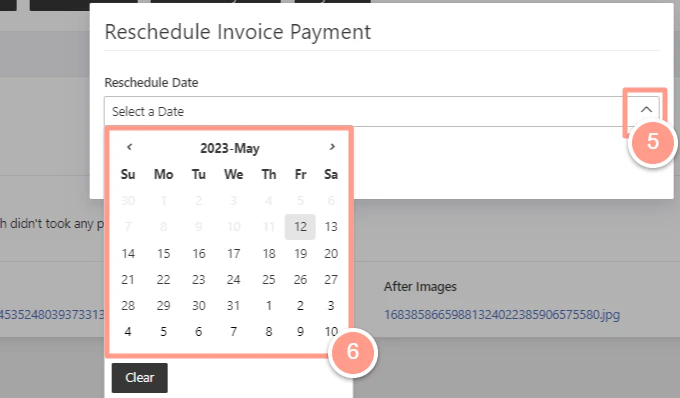
 A pop-up box will appear, Property Manager may click on the arrow up for the calendar to appear and choose the desired date to schedule a payment.
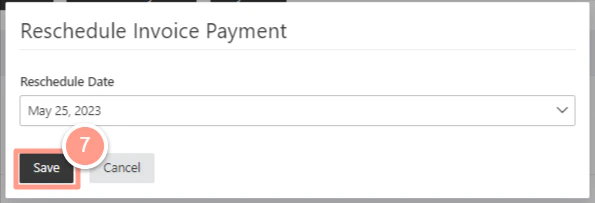
 Click on **Save** for the changes to proceed.