> ## Documentation Index
> Fetch the complete documentation index at: https://help.latchel.com/llms.txt
> Use this file to discover all available pages before exploring further.
# How to Set a Work Order as Mandatory
> If there’s a repair that must be completed without the option for cancellation, you can mark the work order as mandatory. This guide walks you through how to toggle this setting so residents are unable to cancel the request.
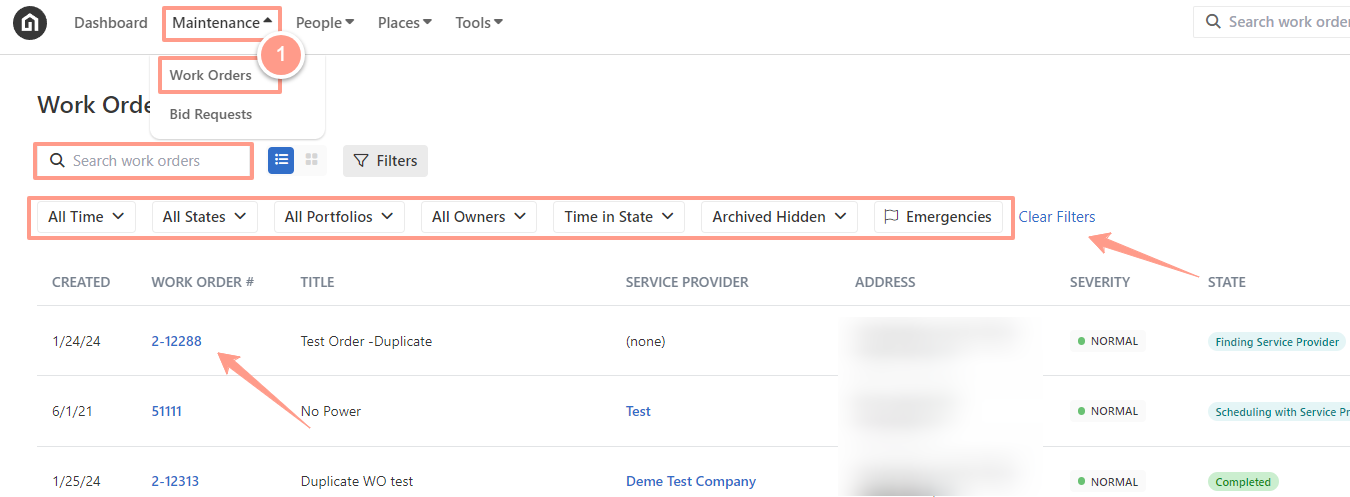
To select the desired work order, from your Latchel dashboard, go to the **Maintenance tab** and click on **Work Orders.** Search and select the work order that you want to work on. Use the Search Bar then click on the Work Order ID.
You can also use the **Filter** and **Clear Filters** option for a more refined search. To learn more about how to use the Filter, check out this help guide: [**How to Use the Filter Options in the Work Order Tab Page**](/s/topic/0TO5e000000h9wqGAA/How-to-Use-the-Filter-Options-in-the-Work-Order-Tab-Page).
 From the work order page, click on the **Details** tab and scroll to the **Additional Information** section. If you do not want the resident to cancel the work order, leave the toggle for **"Resident has ability to cancel this work order"** turned **OFF**. Doing so will prevent the resident from canceling the work order and mark it as mandatory.
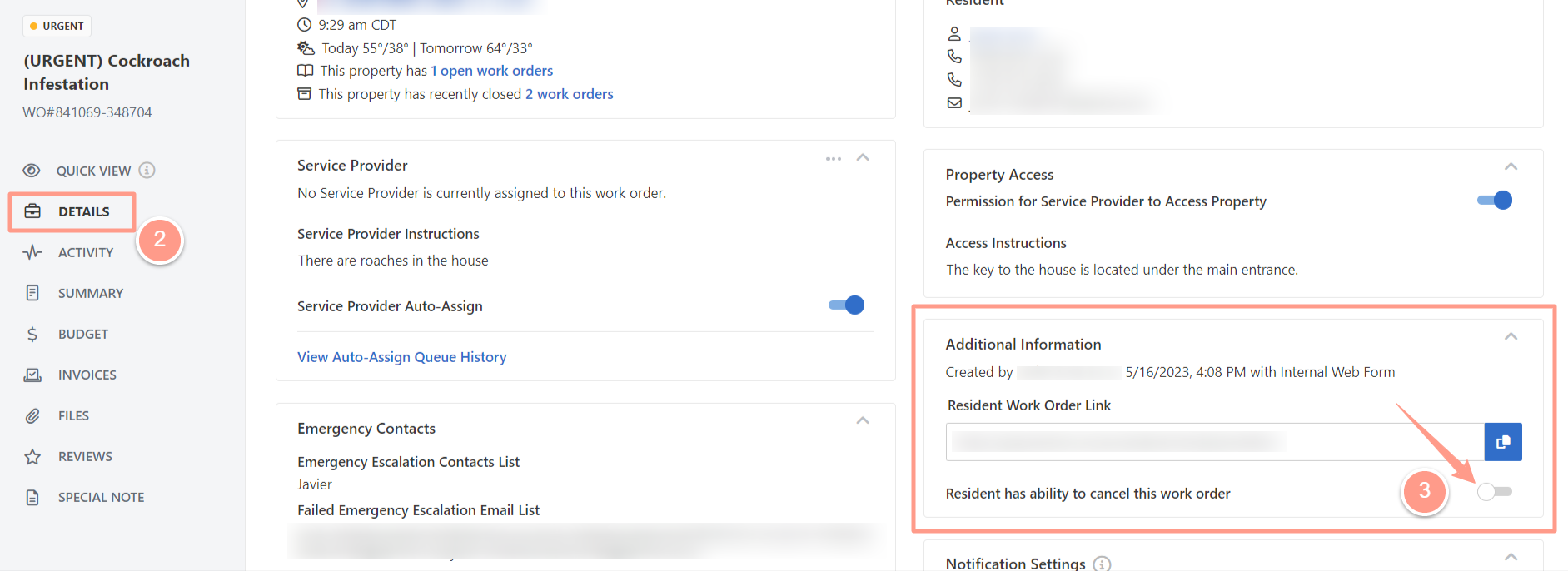 And as easy as that! The resident will no longer have the option to cancel the work order!