> ## Documentation Index
> Fetch the complete documentation index at: https://help.latchel.com/llms.txt
> Use this file to discover all available pages before exploring further.
# How to Update the Budget Limit on an Active Work Order
> The budget on the work order is visible to the assigned Service Provider. Changes to this budget will be seen by the Service Provider and logged on the work order for verifying budget changes.
### **What's the Difference Between Soft and Hard Budget Limit?**
* **Soft budget limit** — A threshold that triggers a notification when an estimate approaches it, but does not block approval.
* **Hard budget limit** — A firm ceiling. Any estimate or budget request *under* this amount is auto-approved by the system without requiring your review. Anything *over* it triggers a notification and requires manual approval.
### **Updating Approved Budget**
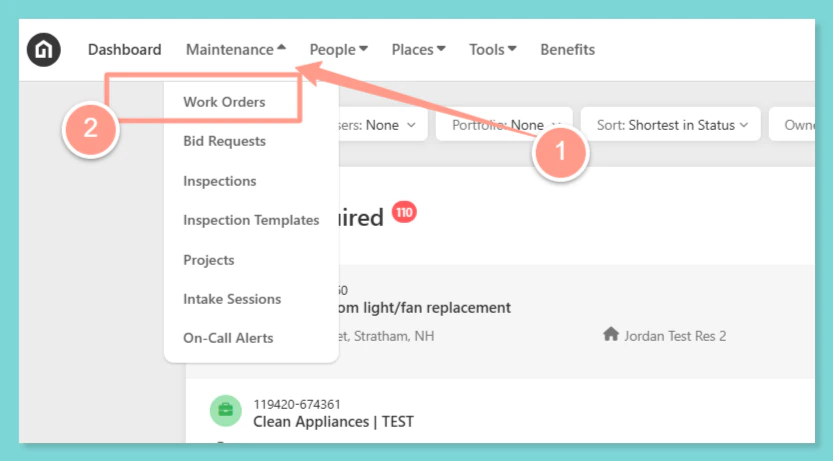
From your Dashboard, click the **Maintenance** dropdown and select **Work Orders**.
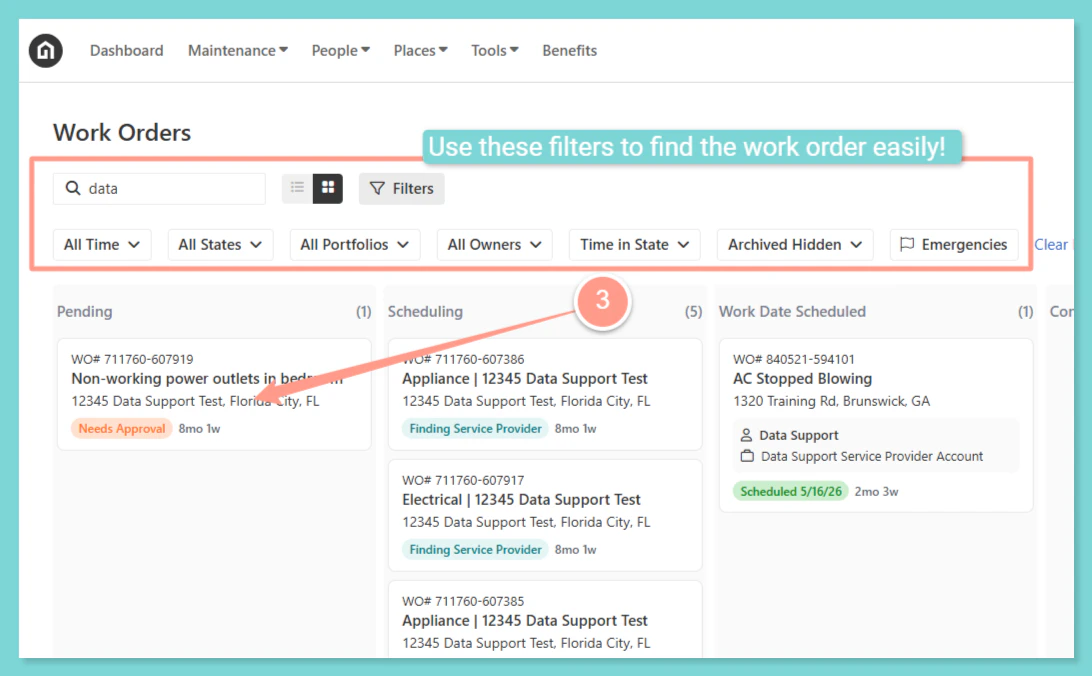
 Now to select the desired work order, use the **Search Bar** then click on the **Work Order ID** on the Work Order page. You can also use **Filter** for easy search.
 From the work order page, click on the **Budget** tab and look for the **Approved Budget.**
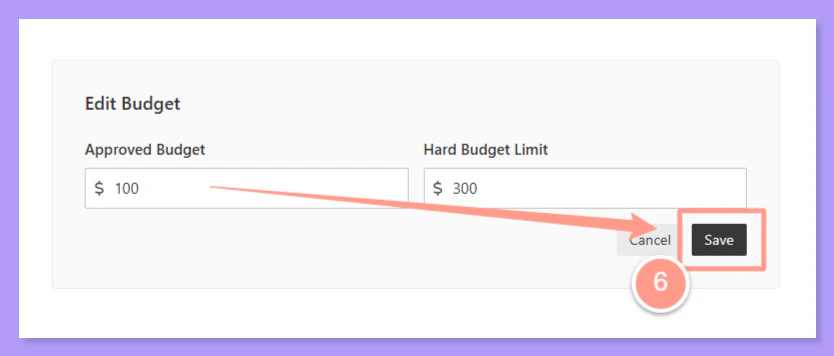
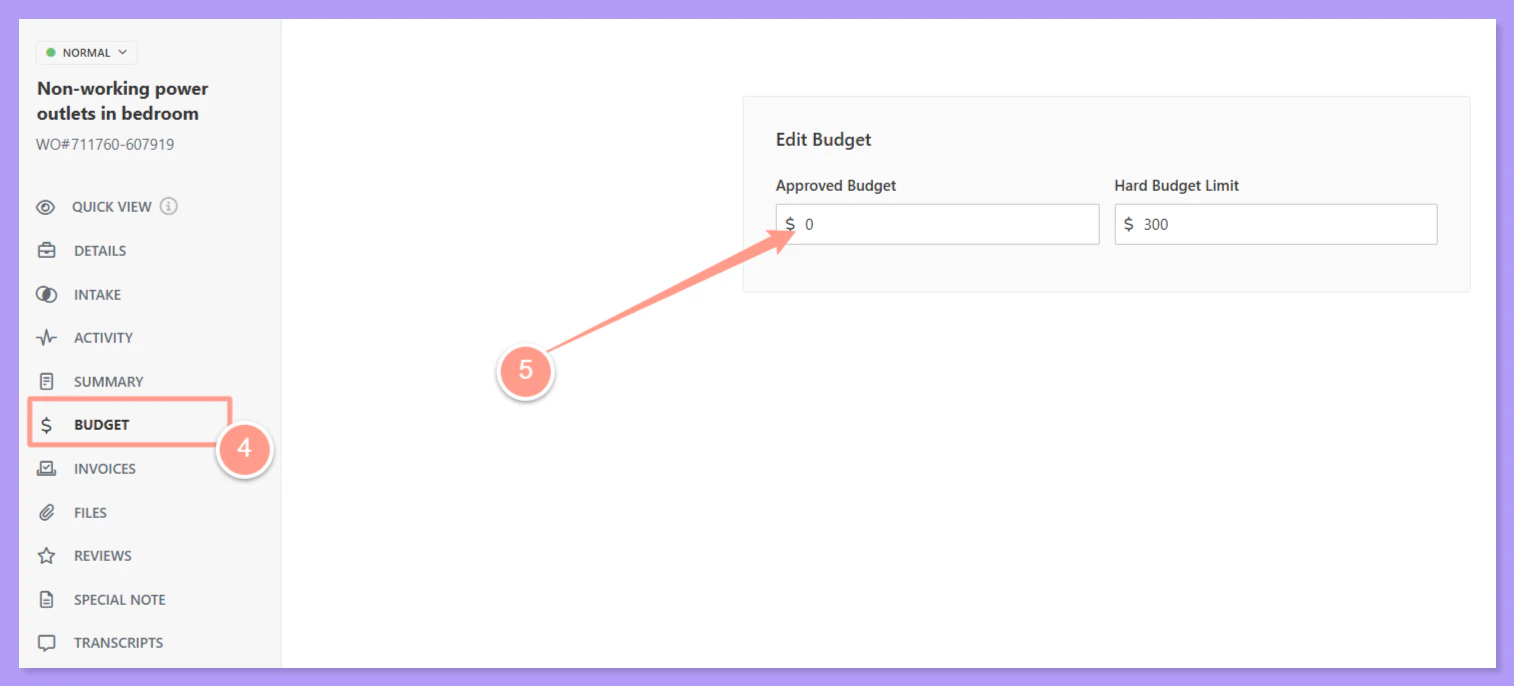 An admin user or a Property Manager may edit the approved budget that is not over the Hard Budget Limit otherwise, Property manager approval is required before it can proceed.
Update the Approve Budget and click on **Save**.
An admin user or a Property Manager may edit the approved budget that is not over the Hard Budget Limit otherwise, Property manager approval is required before it can proceed.
Update the Approve Budget and click on **Save**.
 ### **Updating Hard Budget Limit**
Latchel allows you to set both a **soft budget limit** and a **hard budget limit** on your account to control how work order estimates are approved. Starting now, you can also adjust the **hard budget limit on a single work order** — giving you greater control over payment approvals and helping prevent unexpected charges.
**Why This Matters:**
Previously, if your company-wide hard budget limit was set to (for example) \$500, any estimate under \$500 on *any* work order would be auto-approved — even if a specific job warranted extra scrutiny. This led to payment disputes.
Now, you can lower (or adjust) the hard budget limit on a specific work order to ensure you're notified before anything is approved on that job.
To update the **hard budget limit**, access the work order budget tab within the work order. Then **enter the new hard budget**. Click **Save** when done.
### **Updating Hard Budget Limit**
Latchel allows you to set both a **soft budget limit** and a **hard budget limit** on your account to control how work order estimates are approved. Starting now, you can also adjust the **hard budget limit on a single work order** — giving you greater control over payment approvals and helping prevent unexpected charges.
**Why This Matters:**
Previously, if your company-wide hard budget limit was set to (for example) \$500, any estimate under \$500 on *any* work order would be auto-approved — even if a specific job warranted extra scrutiny. This led to payment disputes.
Now, you can lower (or adjust) the hard budget limit on a specific work order to ensure you're notified before anything is approved on that job.
To update the **hard budget limit**, access the work order budget tab within the work order. Then **enter the new hard budget**. Click **Save** when done.
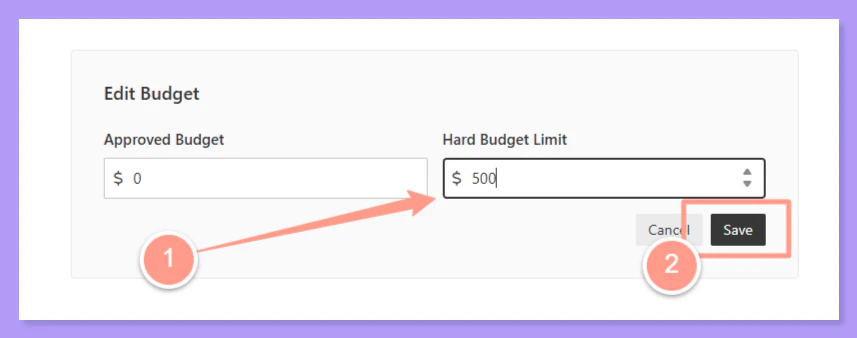 Setting a approved and hard budget limit on an **individual WO** **will override your company-level budget limit for that work order only**. All other WOs continue to use your account-level settings.
**Do you need to customize your company-level budget limit default for ALL work orders? Check this help guide:**
Adjust the budget threshold that triggers approval requirements on work orders.
Setting a approved and hard budget limit on an **individual WO** **will override your company-level budget limit for that work order only**. All other WOs continue to use your account-level settings.
**Do you need to customize your company-level budget limit default for ALL work orders? Check this help guide:**
Adjust the budget threshold that triggers approval requirements on work orders.