> ## Documentation Index
> Fetch the complete documentation index at: https://help.latchel.com/llms.txt
> Use this file to discover all available pages before exploring further.
# How to Use the Filter Options in the Work Order Tab Page
> This help guide aims to provide an informative and customizable maintenance awareness to Property Managers and Admin users.
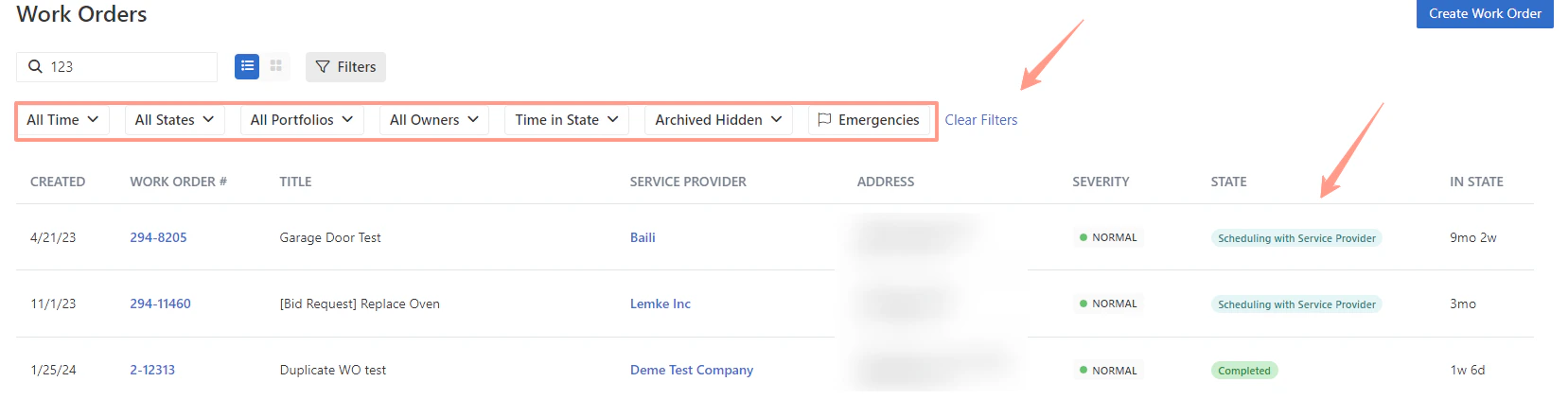
They can now filter the following on the work order tab page:
* Based on the date the work order was created
* States
* Portfolios
* Owners
* Time in State
* Archived Hidden
* Emergencies
Follow the below simple steps:
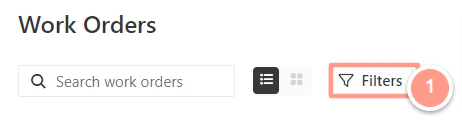
From the work order page, and by default, you can now see the **Filters** options.
 #### **All Time Filter**
This filter will allow users to sort work orders from the date it was created. In this example, choosing a **Date Range** will give options to input **From and To** as specific date coverage.
#### **All Time Filter**
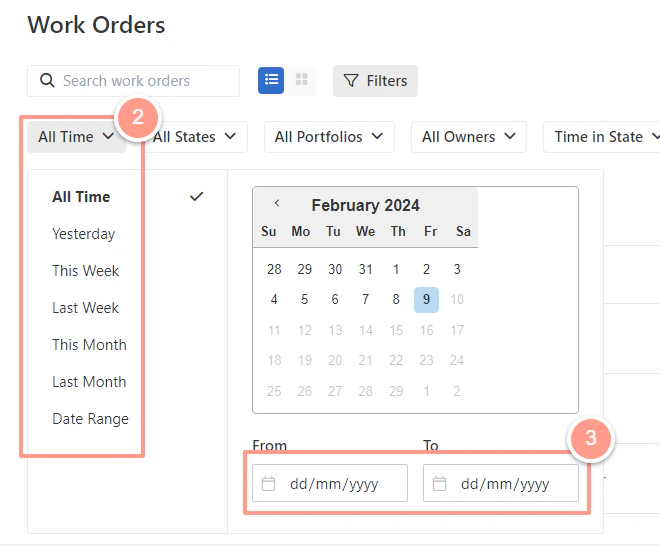
This filter will allow users to sort work orders from the date it was created. In this example, choosing a **Date Range** will give options to input **From and To** as specific date coverage.
 #### **All State Filter**
This filter will allow users to sort work orders based on the status. The default is that all work order statuses are ticked.
#### **All State Filter**
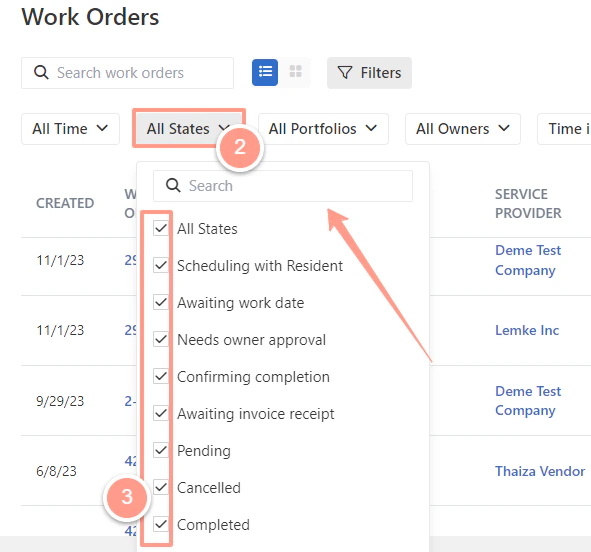
This filter will allow users to sort work orders based on the status. The default is that all work order statuses are ticked.
 #### **All Portfolios Filter**
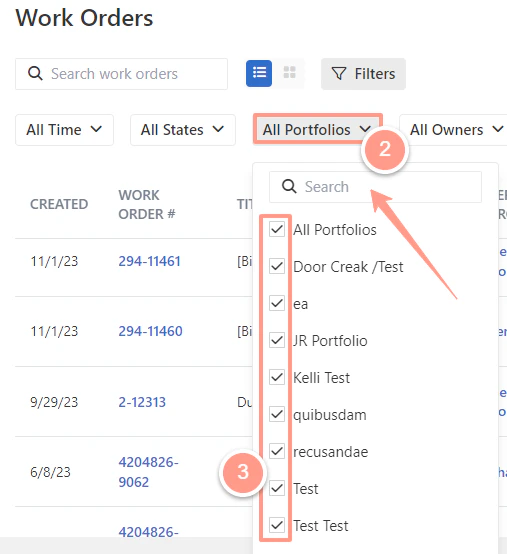
This filter will allow users to sort work orders per portfolio. Notice that there is also an option to **Search** and type portfolio namesfor cases where there are long lists of portfolios for easier management.
#### **All Portfolios Filter**
This filter will allow users to sort work orders per portfolio. Notice that there is also an option to **Search** and type portfolio namesfor cases where there are long lists of portfolios for easier management.
 #### **All Owners Filter**
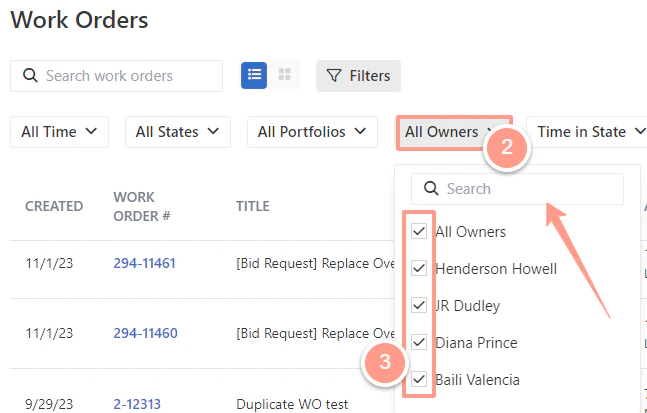
This filter will allow users to sort work orders per owner.
#### **All Owners Filter**
This filter will allow users to sort work orders per owner.
 #### **Time in State Filter**
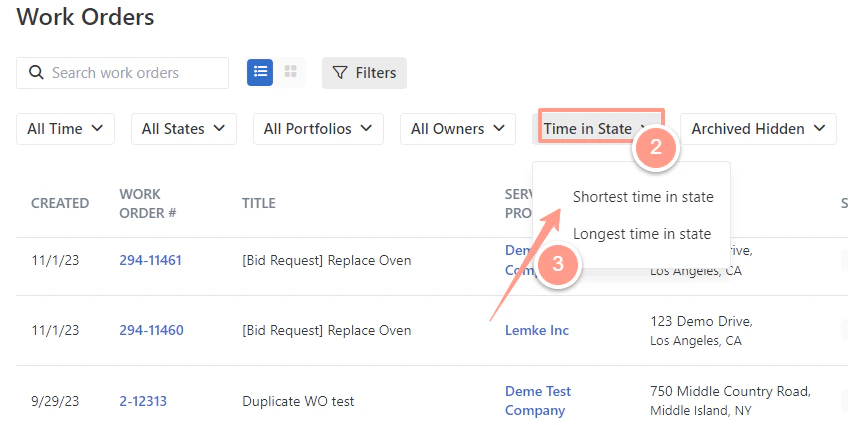
This filter will allow users to sort work orders based on the time or duration the work order is created, it can be filtered from the **Longest time in state** or **Shortest time in state**.
#### **Time in State Filter**
This filter will allow users to sort work orders based on the time or duration the work order is created, it can be filtered from the **Longest time in state** or **Shortest time in state**.
 #### **Archived Hidden Filter**
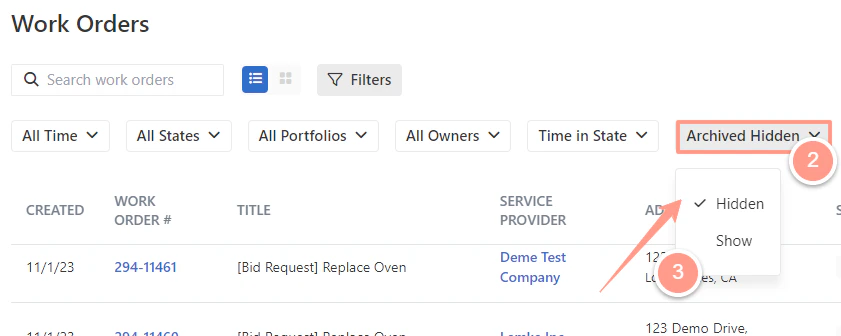
This filter will allow users to choose if they want the archived work orders to be **Hidden** or to \*\*Show \*\*in the work order list.
#### **Archived Hidden Filter**
This filter will allow users to choose if they want the archived work orders to be **Hidden** or to \*\*Show \*\*in the work order list.
 #### **Emergencies Filter**
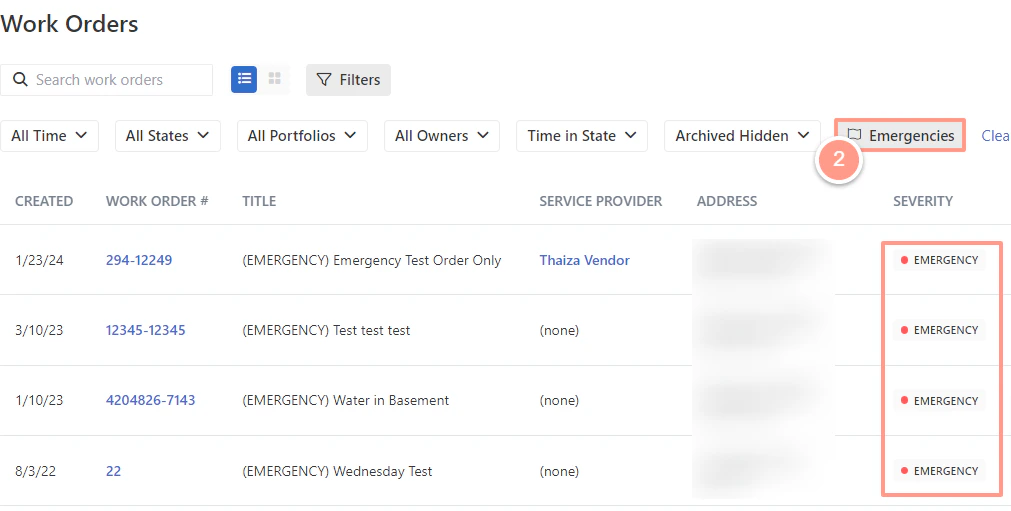
This filter will allow users to only show work orders in Emergency status.
#### **Emergencies Filter**
This filter will allow users to only show work orders in Emergency status.
 #### **The Clear Filters Option**
The previous filters will automatically save in any place on the work order page allowing users to have the same view the next time they visit the work order tab. Moreover, users can also apply these filters and view them on their mobile phones or other small screens, to clear or reset this click on **Clear Filters.**
#### **The Clear Filters Option**
The previous filters will automatically save in any place on the work order page allowing users to have the same view the next time they visit the work order tab. Moreover, users can also apply these filters and view them on their mobile phones or other small screens, to clear or reset this click on **Clear Filters.**
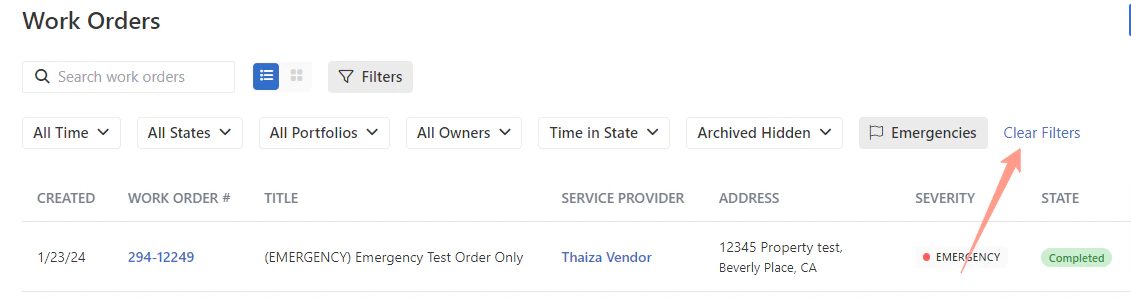 **NOTE:** *Work Order State is also color-coded for easier and faster understanding of work order status so any user may easily navigate to the next course of action/step*.