> ## Documentation Index
> Fetch the complete documentation index at: https://help.latchel.com/llms.txt
> Use this file to discover all available pages before exploring further.
# How to View Resident Work Order Links
> Easily find and access the unique work order links shared with residents—perfect for tracking communication and keeping everything organized. Here's how you can view the resident work order link.
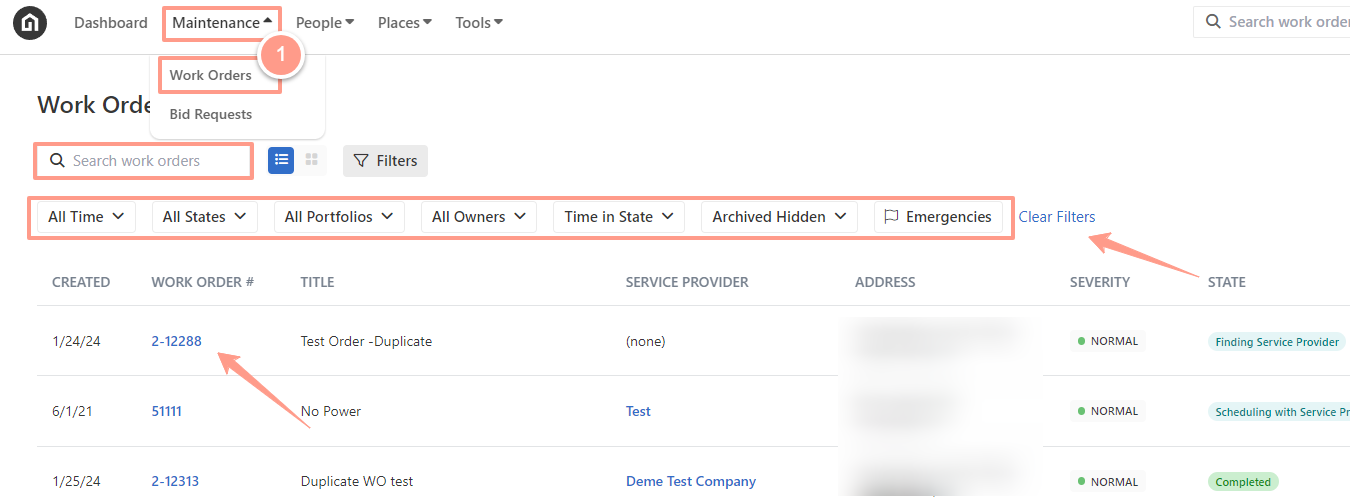
First, find or select the desired work order, from the dashboard, click on the **Maintenance tab**, and open the work order by either searching and/or clicking the specific order number. You can also use the **Filter** and **Clear Filters** option for a more refined search.
**To learn more about how to use the Filter, check out this help guide:**
Learn how to use filters in the Work Order tab to quickly sort, find, and manage the requests you care about most.
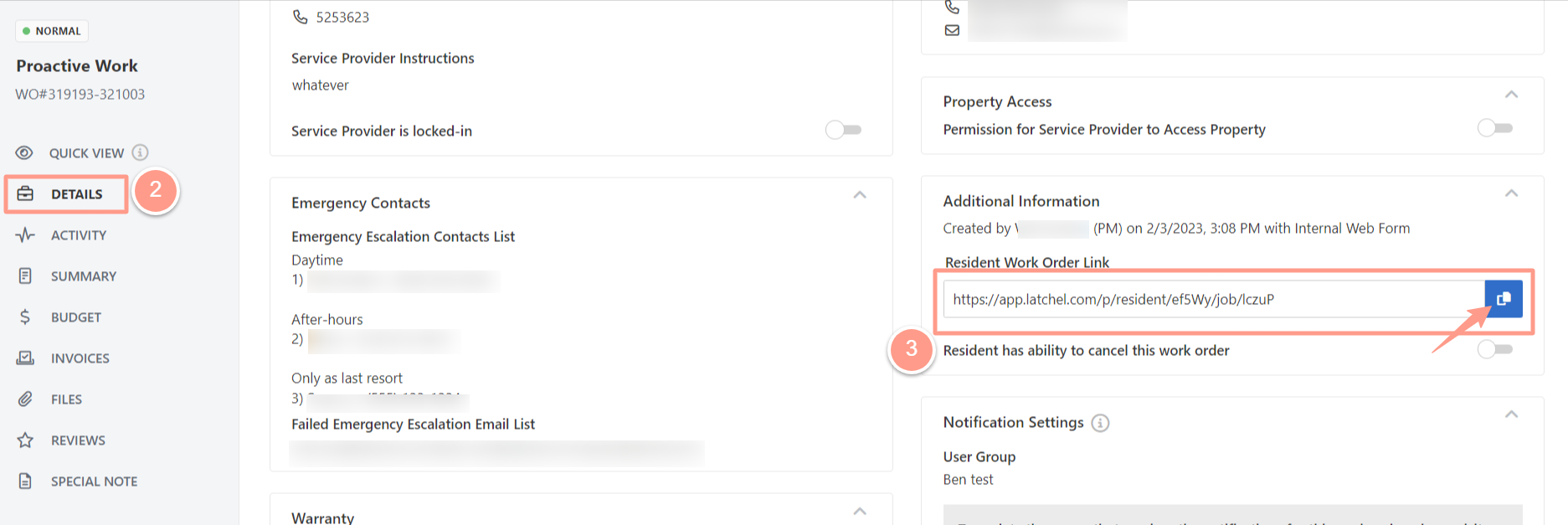
 From a work order page, go to **Details**. Scroll down until you see the **Additional Information** section on the right-hand side of the page. From here, **copy** the **Resident Work Order Link** and navigate to wherever you wish to open the link. You may also provide the link to the resident so they can view the work order.