> ## Documentation Index
> Fetch the complete documentation index at: https://help.latchel.com/llms.txt
> Use this file to discover all available pages before exploring further.
# Integrating Rent Manager into Latchel
> Integrating Rent Manager with Latchel keeps your property data, resident information, and maintenance requests in sync—automatically. With this setup, you’ll eliminate double entry and streamline your workflow, giving your team more time to focus on what matters most: delivering great service. This guide walks you through how to get connected and what to expect once the integration is active.
Please review our [Rent Manager Integration Reference Guide](/s/topic/0TO5e000000h9wqGAA/Rent-Manager-Integration-Reference-Guide) prior to requesting to activate the integration.
### **Steps to Integrate Rent Manager with Latchel**
Log into your **Rent Manager** Account, and go to **Available Integrations** located in the **Admin** tab.
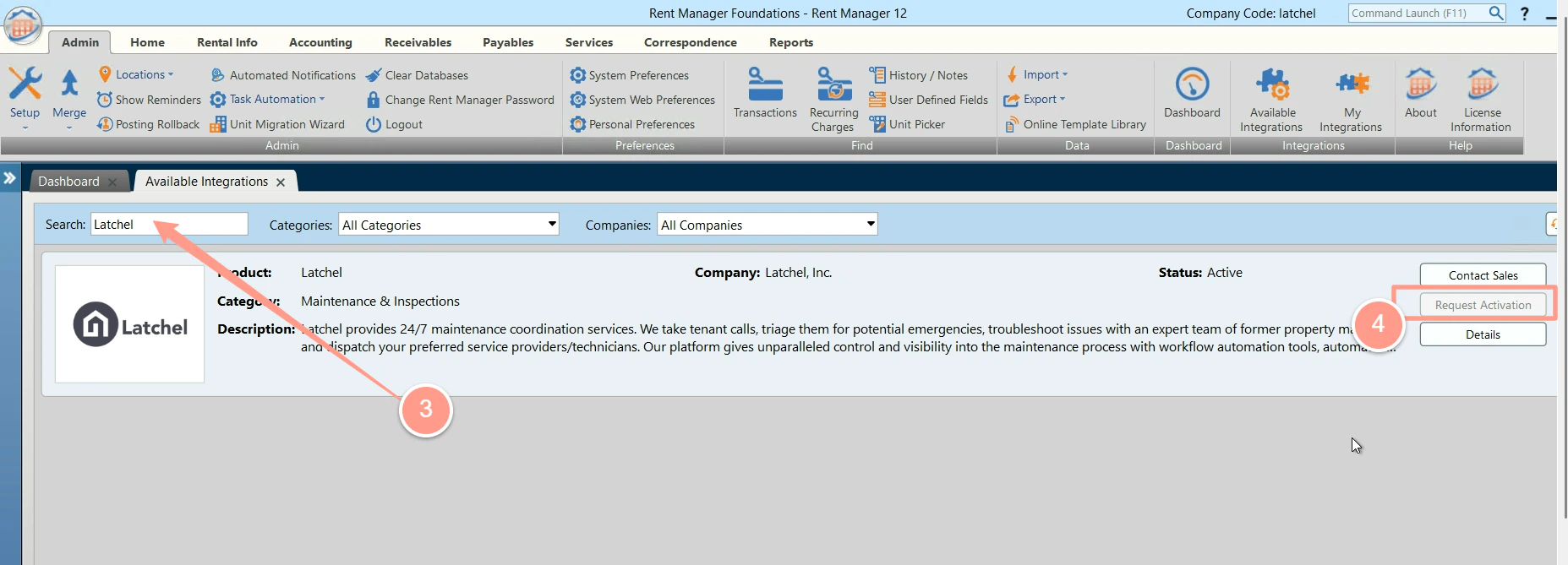
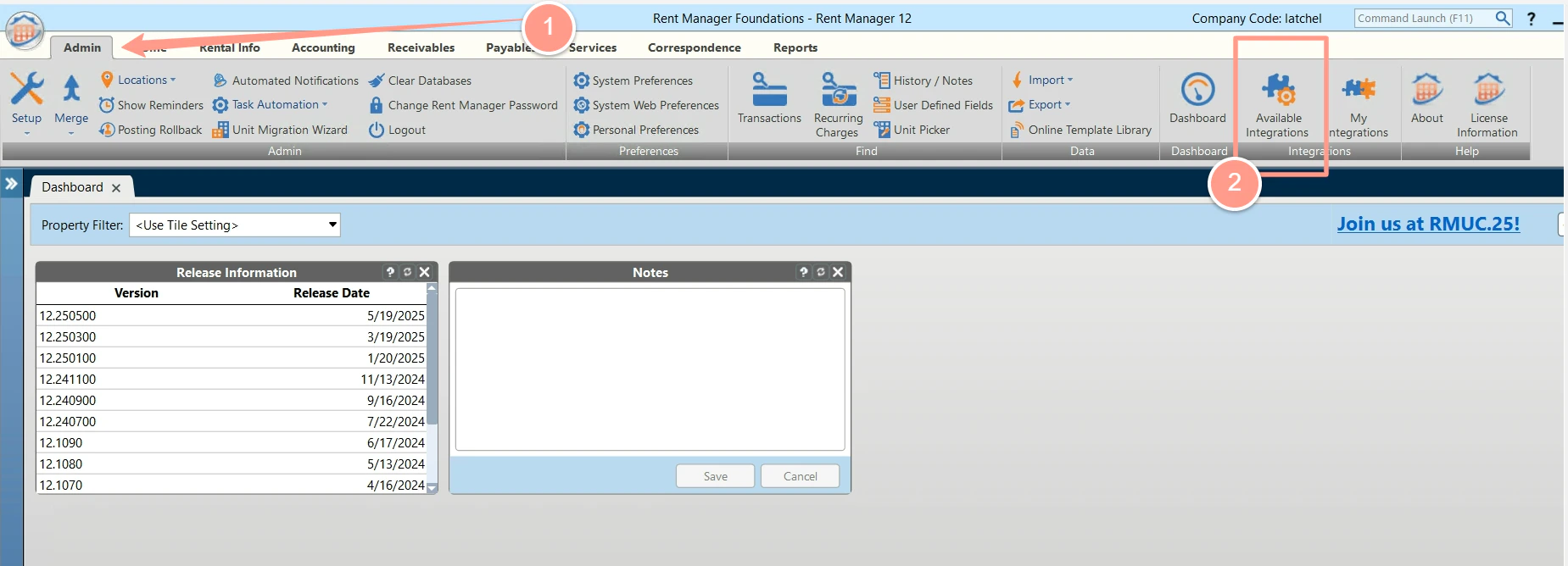 Search for the Latchel integration, then click **Request Activation**.
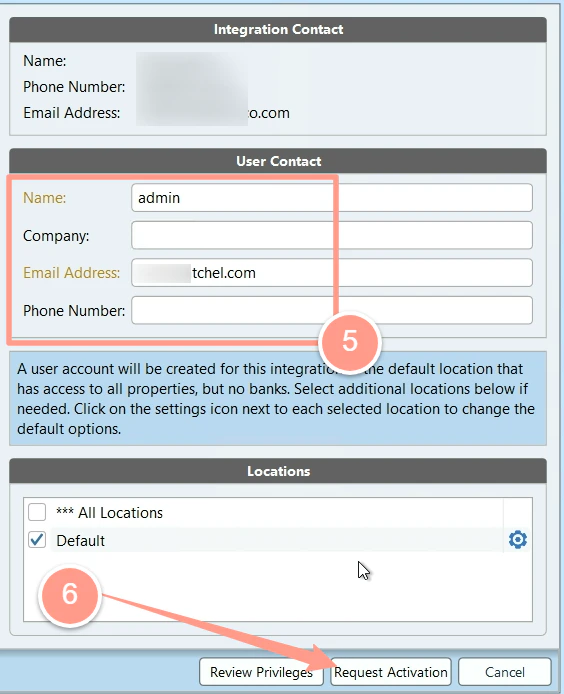
 Fill out all of the information in the form and then click **Request activation**.
 Latchel will get an email with your activation request. Once it is approved, you can see it in **My Integrations** in the **Admin** tab.
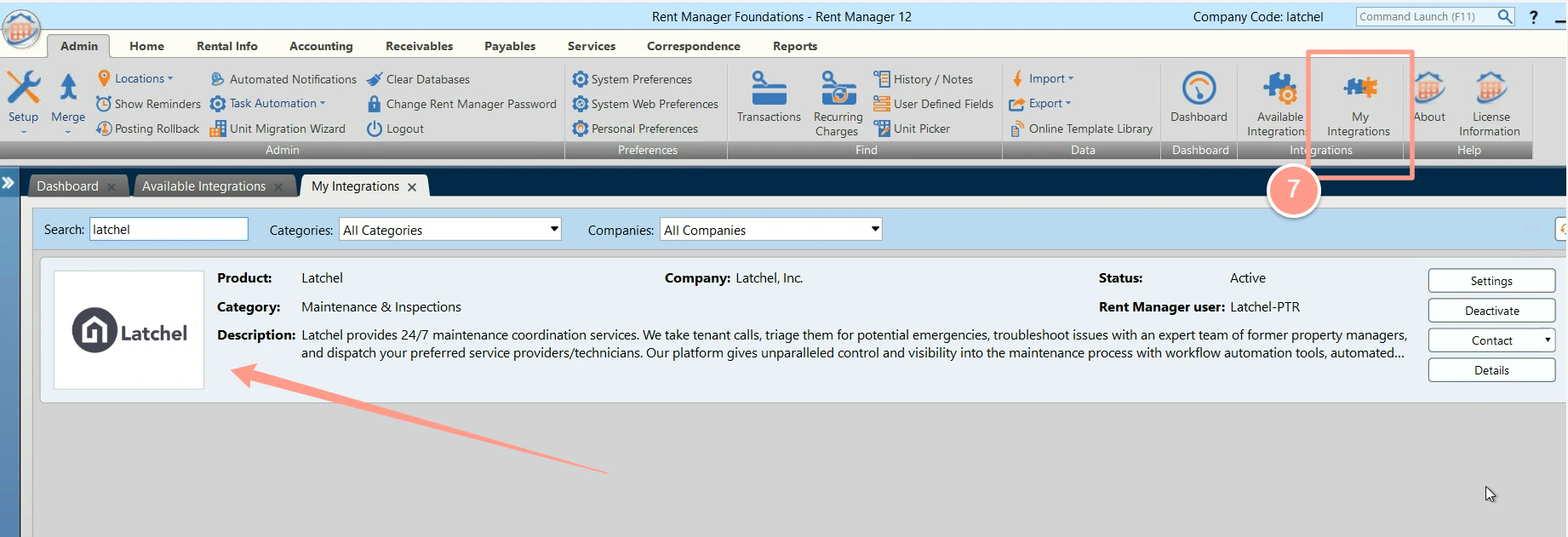 Well done! Your Rent Manager is now integrated with Latchel.
For more questions about this, you may also contact your Customer Success Manager via [success@latchel.com](mailto:success@latchel.com).
Well done! Your Rent Manager is now integrated with Latchel.
For more questions about this, you may also contact your Customer Success Manager via [success@latchel.com](mailto:success@latchel.com).