> ## Documentation Index
> Fetch the complete documentation index at: https://help.latchel.com/llms.txt
> Use this file to discover all available pages before exploring further.
# Merge Work Orders
> The **Merge Work Orders** feature allows property managers to combine duplicate or related **non-emergency work orders** at the same property. This feature addresses situations where property managers receive multiple work orders at the same property that can be handled by the same service provider. By merging these work orders, managers can avoid sending multiple dispatches and prevent being charged more than one trip fee for issues that can be resolved in a single visit.
### **How to Merge a Work Order**
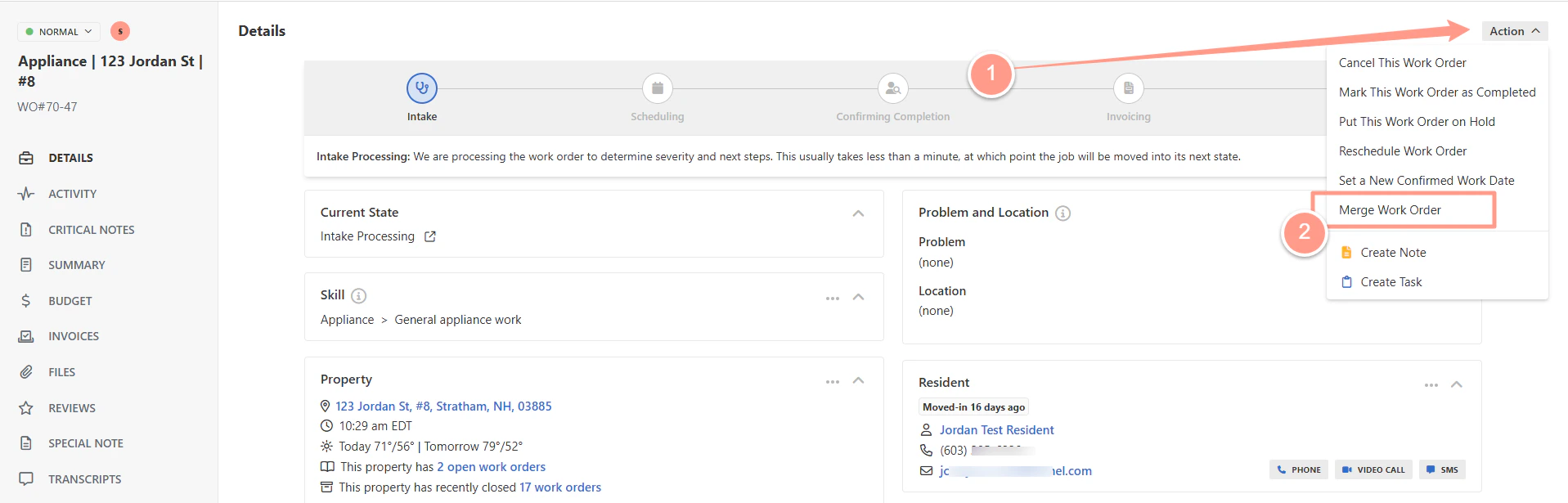
**Open the work order** you want to merge. From the **Action** dropdown, choose **Merge Work Order**.
This option is also available in tasks created for property manager when multiple work order exist at the same address.
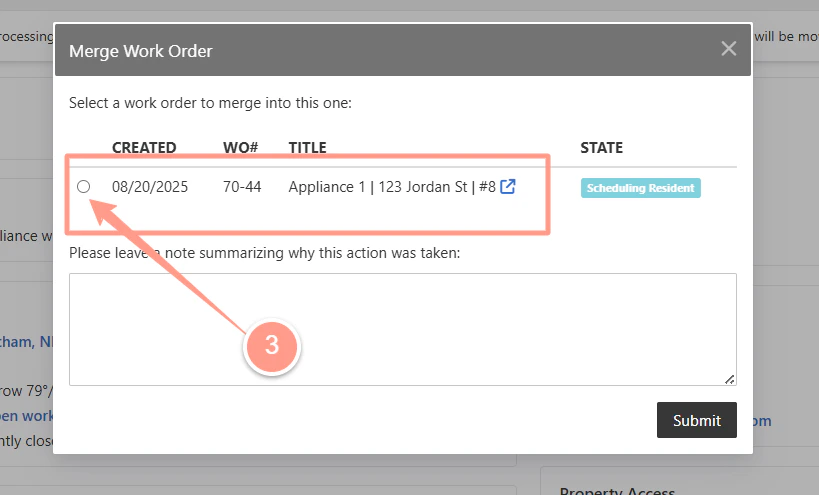
 A list of available work orders for the same property will appear. **Select the one you want to merge into (parent)**.
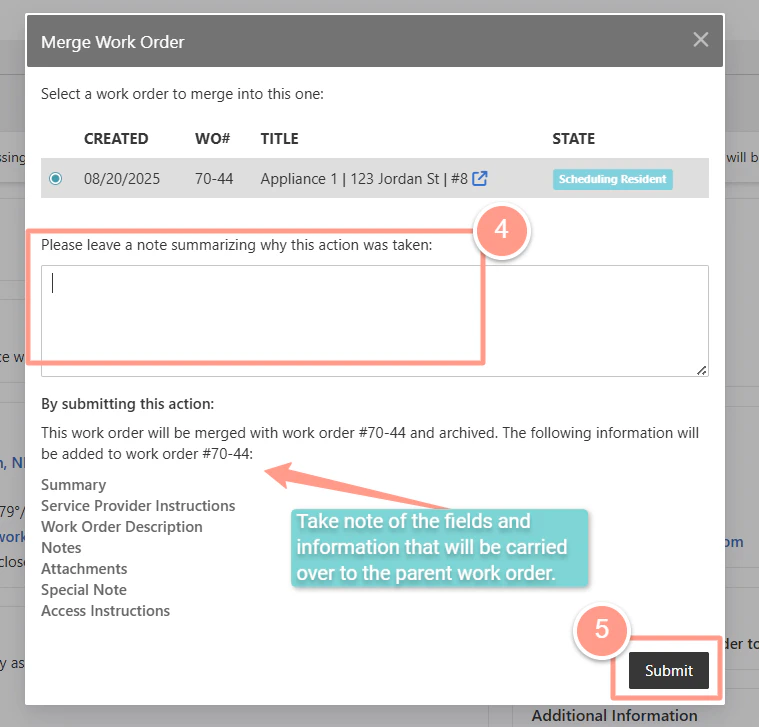
 **Add a note** explaining why the work order is being merged. This will be logged for future reference. Then, click **Submit**.
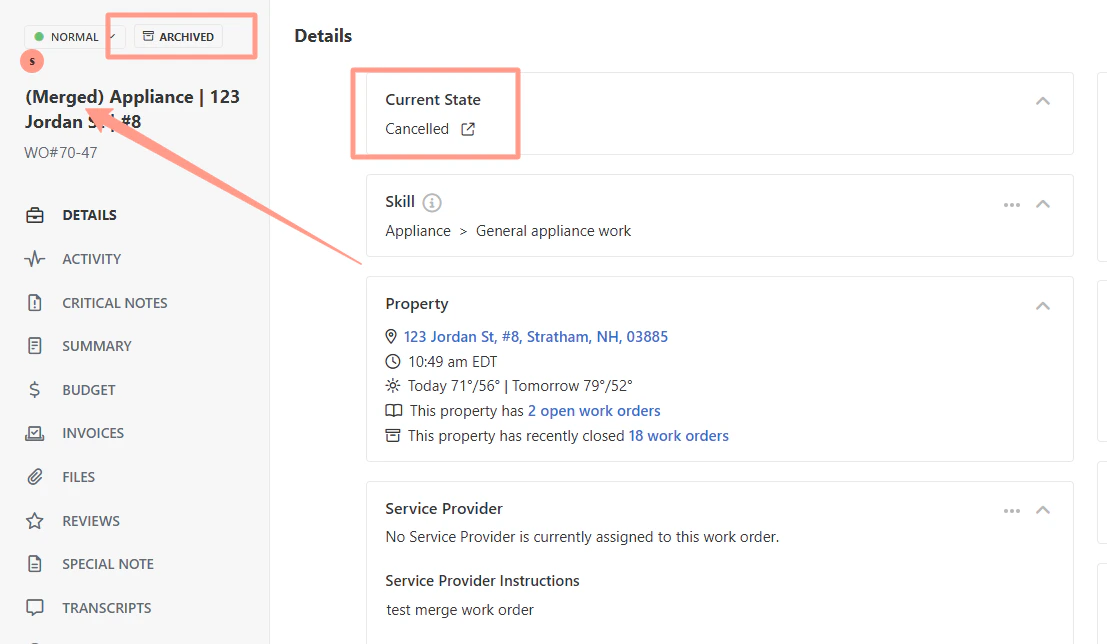
 Once submitted, the child work order will be marked as **"Merged"** in its title, and will be **canceled and archived.**
 ### **What Happens After a Merge**
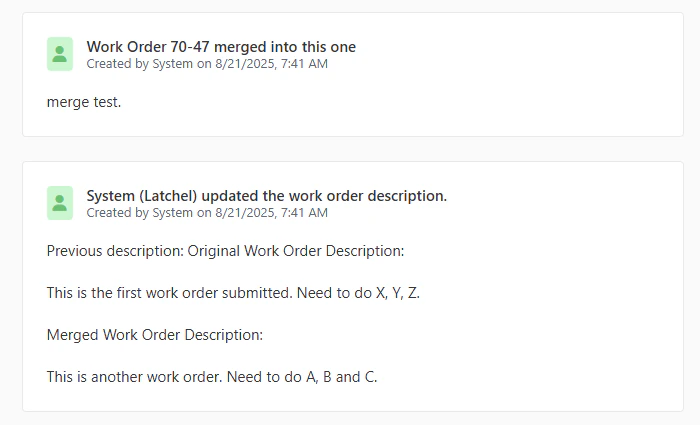
1. Both the Original (parent) and Merged (child) work orders will include job log entries showing:
* When the merge occurred
* Who completed the merge
* Any notes added during the action
* All files from both work orders, with timestamps preserved.
### **What Happens After a Merge**
1. Both the Original (parent) and Merged (child) work orders will include job log entries showing:
* When the merge occurred
* Who completed the merge
* Any notes added during the action
* All files from both work orders, with timestamps preserved.
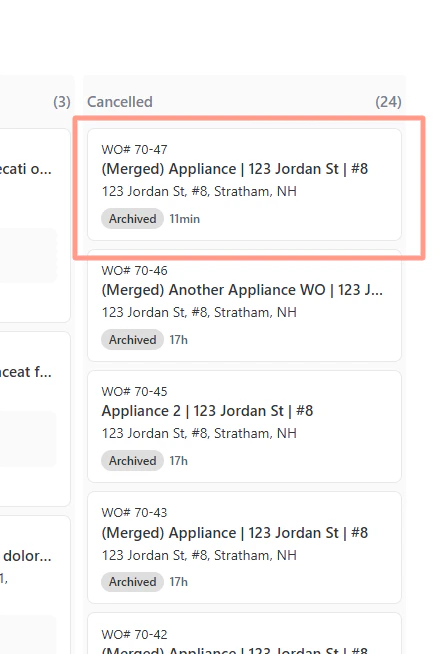
 2. Previously merged work orders can be found in the **Cancelled / Archive** section of the Work Orders kanban view.
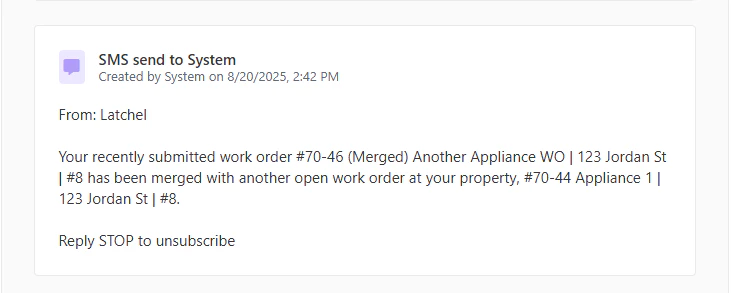
 3. Resident who submitted the child work order receives notification that their request has been merged with another.
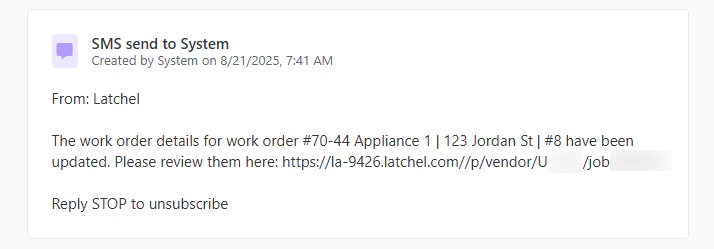
 4. The assigned service provider is notified that an additional work order has been merged into their job.
 ### **When Can a Work Order Be Merged**
A property manager can merge a new work order (child) into an existing one (parent) if:
* Both work orders are **active** at the **same property**.
* The work orders are **non-emergency**.
* The new work order **doesn’t have a Service Provider assigned**.
### **When Can a Work Order Be Merged**
A property manager can merge a new work order (child) into an existing one (parent) if:
* Both work orders are **active** at the **same property**.
* The work orders are **non-emergency**.
* The new work order **doesn’t have a Service Provider assigned**.