> ## Documentation Index
> Fetch the complete documentation index at: https://help.latchel.com/llms.txt
> Use this file to discover all available pages before exploring further.
# The New Latchel Data Sync Extension
> We’ve released a new and improved version of the Latchel Data Sync Extension, designed to make syncing your AppFolio data even smoother. The latest version is now live and includes several upgrades to improve your experience.
### **What's New!**
**Always-On Auto Sync**
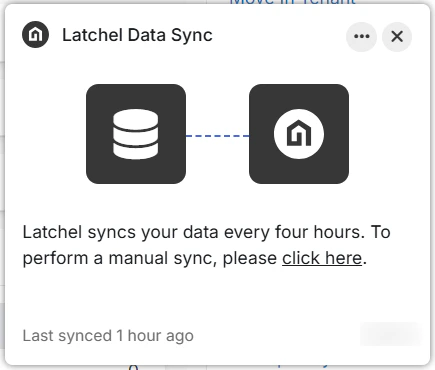
No need to manually sync your data—syncing now happens automatically every 4 hours as long as you're logged into AppFolio and the Latchel extension. You can still run a manual sync if needed, but it's no longer required for regular updates.
**Refreshed User Interface**
The extension now has a cleaner, more modern look with a simplified layout. All the familiar settings are still available but tucked into an organized overflow menu.
 **Clearer Sync Status**
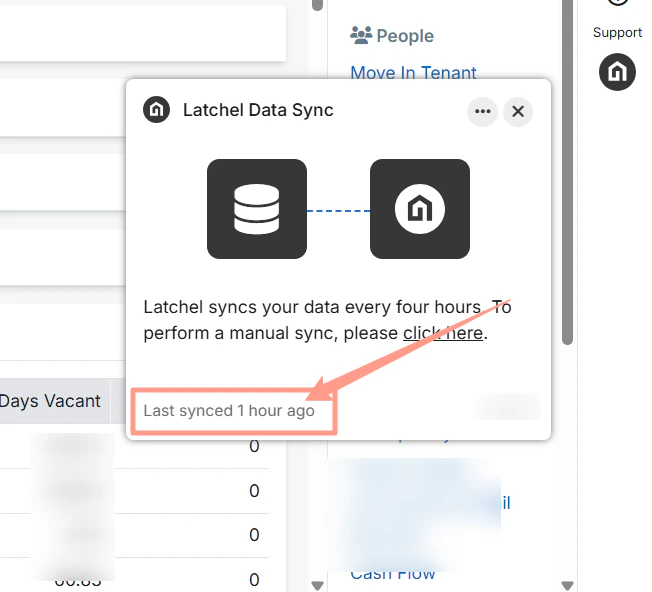
Easily see when your last sync happened. If it's been less than 24 hours, you’ll see how many hours ago it occurred. Otherwise, you'll see the full date and time of the last sync.
**Clearer Sync Status**
Easily see when your last sync happened. If it's been less than 24 hours, you’ll see how many hours ago it occurred. Otherwise, you'll see the full date and time of the last sync.
 **Smarter Sync Experience**
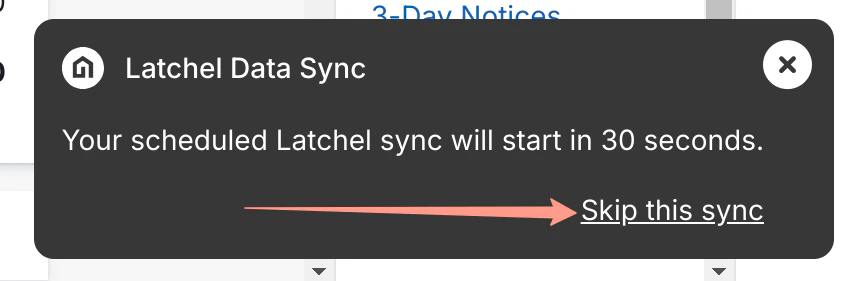
Most syncs now happen quietly in the background. The only time your AppFolio screen might be briefly blocked is when syncing work orders from Latchel to AppFolio. You’ll get a 30-second heads-up (with the option to snooze) before this happens.
**Smarter Sync Experience**
Most syncs now happen quietly in the background. The only time your AppFolio screen might be briefly blocked is when syncing work orders from Latchel to AppFolio. You’ll get a 30-second heads-up (with the option to snooze) before this happens.
 **Manual Data Sync**
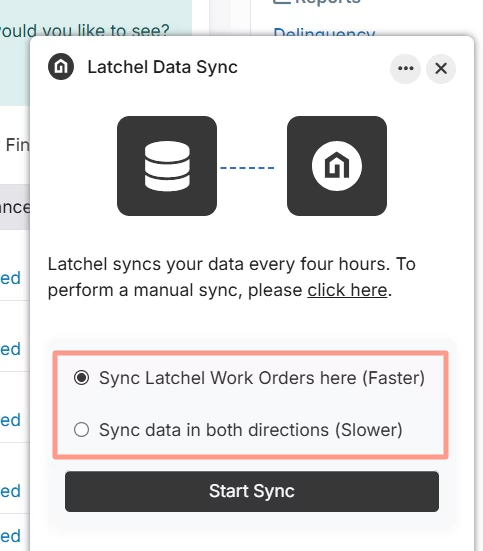
Manual syncing now works even better! Customers now have two options for manually syncing data between Latchel and their third-party platform. Choose between:
* Sync Latchel Work Orders here (Faster)
* Sync data in both directions (Slower)
**Manual Data Sync**
Manual syncing now works even better! Customers now have two options for manually syncing data between Latchel and their third-party platform. Choose between:
* Sync Latchel Work Orders here (Faster)
* Sync data in both directions (Slower)
 **Fewer Distractions**
Previously, errors from failed syncs were shown in the extension. We’ve removed this to avoid confusion. Instead, those sync issues are automatically sent to the Latchel Data Support team, who troubleshoot them behind the scenes.
**Easy Issue Reporting**
Having a problem? You can now report it directly through the extension. Your report will automatically create a support ticket and send helpful debug information to our engineers—speeding up the time it takes to find a solution.
**Exclude Properties from Import**
PMs now have more control over which properties are imported from AppFolio into Latchel. Use the **Exclude from Property Sync** button directly in AppFolio to prevent specific units from syncing — ideal for commercial units, non-revenue units, parking spots, storage units, and more.
### **Need More Information?**
Want to learn more about how to navigate the new Latchel Data Sync Extension? **Visit the link below!**
Explore the layout and key features of the new Latchel Data Sync Extension.
### **Need Help Updating?**
If you are still on an older version of the Latchel Data Sync Extension, follow the guide below to get **the latest version** installed!
Learn how to check for and apply the latest Latchel Data Sync Extension.
**Fewer Distractions**
Previously, errors from failed syncs were shown in the extension. We’ve removed this to avoid confusion. Instead, those sync issues are automatically sent to the Latchel Data Support team, who troubleshoot them behind the scenes.
**Easy Issue Reporting**
Having a problem? You can now report it directly through the extension. Your report will automatically create a support ticket and send helpful debug information to our engineers—speeding up the time it takes to find a solution.
**Exclude Properties from Import**
PMs now have more control over which properties are imported from AppFolio into Latchel. Use the **Exclude from Property Sync** button directly in AppFolio to prevent specific units from syncing — ideal for commercial units, non-revenue units, parking spots, storage units, and more.
### **Need More Information?**
Want to learn more about how to navigate the new Latchel Data Sync Extension? **Visit the link below!**
Explore the layout and key features of the new Latchel Data Sync Extension.
### **Need Help Updating?**
If you are still on an older version of the Latchel Data Sync Extension, follow the guide below to get **the latest version** installed!
Learn how to check for and apply the latest Latchel Data Sync Extension.