> ## Documentation Index
> Fetch the complete documentation index at: https://help.latchel.com/llms.txt
> Use this file to discover all available pages before exploring further.

# The Webhook Subscription

> Property managers can now receive webhook data when a **job**, **portfolio**, **property**, **resident**, **invoice**, **file**, and **owner** is either created or updated.

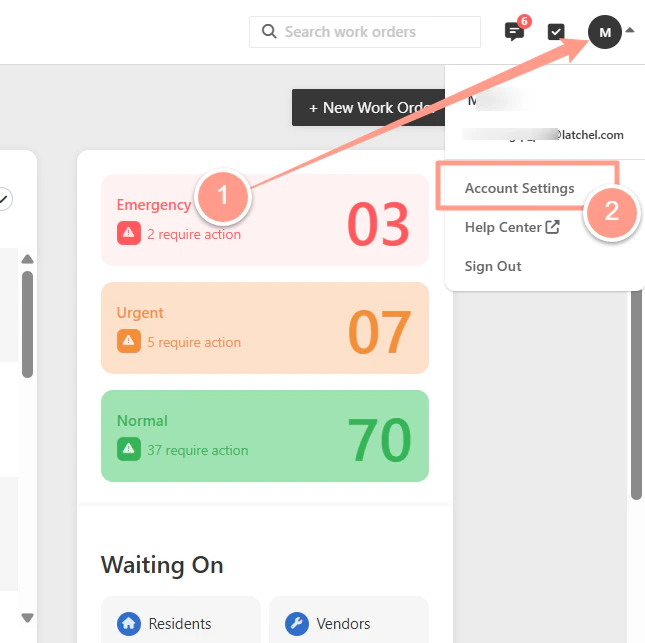
From the Latchel dashboard click the **Account Dropdown** icon located at the upper right corner, and select **Account Settings**.
<Frame>
  <img src="https://mintcdn.com/latchel-81/UG1VnZZur6uBj7fh/images/1Latchel.png?fit=max&auto=format&n=UG1VnZZur6uBj7fh&q=85&s=d54076f1036ed395d6e25b91a927a522" alt="1latchel Pn" width="645" height="643" data-path="images/1Latchel.png" />
</Frame>

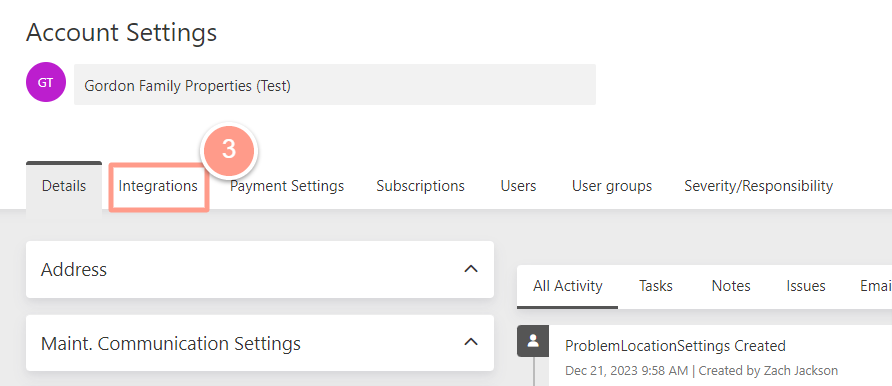
In the Account Settings page click the **Integrations** tab.
<Frame>
  <img src="https://mintcdn.com/latchel-81/VUGuPLh8p8v3IImf/images/rtaImage-632.jpg?fit=max&auto=format&n=VUGuPLh8p8v3IImf&q=85&s=88e5f0fa3e2ee377f07ac7655da7cebc" alt="" width="892" height="386" data-path="images/rtaImage-632.jpg" />
</Frame>

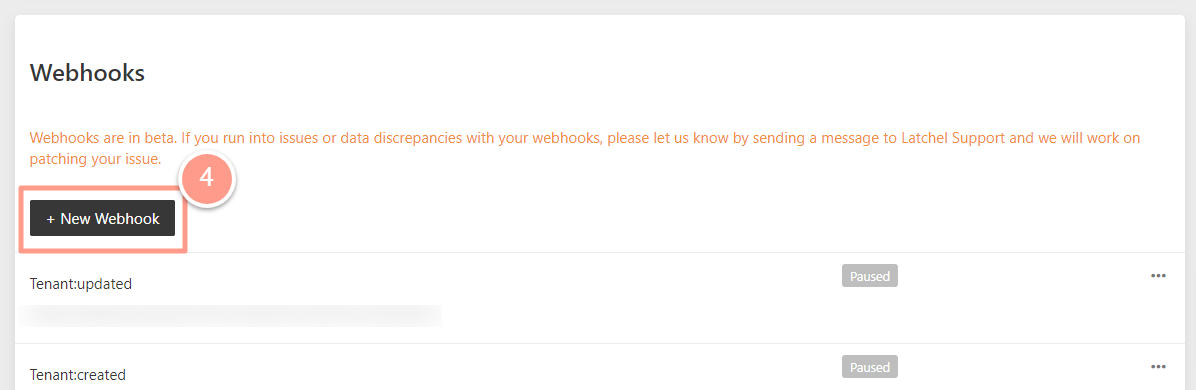
Scroll down to the Webhook section, then click the **New Webhook icon.**
<Frame>
  <img src="https://mintcdn.com/latchel-81/VUGuPLh8p8v3IImf/images/rtaImage-633.jpg?fit=max&auto=format&n=VUGuPLh8p8v3IImf&q=85&s=7b8782a091dab059c16081ee8dd52aca" alt="" width="1196" height="390" data-path="images/rtaImage-633.jpg" />
</Frame>

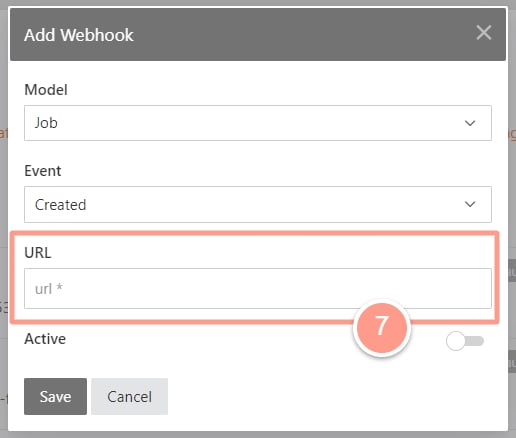
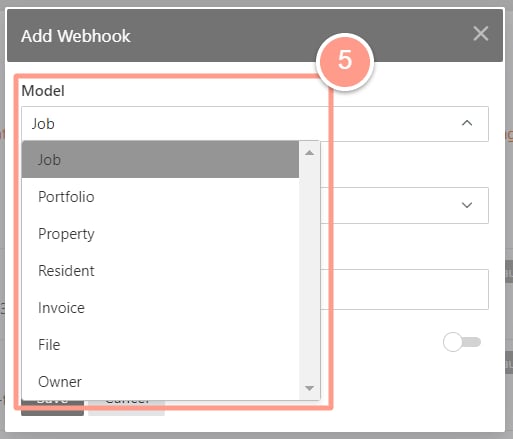
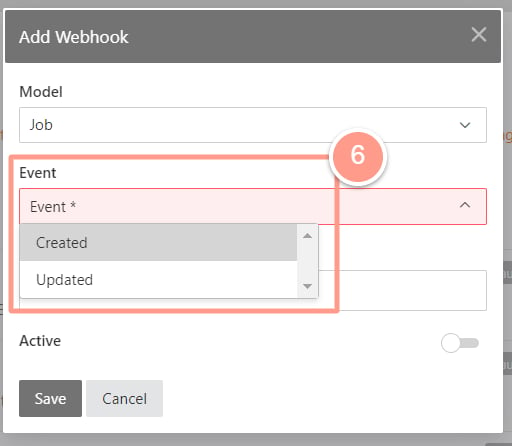
Then on the pop-up window set the desired **Model**, **Event**, and the **URL** that the webhook developer will provide.
<Frame>
  <img src="https://mintcdn.com/latchel-81/VUGuPLh8p8v3IImf/images/rtaImage-634.jpg?fit=max&auto=format&n=VUGuPLh8p8v3IImf&q=85&s=7add17455780b6ebb02ed758af25f115" alt="" width="513" height="439" data-path="images/rtaImage-634.jpg" />
</Frame>

<br />

<br />

<Frame>
  <img src="https://mintcdn.com/latchel-81/VUGuPLh8p8v3IImf/images/rtaImage-635.jpg?fit=max&auto=format&n=VUGuPLh8p8v3IImf&q=85&s=cff3d5689087217c10ab9a66027e1904" alt="" width="512" height="446" data-path="images/rtaImage-635.jpg" />
</Frame>

Set the toggle to **Active**.

<Frame>
  <img src="https://mintcdn.com/latchel-81/VUGuPLh8p8v3IImf/images/rtaImage-636.jpg?fit=max&auto=format&n=VUGuPLh8p8v3IImf&q=85&s=17286a2a445309bddf190c2803ae53ad" alt="" width="516" height="438" data-path="images/rtaImage-636.jpg" />
</Frame>

**Do you want to learn more about Latchel Webhooks? Check the link below!**

<CardGroup cols={2}>
  <Card title="Latchel Webhooks (1.0.0)" icon="webhook" iconType="duotone" horizontal href="https://papi.latchel.com/api-docs/webhooks/" />
</CardGroup>