> ## Documentation Index
> Fetch the complete documentation index at: https://help.latchel.com/llms.txt
> Use this file to discover all available pages before exploring further.
# Cancelling a Work Order (Resident)
> Need to stop a request that’s no longer needed? This guide walks you through how to properly **cancel a work order** in Latchel and what happens after it’s canceled.
### **Steps to Cancel a Work Order**
The option to cancel a work order will only be available if the work order is on any status except if its in Needs Approval or Needs Owner Approval.
First, navigate to your **resident dashboard** by following the steps in the help guide:
Learn how to access and navigate your Resident Dashboard for the first time with ease.
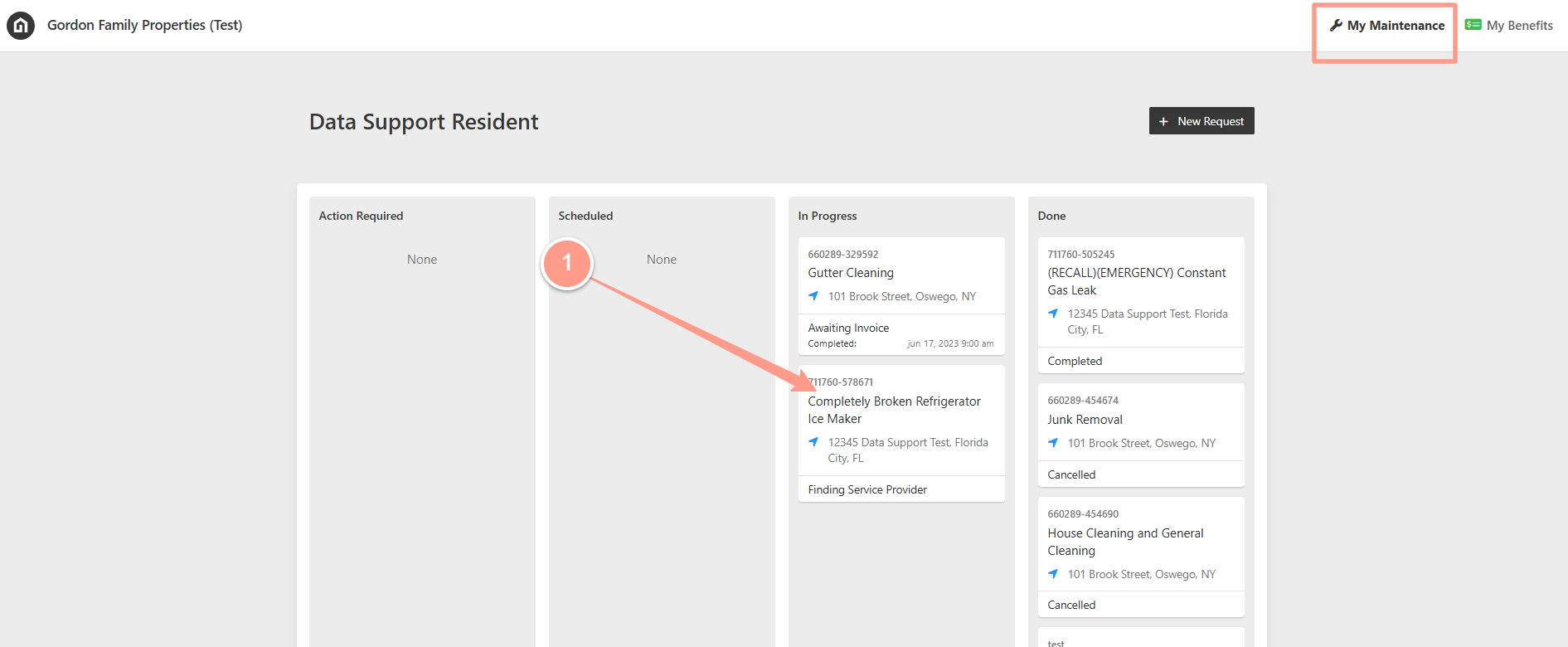
Once logged in, **select the work order** you need to cancel.
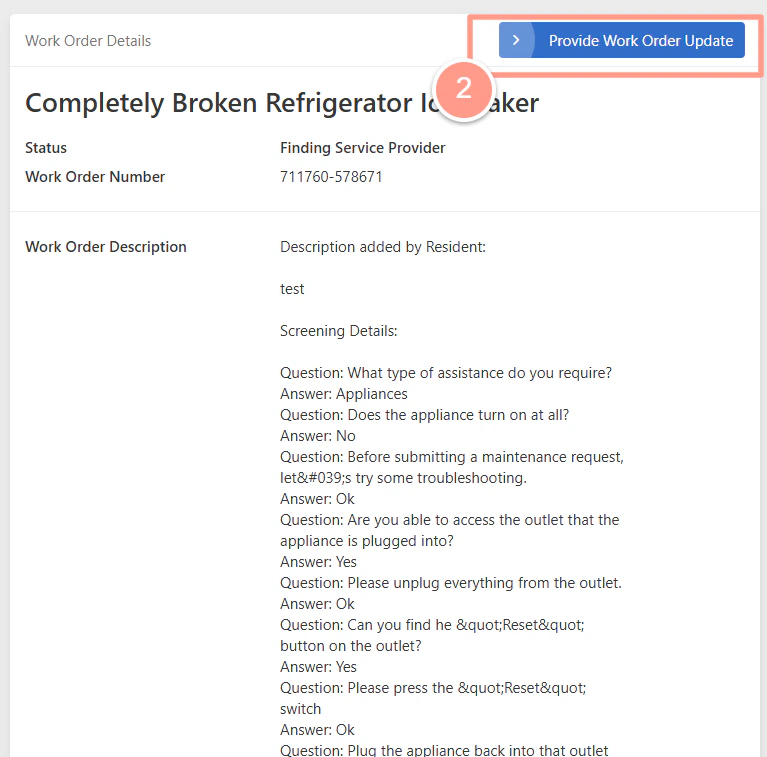
 On the **Work Order Details** page, you can view the information about the work order. Then, click **Provide Work Order Update.**
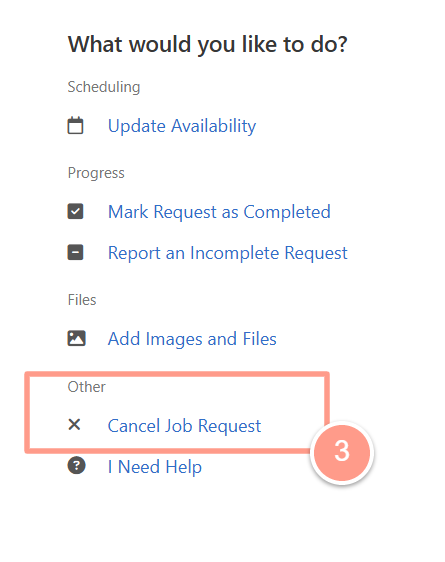
 Then on the next page, click **Cancel Job Request**.
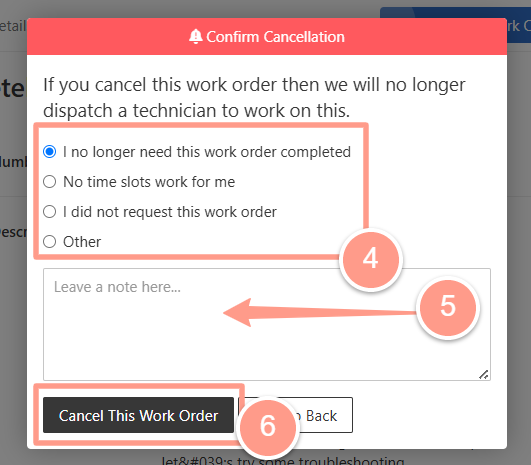
 Next, select **reason for cancellation**, and **provide additional details**. Click **Cancel This Work Order to complete the cancellation.**
 ### **What happens when a work order is cancelled?**
* **Vendors are notified** (if applicable), so they’re aware that the job is no longer moving forward.
* **The task is closed out** in the Latchel system, and no further action will be taken.
* **No charges will be incurred** if the service has not yet been dispatched or completed.
* **The cancellation reason is logged** for internal tracking and reporting purposes.
### **What happens when a work order is cancelled?**
* **Vendors are notified** (if applicable), so they’re aware that the job is no longer moving forward.
* **The task is closed out** in the Latchel system, and no further action will be taken.
* **No charges will be incurred** if the service has not yet been dispatched or completed.
* **The cancellation reason is logged** for internal tracking and reporting purposes.