> ## Documentation Index
> Fetch the complete documentation index at: https://help.latchel.com/llms.txt
> Use this file to discover all available pages before exploring further.
# Generating Work Order Details (Resident)
> As a resident, you have access to your **Resident Dashboard** from where you can access your existing and past maintenance requests. If you need to **generate work order details** of your existing or past maintenance request, follow these steps below.
First, navigate to your **resident dashboard** by following the steps in the help guide:
Learn how to access and navigate your Resident Dashboard for the first time with ease.
From your dashboard, **select the work order** you’d like to generate details for.
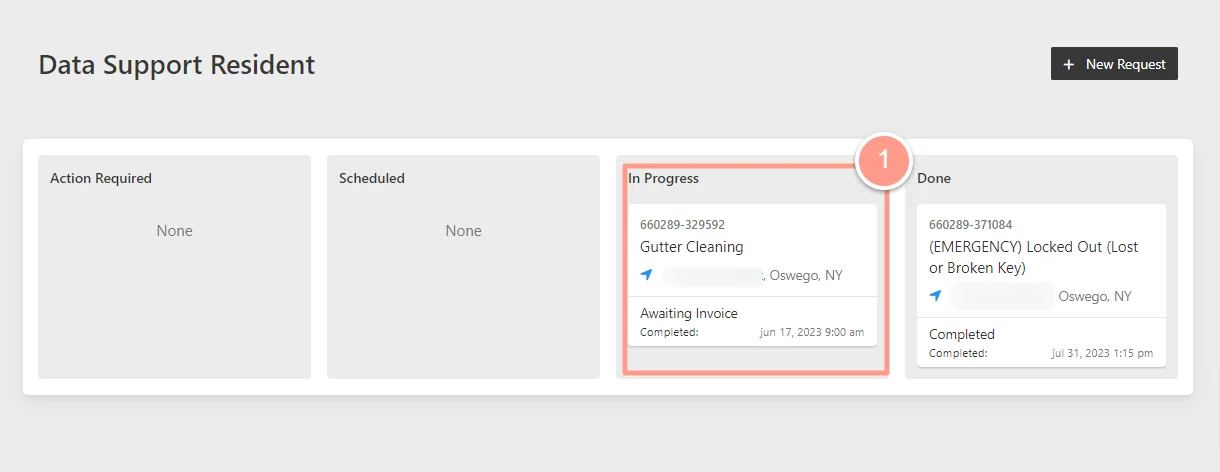 Then, on the Work Order Details page, click **Provide Work Order Update**.
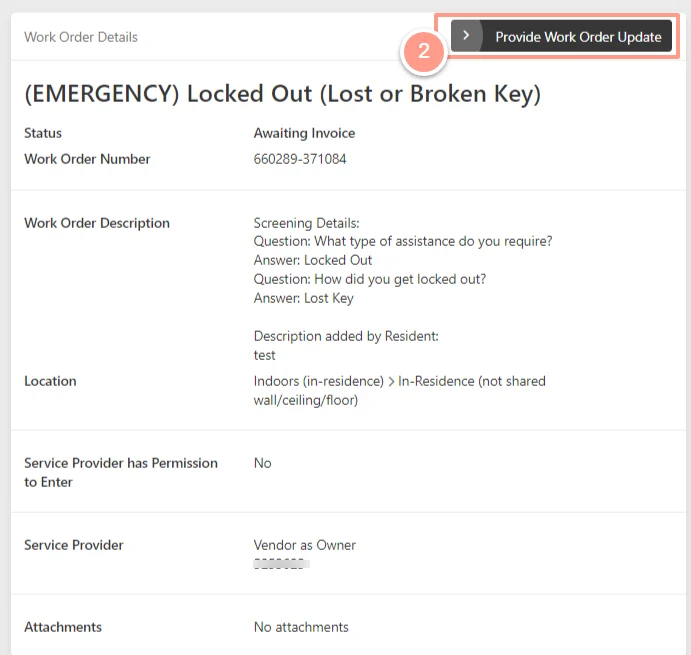 Lastly, select **Generate PDF**. Depending on your computer settings, it will either download automatically or ask you to save it on your computer.
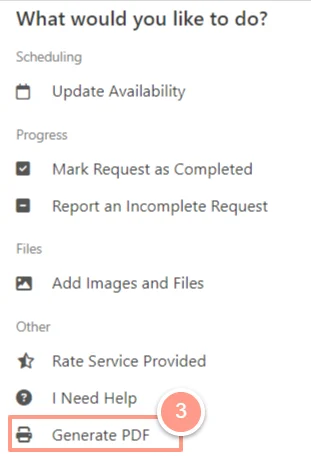 And there you have it! You have successfully generated your work order details in pdf!