> ## Documentation Index
> Fetch the complete documentation index at: https://help.latchel.com/llms.txt
> Use this file to discover all available pages before exploring further.
# Providing Updates on a Work Order (Resident)
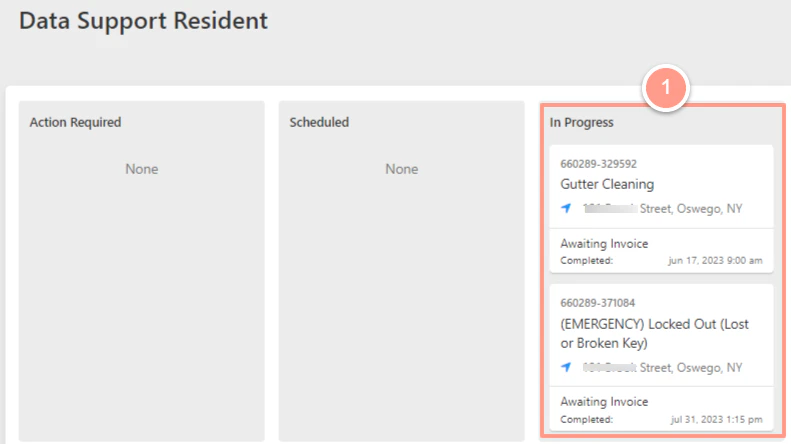
> As a resident, you have access to your **Resident Dashboard** from where you can access your existing and past maintenance requests. If you need to **provide any updates** to any of your existing maintenance requests, follow the steps below.
First, navigate to your **resident dashboard** by following the steps in the help guide:
Learn how to access and navigate your Resident Dashboard for the first time with ease.
From your dashboard, select which **work order** you want to view or update.
 **New to submitting a work order request?** Follow the steps in:
Step-by-step instructions for creating a new maintenance request through the Latchel Dashboard.
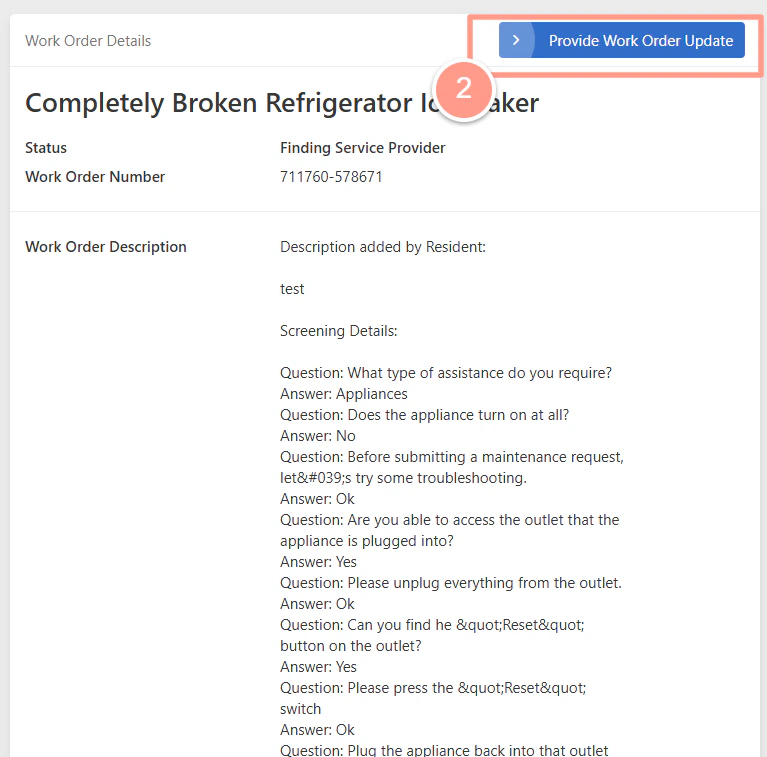
On the **Work Order Details** page, you can view the information about the work order. And if you want to update some of the details, you can click **Provide Work Order Update**.
**New to submitting a work order request?** Follow the steps in:
Step-by-step instructions for creating a new maintenance request through the Latchel Dashboard.
On the **Work Order Details** page, you can view the information about the work order. And if you want to update some of the details, you can click **Provide Work Order Update**.
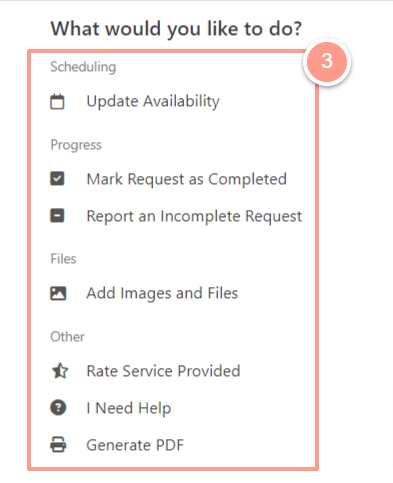
 Next, you'll be presented with a variety of options for the details you'd like to update. **To explore more actions you can take within a maintenance request, check out our full guide on:**
This section provides the list of things you can do to manage a maintenace request.
Next, you'll be presented with a variety of options for the details you'd like to update. **To explore more actions you can take within a maintenance request, check out our full guide on:**
This section provides the list of things you can do to manage a maintenace request.
 The option to **cancel a work order** will only be available if the work order is on any status except if its in Needs Approval or Needs Owner Approval.