> ## Documentation Index
> Fetch the complete documentation index at: https://help.latchel.com/llms.txt
> Use this file to discover all available pages before exploring further.
# Resident Benefits: Lockout Reimbursement
> One of the standout features within the **Resident Benefit Hub** is the ability to file for reimbursements—a solution designed to help offset unexpected costs. This guide specifically walks residents like you through how **lockout reimbursements** work and how to submit a request with ease.
### **What is Lockout Reimbursement?**
**Lockout Reimbursement** is a resident benefit that helps cover the cost of getting back into your home if you're ever locked out. If you lock yourself out of your home, Latchel will be on your side.
A resident can submit **one lockout benefit reimbursement** per year-long lease.
### **How to Submit a Lockout Reimbursement**
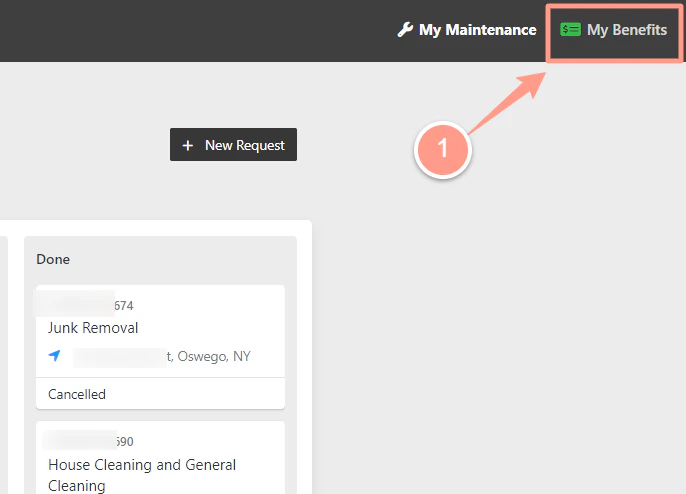
Access your **Resident Benefit Hub**. Click **My Benefits** from your Latchel online portal.
 **Never accessed My Benefits before?** Check the guide below to know more about your **Resident Dashboard** first!
Learn how to access and navigate your Resident Dashboard for the first time with ease.
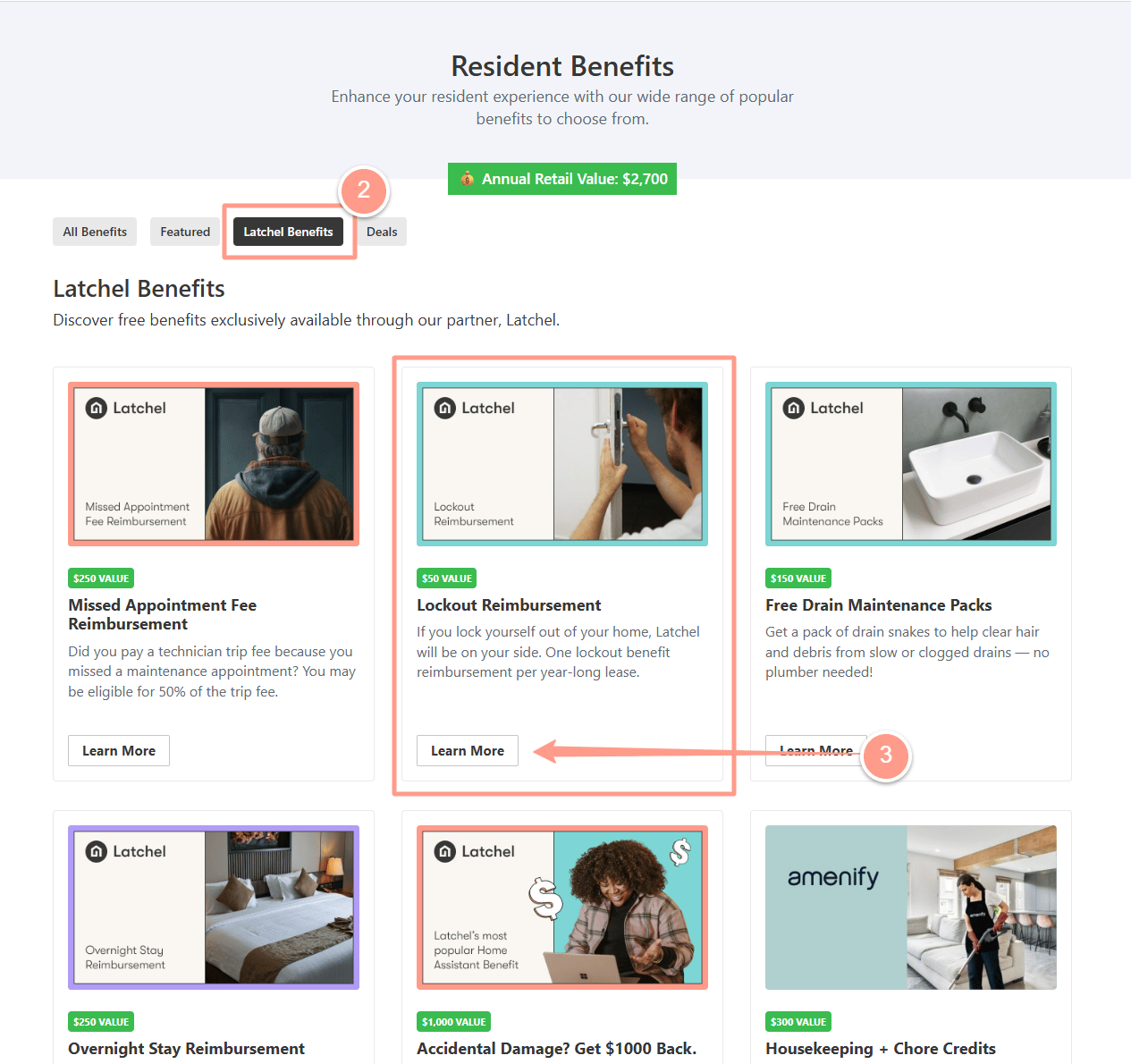
From your **My Benefits** page, click **Latchel Benefits**, and look for **Lockout Reimbursement**. Then, click **Learn More**.
**Never accessed My Benefits before?** Check the guide below to know more about your **Resident Dashboard** first!
Learn how to access and navigate your Resident Dashboard for the first time with ease.
From your **My Benefits** page, click **Latchel Benefits**, and look for **Lockout Reimbursement**. Then, click **Learn More**.
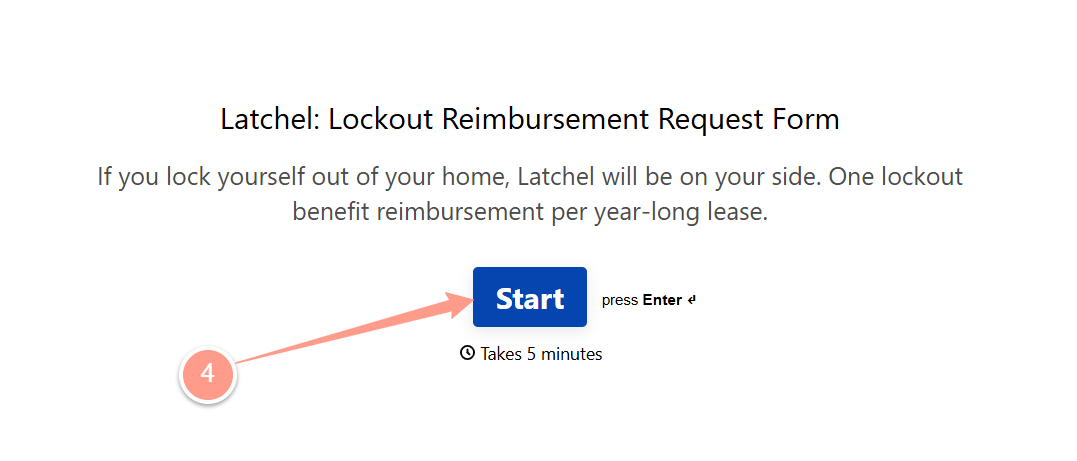
 Next, you will be taken to the **Lockout Reimbursement Request Form**. Click **Start** to fill out the form. Make sure to type in all the requested information, and the actual invoice you paid for to unlock your home.
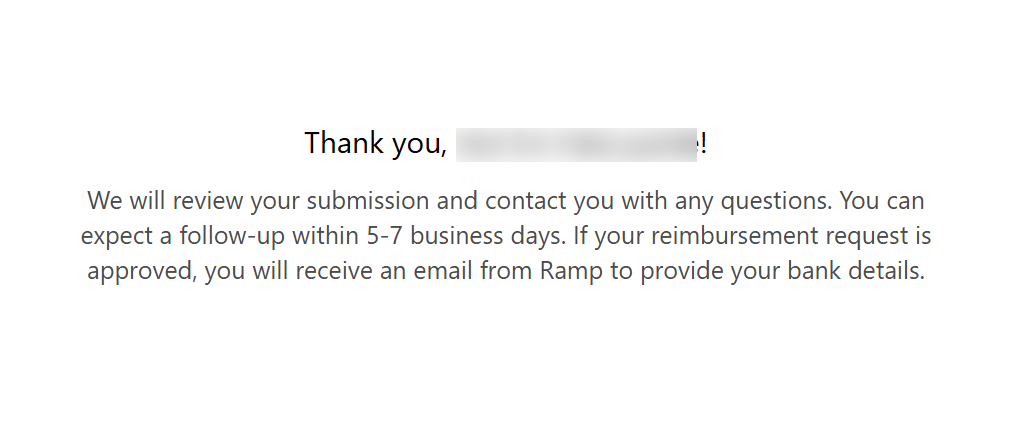
 At the end of the form, click **Submit**. Expect a follow-up with 5-7 business days.
 ### **Important To Know**
Before you continue to make a lockout reimbursement request, here are a few important terms to know that you qualify:
1. You must be an active resident who has signed a lease at the property you are requesting reimbursement for.
2. We reimburse a maximum of \$50.00 for one lockout incident per resident per lease term.
3. Repair work must already be completed at the time or reimbursement.
4. You must provide an itemized invoice and proof of payment and contact information for the qualified professional who performed the work.
5. You must be current on your rent and any charges due to your property manager or landlord.
6. You must have an active and current Latchel Home Assistant subscription, and the lockout must have occurred after your subscription start date.
7. The invoice/receipt date should not exceed 3 months old.
### **Important To Know**
Before you continue to make a lockout reimbursement request, here are a few important terms to know that you qualify:
1. You must be an active resident who has signed a lease at the property you are requesting reimbursement for.
2. We reimburse a maximum of \$50.00 for one lockout incident per resident per lease term.
3. Repair work must already be completed at the time or reimbursement.
4. You must provide an itemized invoice and proof of payment and contact information for the qualified professional who performed the work.
5. You must be current on your rent and any charges due to your property manager or landlord.
6. You must have an active and current Latchel Home Assistant subscription, and the lockout must have occurred after your subscription start date.
7. The invoice/receipt date should not exceed 3 months old.