
New Features
- Navigate Latchel with Your Voice
- Properties
- Work orders
- On-call instances
- Residents
Coming Soon: Search for owners and vendors is up next, with future iterations that let you take action entirely by voice — think opening or closing work orders without ever clicking through a menu.Want to go even further with AI? Check out Latchel MCP — our connector for AI assistants.
Latchel MCP for AI Assistants
Learn how to connect Latchel to AI tools giving you instant access to help guides.
- Contact Rotation Schedules — A Smarter Way to Manage Escalation Contacts
What’s changing:For day-to-day scheduling changes — who’s on call, who’s covering a shift, who’s out this week — you’re fully in the driver’s seat through the Contact Rotation calendar. But if you have any questions or need assistance, just reach out to success@latchel.com and we’ll take care of it.
- More accurate routing — No more manual interpretation of time-based notes. Our ops team sees exactly who’s available in real time.
- Flexible coverage — Supports weekday/weekend splits, after-hours shifts, and complex rotations.
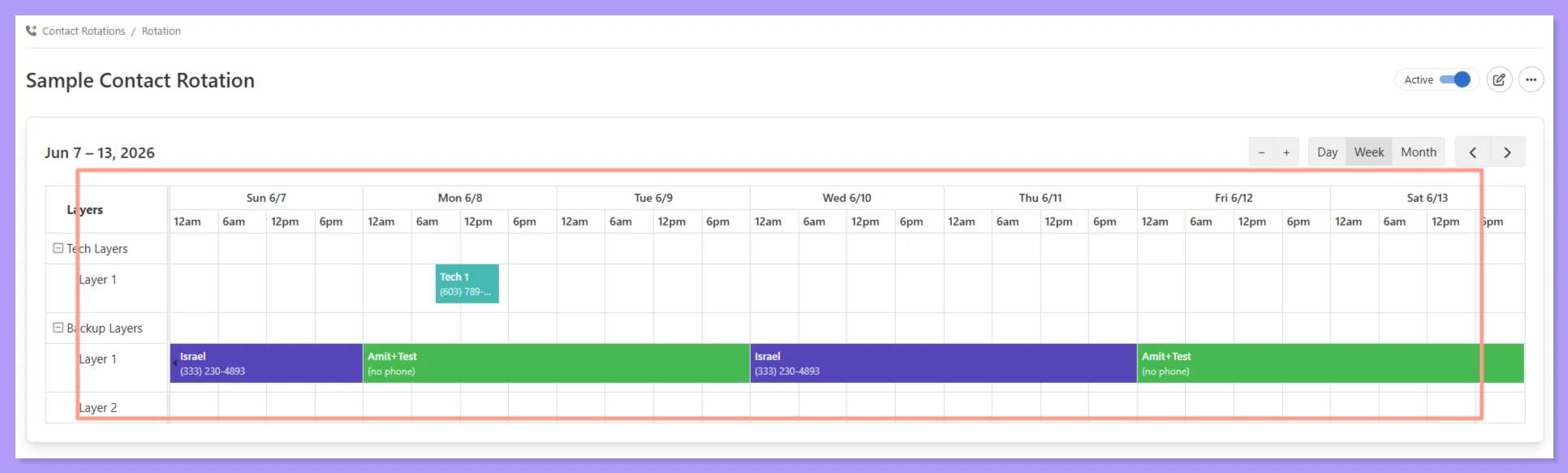
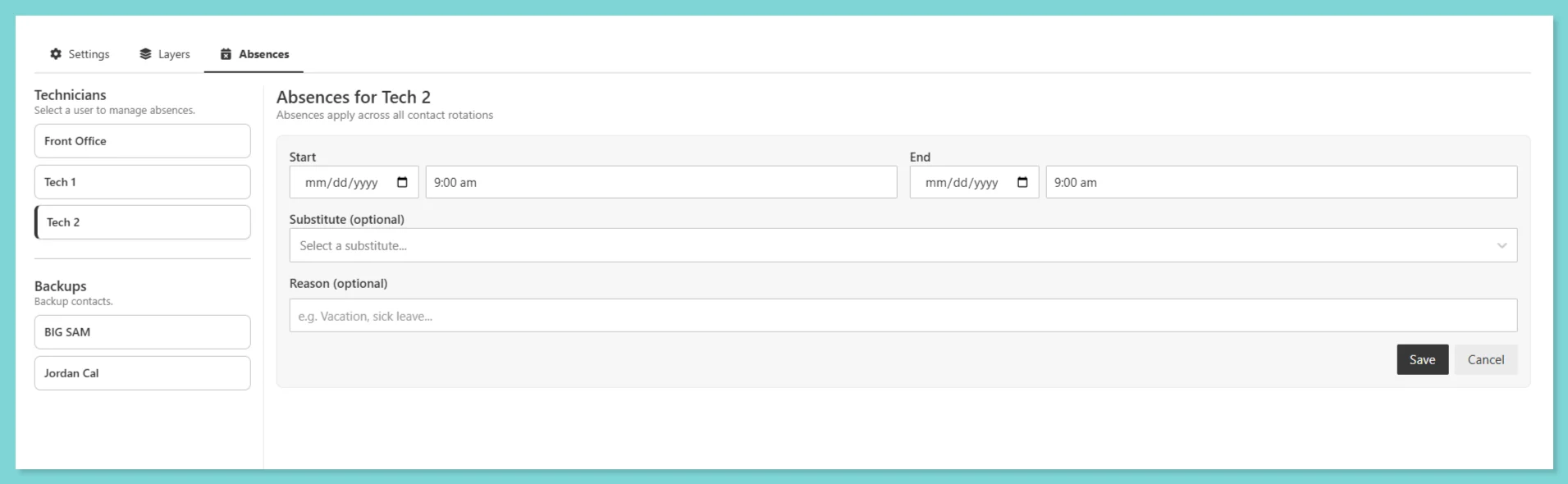
- Easy time-off coverage — Mark someone unavailable and assign a substitute in seconds, no text editing required.
Setting up Absences
Absences can be scheduled in advance or logged as needed, learn how property managers can manage them anytime through this guide.
Contact Rotation: Getting Started
Configure automated alert systems that immediately notify designated technicians or internal team members when specific situations arise.
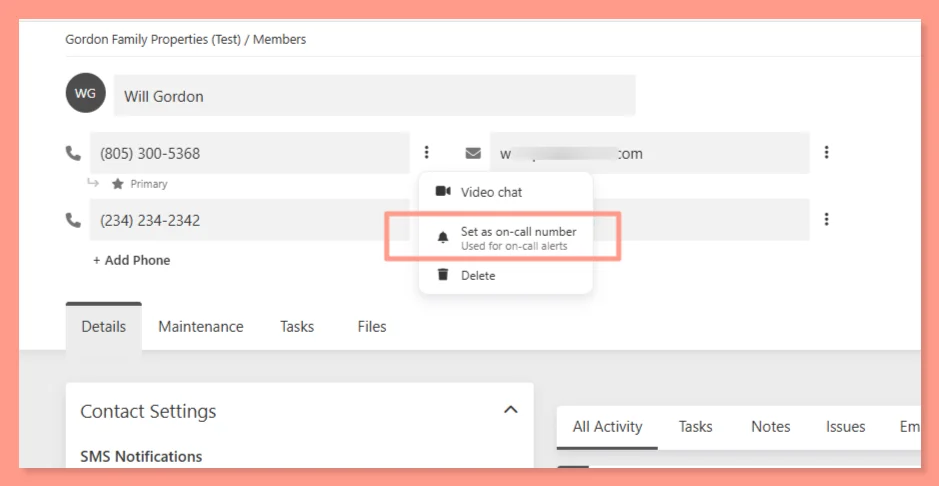
- Cleaner Contact Management — Plus a New On-Call Number Setting
What’s new!
- Clearer primary indicators — your primary phone and email are clearly marked, and switching them is a single click
- Per-number capability icons — each number shows whether it supports calls, texts, or video chat, so there’s no guessing (a landline, for example, will show video chat as unavailable)
- On-Call Number setting — you can now designate a specific phone number as the on-call number for Contact Rotations, separate from your primary. If no on-call number is set, your primary is used by default
- User Groups Are Now Teams — Plus New Team Controls
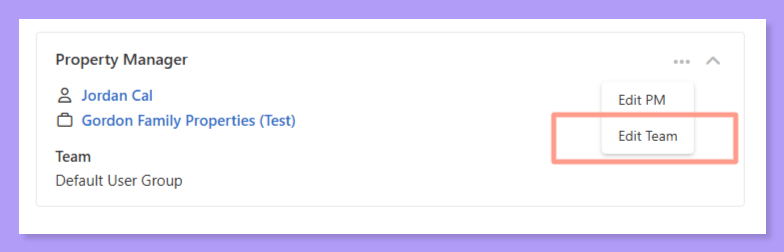
- Team assignment at the work order level — You can now set a Team directly on a work order, overriding whatever Team would normally be inherited from the property, portfolio, or company level. More flexibility for one-off assignments without changing your broader setup.
- Streamlined Work Order Details view — Team is now found within the Property Manager card on the Work Order Details page. The separate Notification Settings card has been retired to keep things cleaner.
- Filter by Team and Team Member — On both the Feed and Work Order Kanban views, you can now filter by Team or individual Team Member to quickly zero in on what your crew is working on.
Resolved Bugs
- Remaining Budget Miscalculation When Invoice + New Estimate Are Both Present
What’s fixed:The system now correctly calculates remaining budget as Approved Budget minus any existing invoice amount before evaluating new estimates against auto-approval thresholds. Your budget math will stay accurate across multi-phase jobs.
- Sync to PMS Showing False Success Message
What’s fixed:The sync status now accurately reflects what actually happened. No more misleading success messages that contradict what you see on refresh.
- Work Orders created via API Routing to Wrong PM Assignee
What’s fixed:Work orders created via API now correctly route to the PM assigned to the portfolio, regardless of who holds the default primary user role on the account.