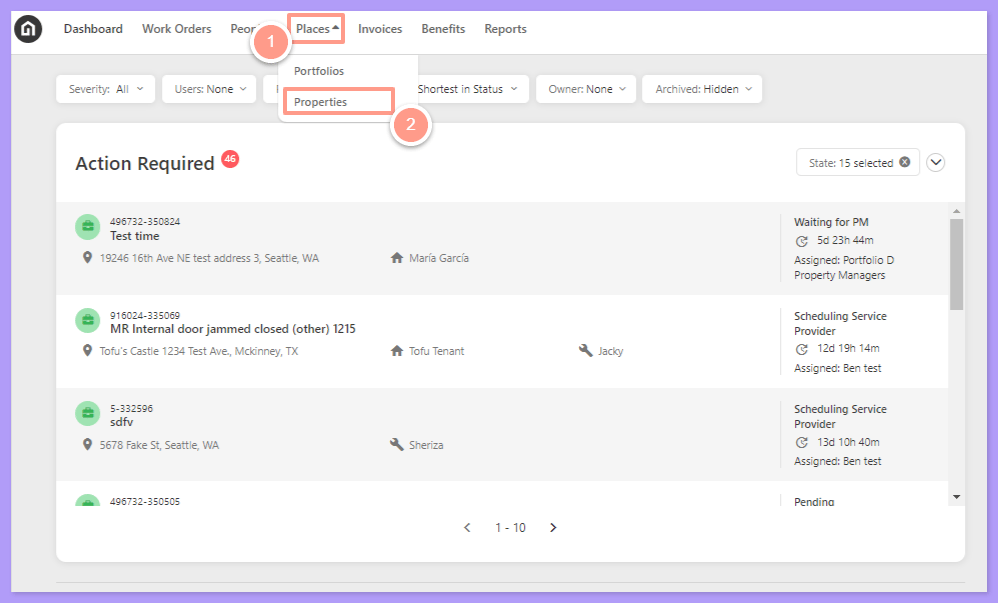
Log in to your Latchel account, click Places, then choose Properties.
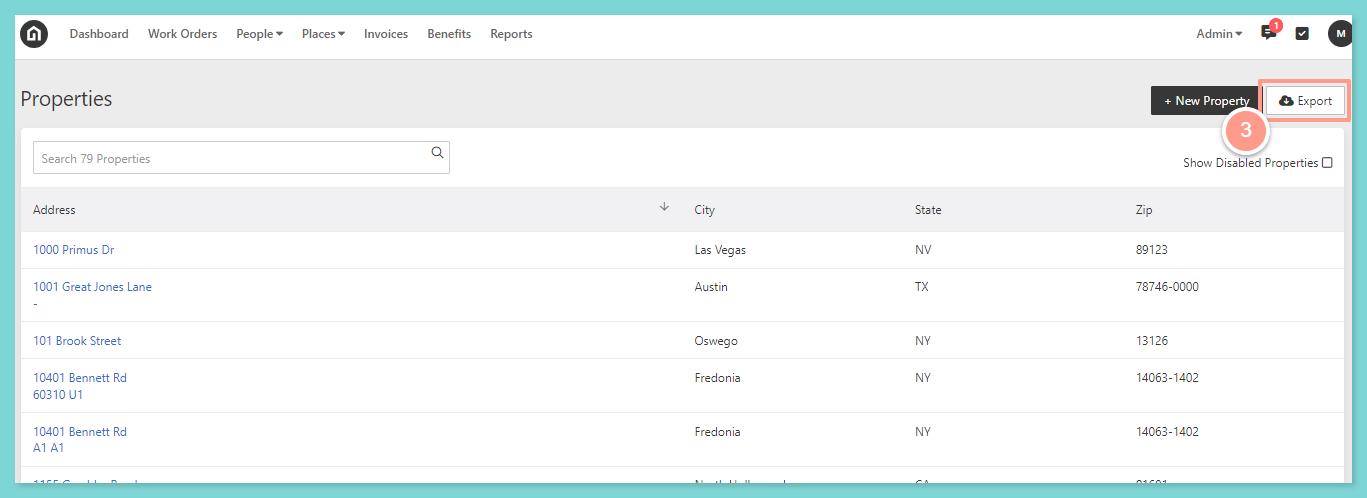
Click Export in the top right corner.
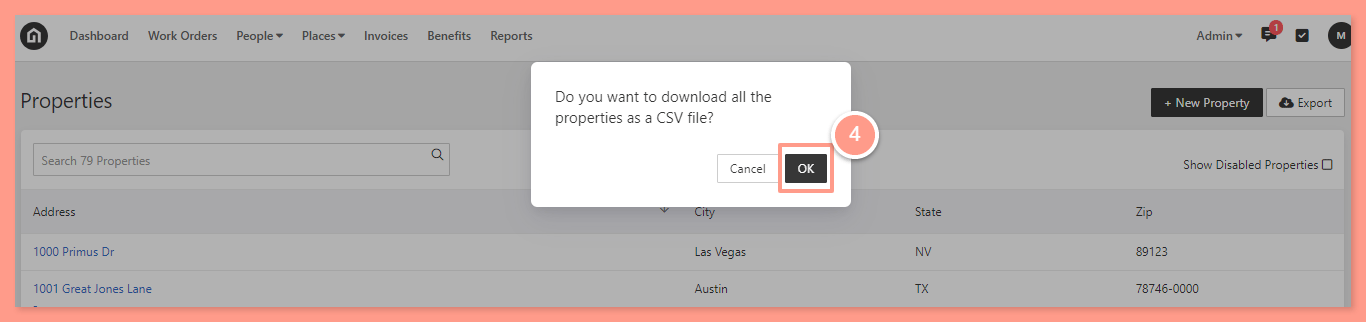
You’ll then receive a pop-up asking if you want to download all the properties as a CSV file. Select Ok.
Depending on your browser settings, either you will be asked to save the CSV file to download, or it will automatically save on your computer. Then, access the file from your computer downloads folder.
Last modified on September 17, 2026
Was this page helpful?
Assistant
Responses are generated using AI and may contain mistakes.