
This is only a viable option if Latchel handles maintenance for ALL units in Buildium, as this is a global change.
Setup Maintenance Submission to Latchel
Access Resident Center Settings.
From your dashboard, go to 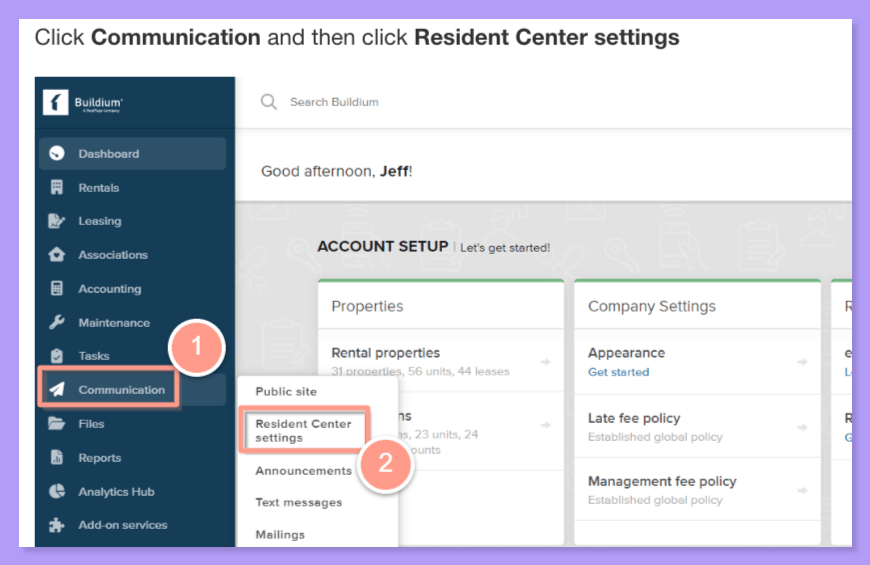
Communication > Resident Center Settings.Setup Maintenance request redirect.
Select Requests, then under Maintenance request redirect, click Edit.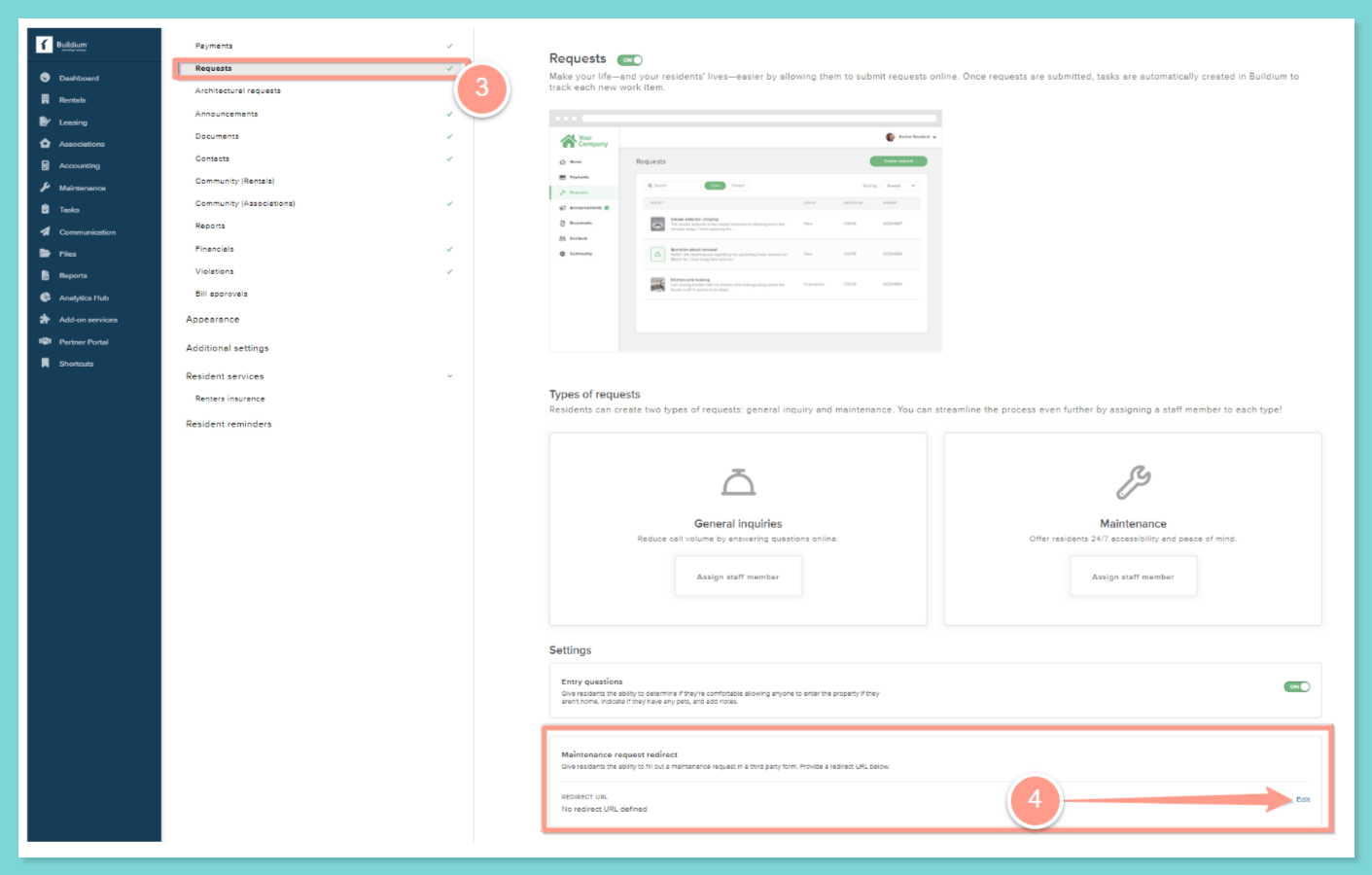
Enter your Latchel Residents Work Order Submission URL.
Go to your portal settings, then copy your Residents Work Order Submission URL. Paste the URL into the Redirect URL field.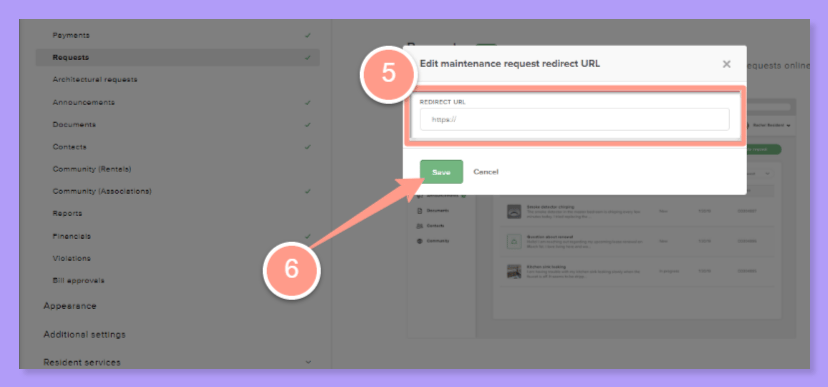
Finally, click Save.
Not sure where you can find your Resident Work Order Submission URL? Check how you can find it through the help guide below!
Configuring Portal Settings | Residents Work Order Submission URL
Manage settings that customize your team’s experience in the Latchel portal.