Turn Off Tenant Service Requests
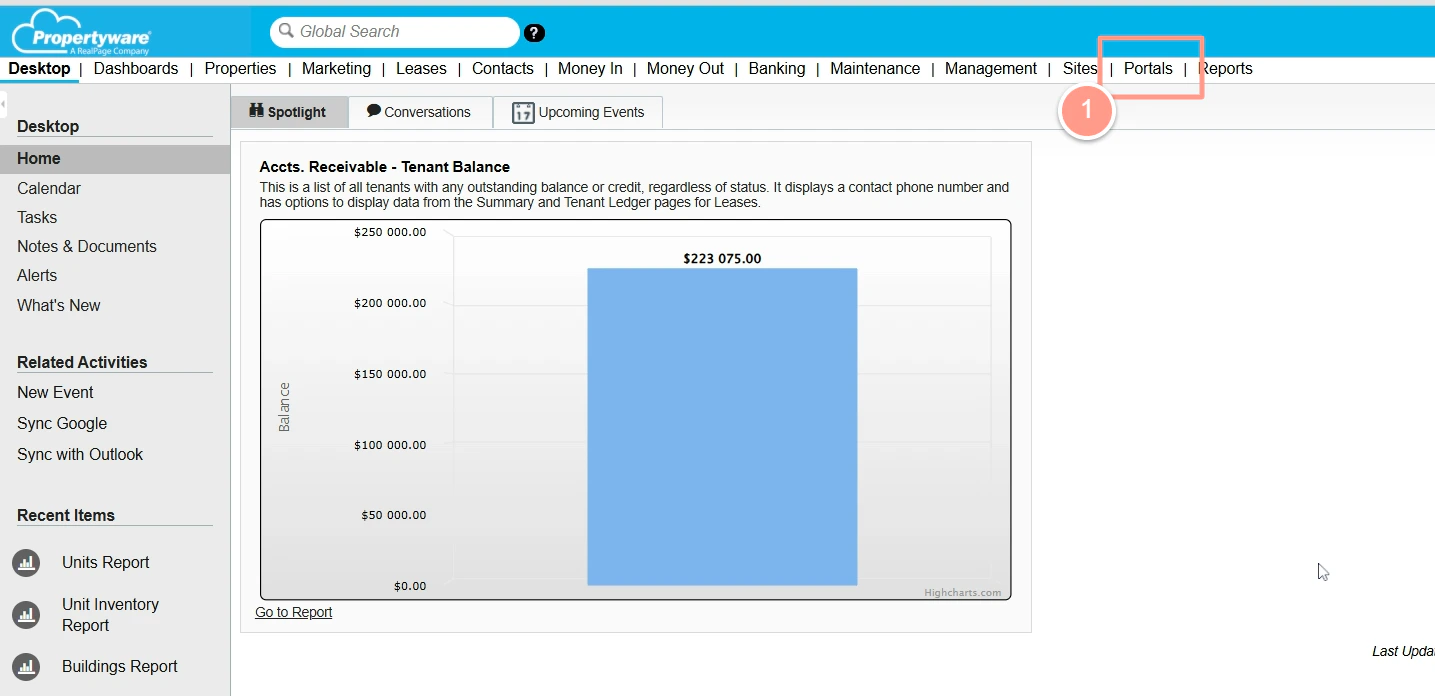
Log in to your Propertyware account, then go to Portals.
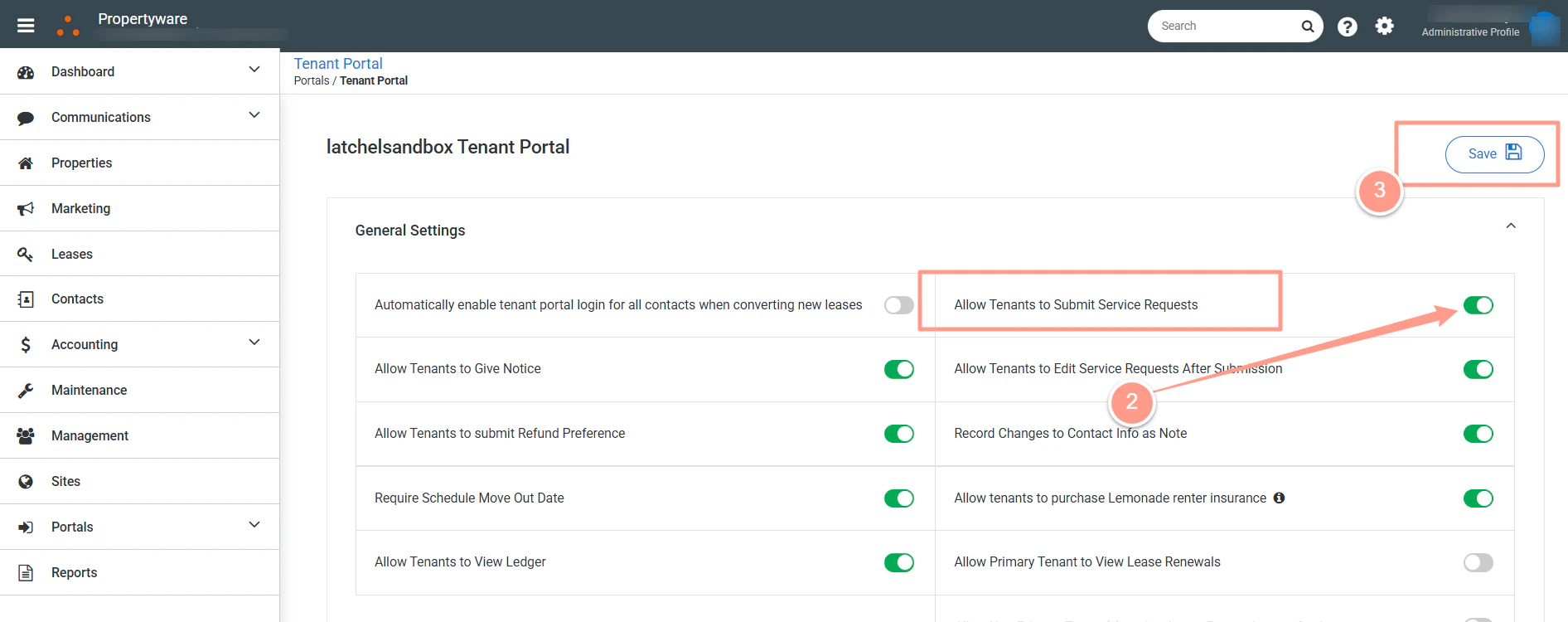
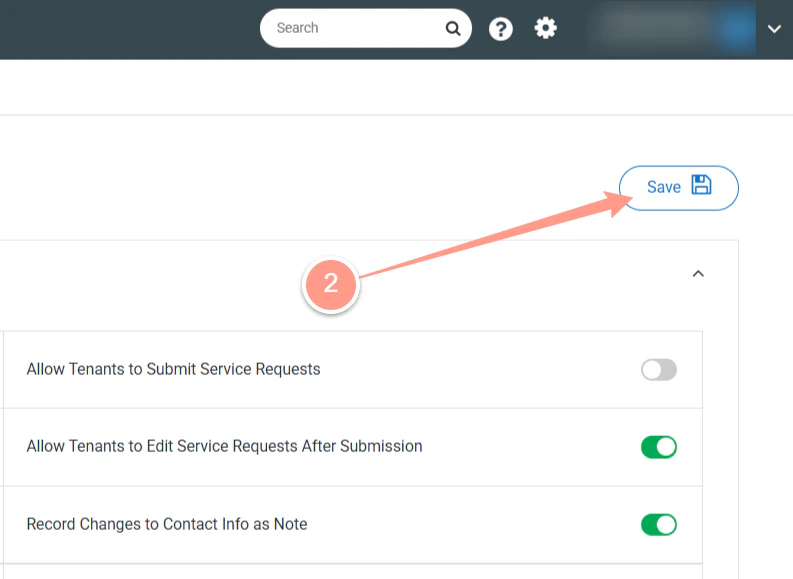
Under Tenant Portal, locate Allow Tenants to Submit Service Requests. Click the toggle to turn this setting OFF; it should turn grey. Then, click Save to apply your changes.
Provide clear instructions to tenants on where and how to submit maintenance requests by posting a community bulletin message, ensuring a smooth transition from Propertyware. Here’s how you can do it.
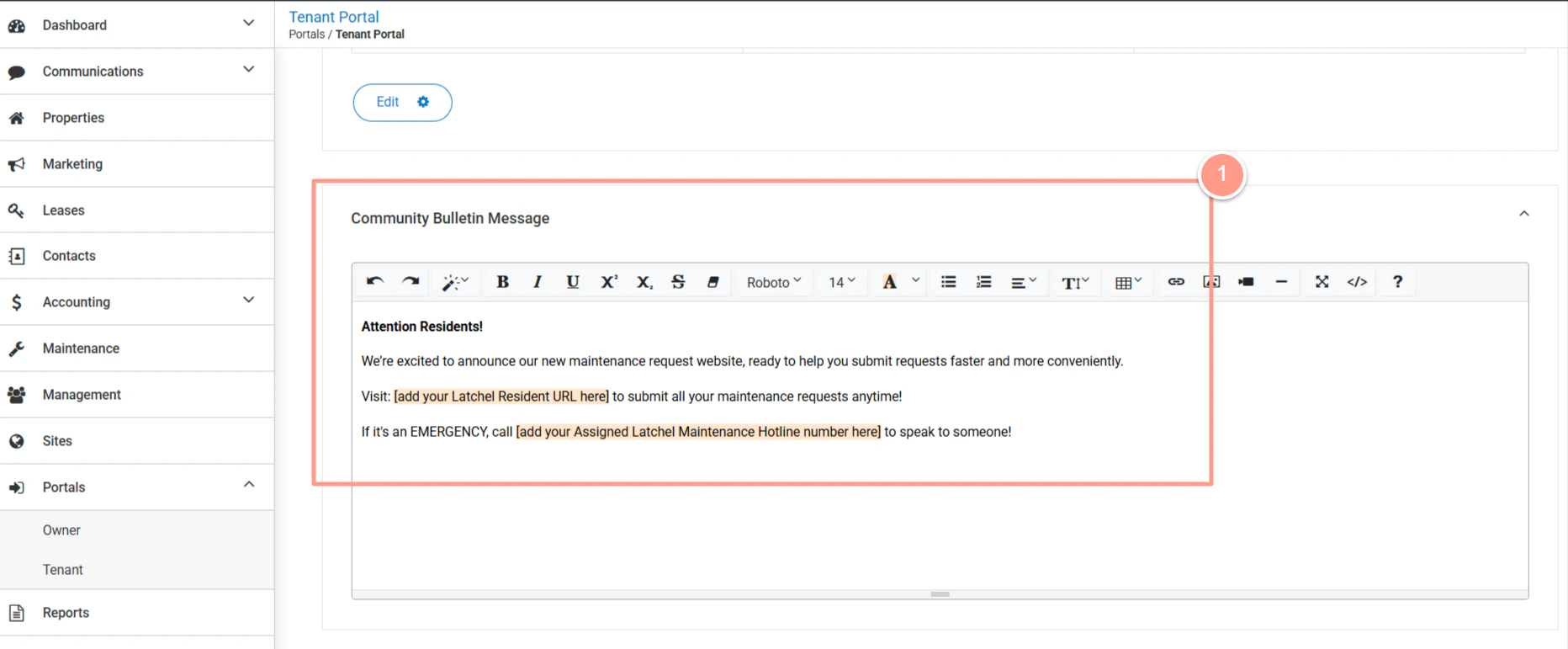
In the same Tenant Portal, scroll down to Community Bulletin Message. Then, add your new banner message to inform residents where to submit their maintenance requests.
Sample Banner:Attention Residents!We’re excited to announce our new maintenance request website, ready to help you submit requests faster and more conveniently.
- Visit: [RESIDENT WO URL] to submit all your maintenance requests anytime!
- If it’s an EMERGENCY, you can submit online or call [LATCHEL ASSIGNED PHONE] to speak to someone!
Last modified on May 12, 2026