
How to Submit a Maintenance Request Through Your Resident Portal Banner
Open your resident portal
Access your property management’s resident portal.
Click the Latchel link
From your resident dashboard, a banner similar to the image below must be displayed. Click the Latchel link to submit your maintenance request.
Enter your contact details
In the next page that opens on your browser, enter your full name, phone number, and email address. Then click Submit.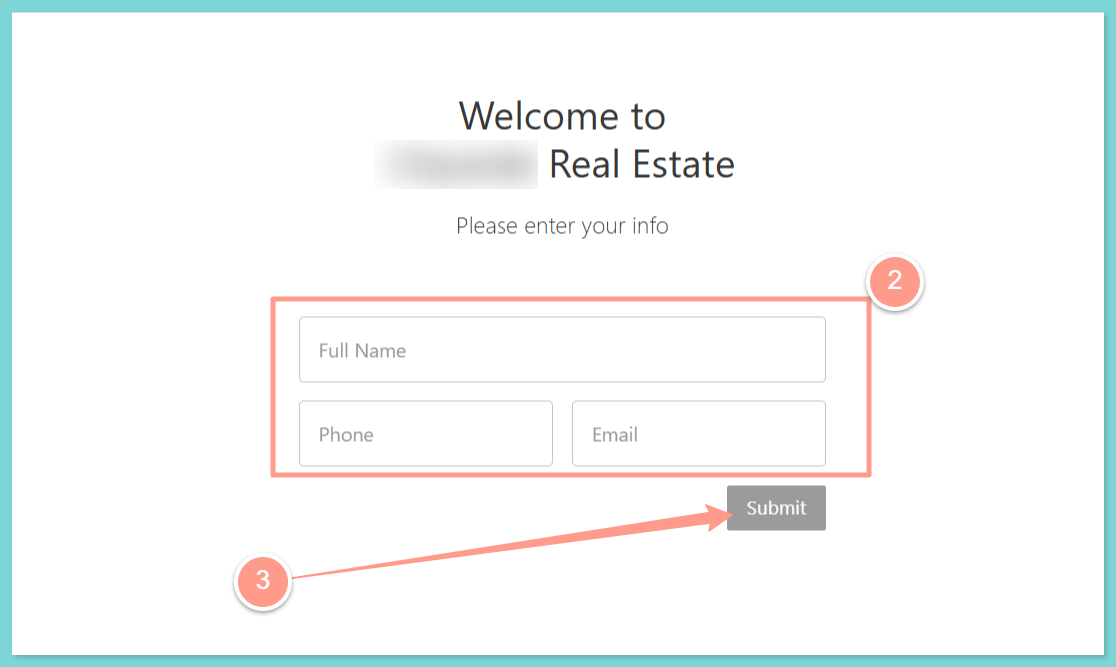
Confirm the property address
Confirm the property address by clicking Select.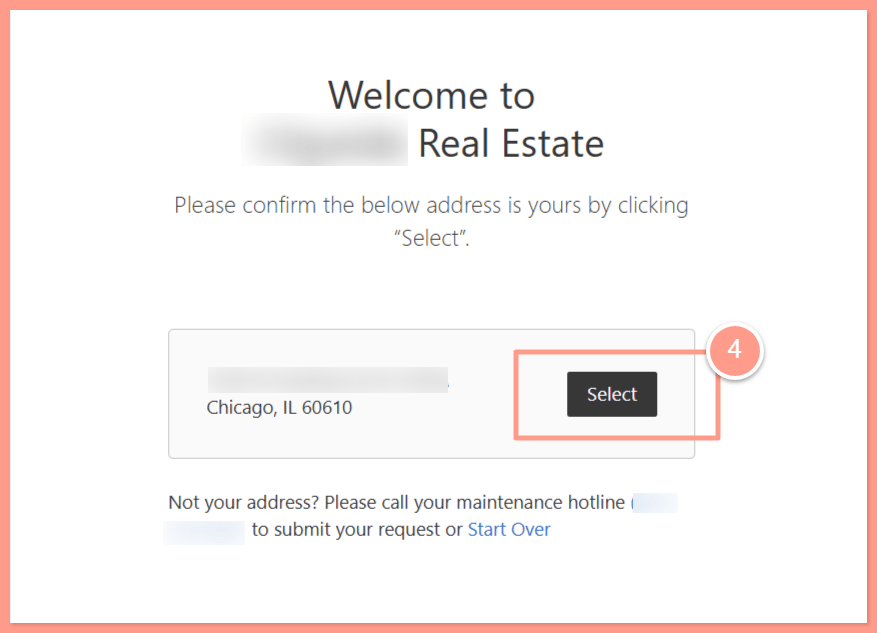
Answer the questions and submit
On each subsequent page, you will be asked troubleshooting questions related to your concern. Let’s go through each step to successfully submit a maintenance request.Please answer the questions related to your concern and provide your availability. Then, click the Next Question button to proceed to the following steps. Once all the necessary information is provided, click Submit Service Request.
Latchel will reach back out to you once an appointment slot is confirmed with a vendor.