
What Is the 24/7 AI Virtual Receptionist?
The 24/7 AI Virtual Receptionist is an opt-in upgrade to your existing Latchel-assigned phone number. It is not a new or separate phone number — it simply expands what happens when someone who isn’t a current resident calls your Latchel line.How to Opt In
Email success@latchel.com to request activation for your account.How Calls Are Routed
If a caller isn’t already registered in Latchel, they’ll hear a short prompt: “If you are a current resident, press 1. For all other callers, press 2.”- Residents who press 1 continue through Latchel’s normal maintenance intake process.
- Everyone else — prospective tenants, owners, vendors, and other non-resident callers — is routed to the AI Receptionist flow.
What Gets Captured
For every call handled by the AI Receptionist, Latchel stores:- A summary of the call
- A recording of the call
- A full transcript of the call
Call Category Routing
You can configure separate routing rules for different call categories — for example, routing leasing inquiries to one destination and rent payment questions to another. The AI classifies each caller’s topic and applies the matching rule automatically. This means a single Latchel-assigned number can intelligently handle many different caller types without manual intervention, sending each to the right place based on why they called. You set up category routing yourself in your non-resident intake settings, under Account Settings > Intake Settings > Non-Resident Intake. Follow the steps below to add or update your categories and routing rules. Need a hand? Email success@latchel.com.Routing Options
For each call category, you can choose how it is handled. Available destinations include:- Post-call delivery — After the call ends, the summary, recording, and transcript are sent to your team via email, SMS, Latchel task, Slack notification, or webhook.
- Live-line forwarding — The AI live-transfers the caller to a designated phone number during the call (see below).
Live-Line Call Forwarding
Live-line forwarding is now available as a routing destination. When a call’s category matches a rule configured for live transfer, the AI forwards the caller to your designated phone number mid-call — no need to end the call first.When it triggers: Forwarding happens automatically when the AI classifies the call into a category you’ve set up with a live-transfer destination.Configurability: You set up live-line forwarding yourself in your non-resident intake settings. Choose Forward the live call as a category’s destination and enter the number to transfer calls to. See the steps below.Transfer notifications: The system sends a notification indicating whether the live transfer succeeded or failed, so your team always knows what happened.
Giving Feedback
Just like maintenance intake, it’s easy to let us know how the AI Receptionist did — you can give feedback right from the call itself.Supported Languages
The AI Virtual Receptionist supports both English and Spanish.How to Set Up Call Category Routing & Live-Line Forwarding
Access your non-resident intake settings.
Navigate to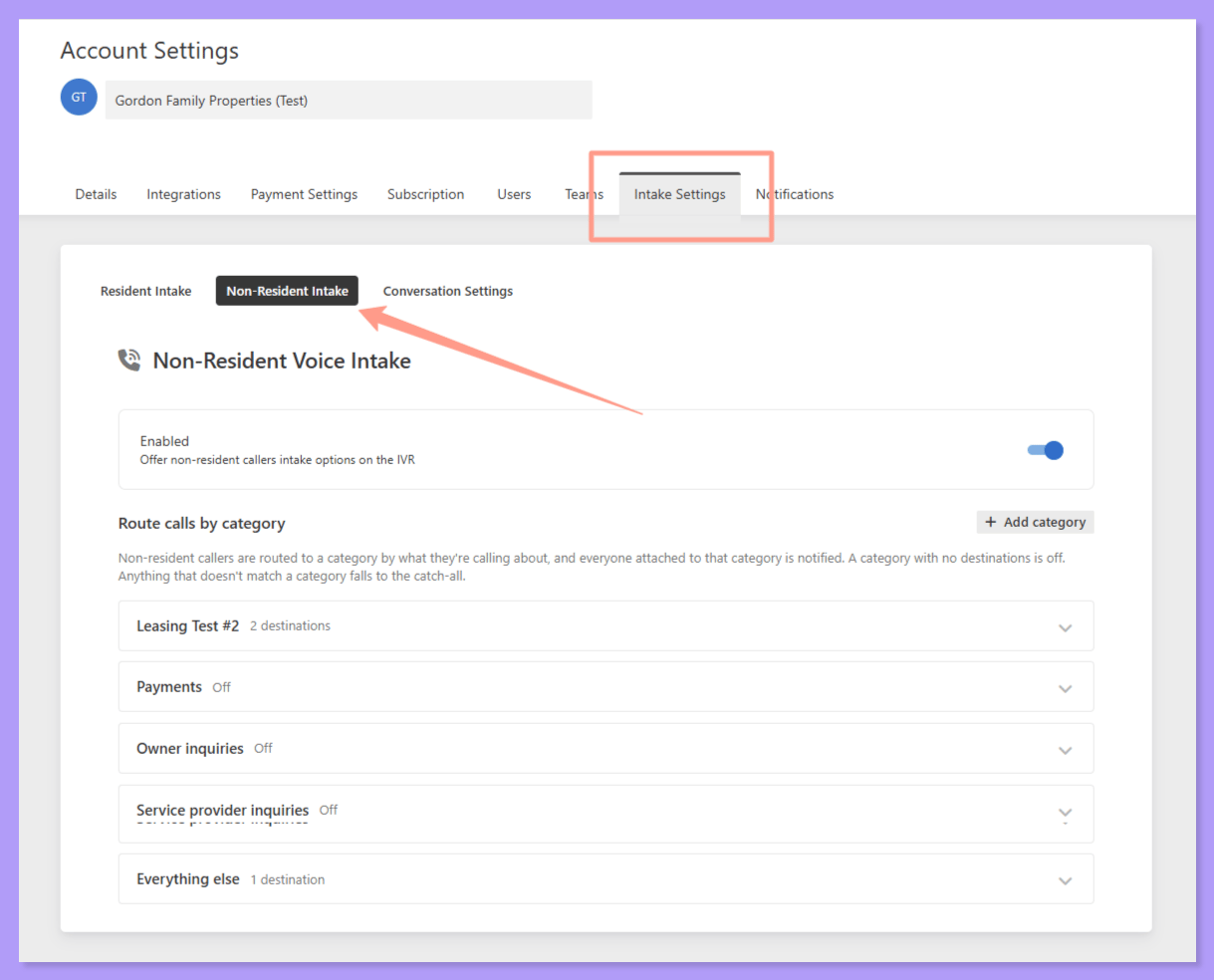
Account Settings > Intake Settings > Non-Resident Intake.Review your default call categories.
Every account comes pre-seeded with four default call categories—Leasing, Payments, Owner Inquiries, and Service Provider Inquiries. There is also a catch-all category for callers whose purpose doesn’t match any configured category—Everything else.
Add or edit a call category.
To create a custom category, click 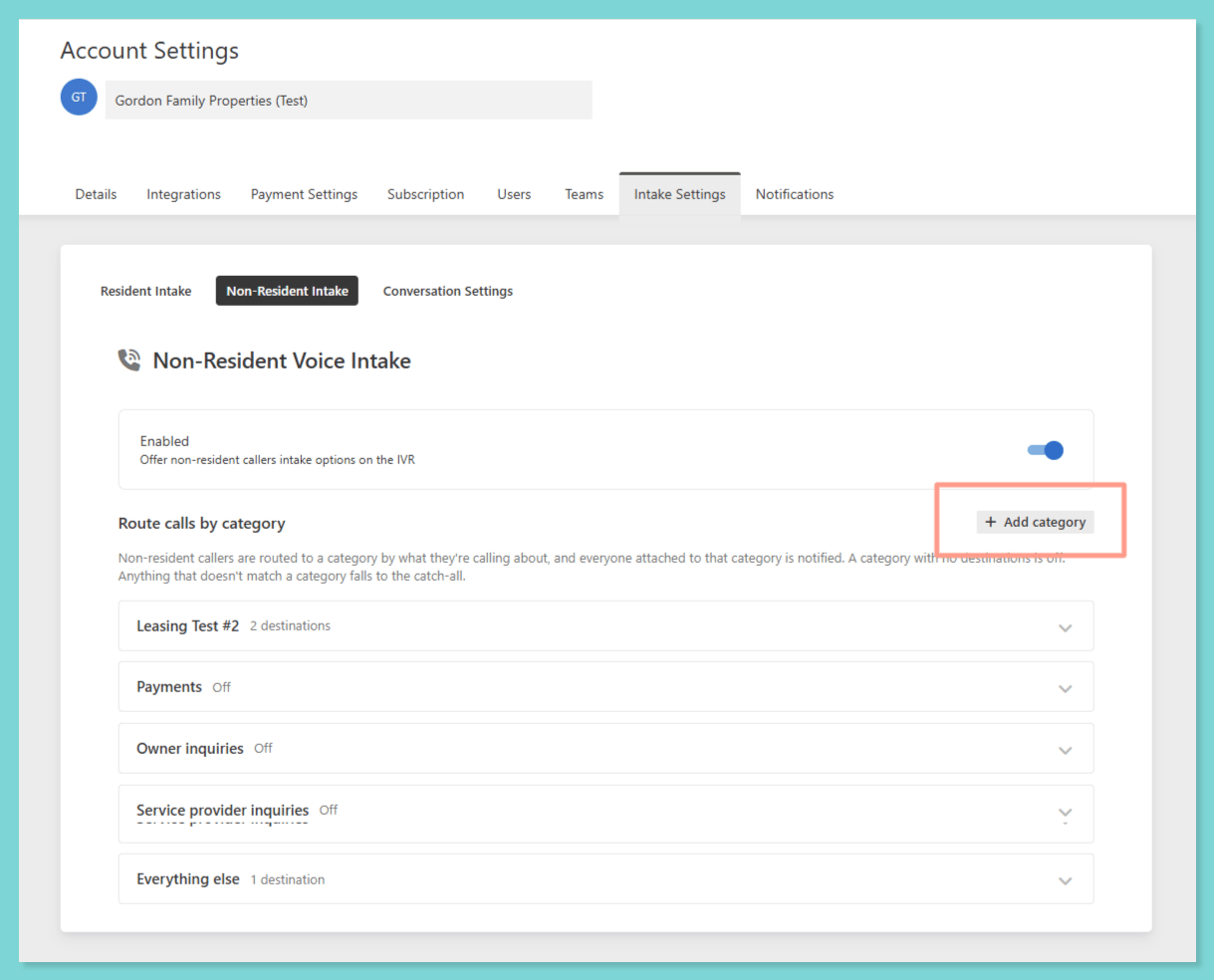
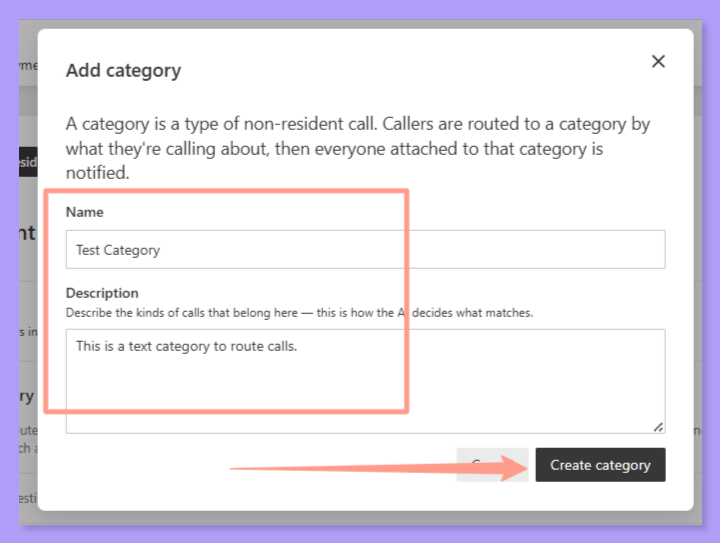
+Add category. Then add the name of the category and a short description of it. Then click Create category.Set a destination for each category.
For each category, select how calls in that category should be handled. Pick a destination you’ve already set up from the list, or click Create new destination to add one. If you haven’t created any destinations yet, start with Create new destination. You’ll see options like sending an email, creating a Latchel task, or sending a Slack message.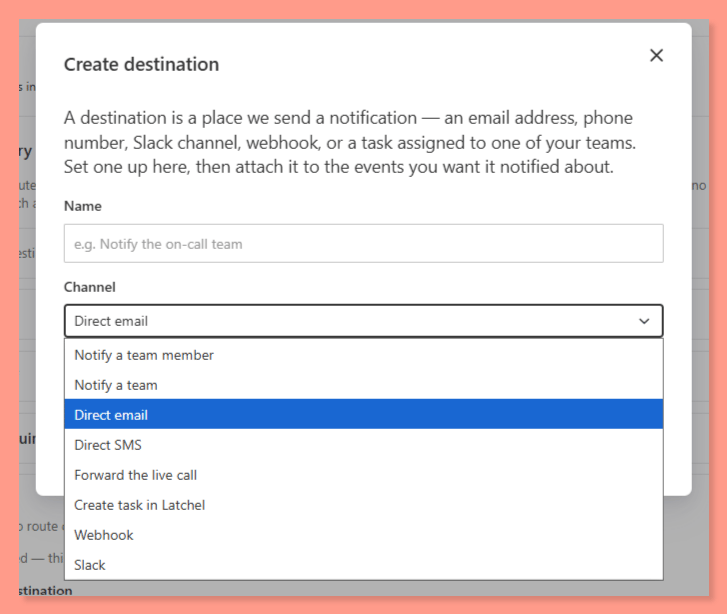
- Deliver post-call notifications via email, SMS, Latchel task, Slack notification, or webhook. You can also choose to notify a specific team or team member from your company.
- Forward the live call to transfer the caller to a designated phone number.
Configure live-line forwarding.
If you select Forward the live call as the destination, enter the phone number you want calls transferred to.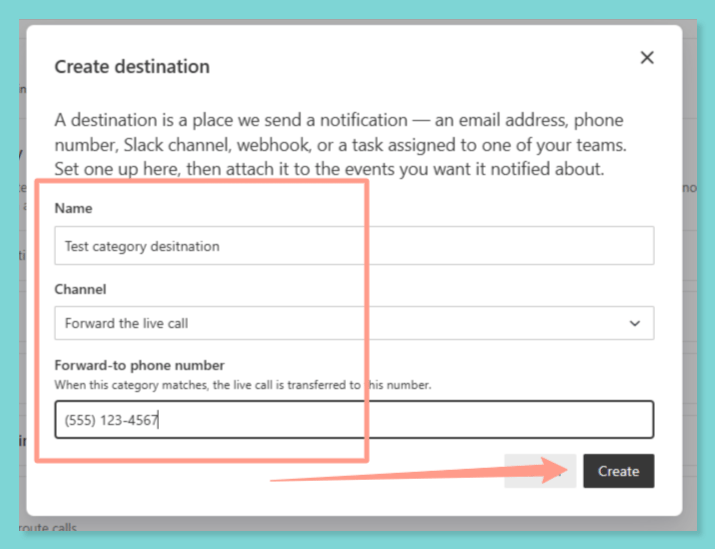
Configure notifications.
For each category, you can also set up one or more notifications (e.g., a Latchel task or email) to alert your team after the call. If a live-transfer attempt fails, the notification will indicate that it was unsuccessful.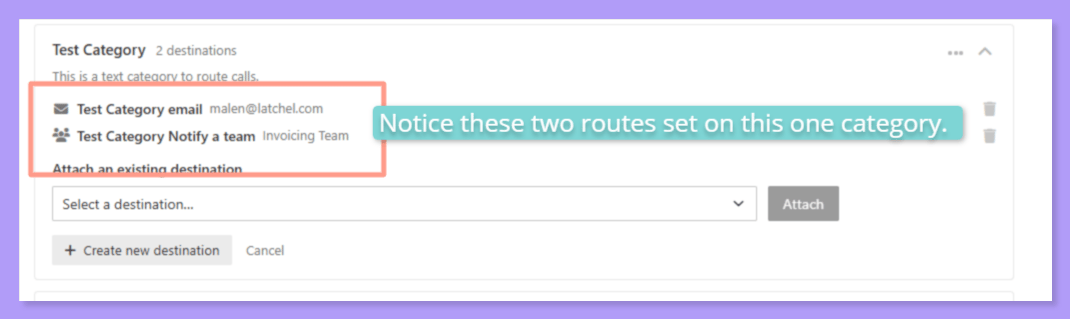
Things to Remember
Calls are routed by call category only. Latchel can’t send the same category to different teams based on the time of day. If your own phone system already routes calls by time of day (without callers pressing a key), you can forward the live call to that number and let your system take it from there.