
What is Voice Actions?
Voice Actions let you control Latchel using nothing but your voice — jump straight to a property’s open work order, cancel a job, or create a brand-new work order, all by saying what you need out loud. It’s faster than our traditional click-and-type flow, and it isn’t just for property managers: vendors and in-house team members out in the field can use it too, so they don’t have to stop what they’re doing to tap through screens. See it in action: Voice Actions were demoed live during our Outbound Voice launch webinar.What You Can Do With Your Voice
Navigate Anywhere
“Take me to 2 Avery Street’s open work order” — voice navigation covers properties, work orders, owners, vendors, vendor companies, and invoices.
Take Action on a Work Order
Cancel a work order, create a note, create a task, schedule a work order, or confirm completion — all hands-free.
Create a Work Order
“Create a new work order for 2 Avery Street to replace the cabinets under the kitchen sink” — a faster path than the traditional work order creation flow.
Work in the Field
Vendors and in-house techs can use voice instead of typing while they’re on-site — including logging arrival and completion (see our Timesheets guide).
Full list of supported voice actions today:
- Navigate to a property, work order, owner, vendor, vendor company, or invoice
- Create a work order
- Cancel a work order
- Create a note
- Create a task
- Schedule a work order
- Confirm completion
Steps to Activate
Voice Actions are already live — there’s nothing to turn on in your settings.Find the microphone icon
Look for the microphone icon in your Latchel dashboard, wherever you’d normally click or type.On your computer browser: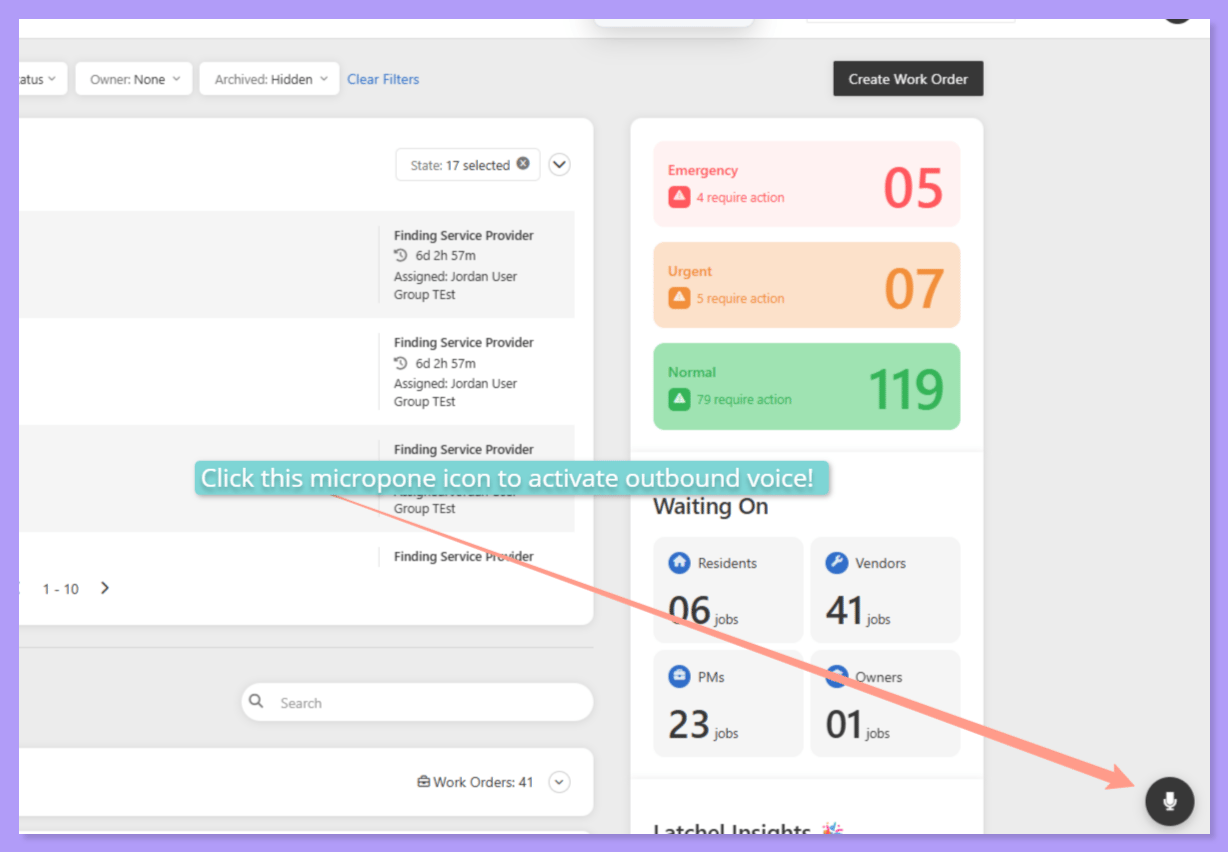
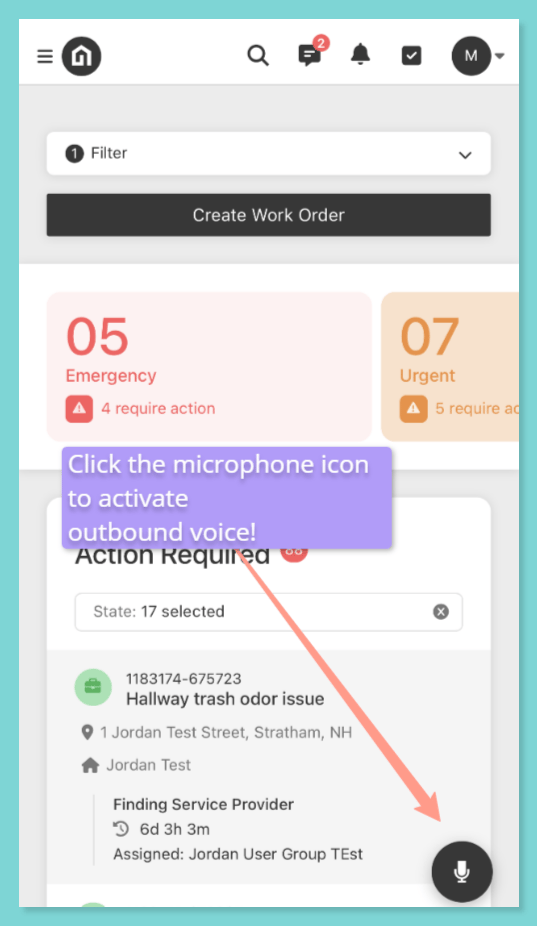
Tap it and say what you need
Speak naturally — for example, “Take me to two Avery Street’s open work order” or “Create a new work order for 2 Avery Street to replace the cabinets under the kitchen sink.” 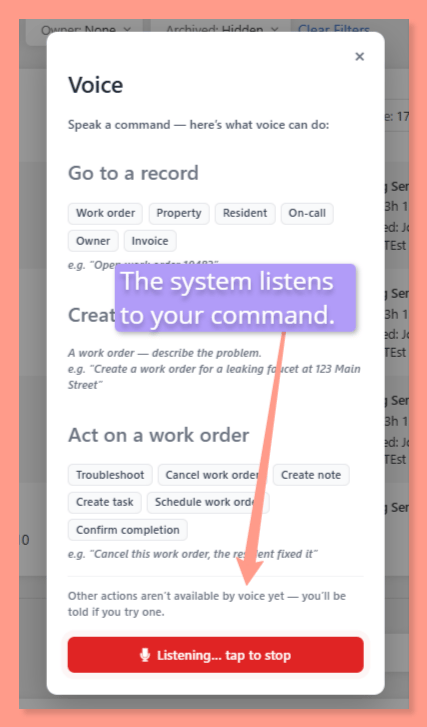
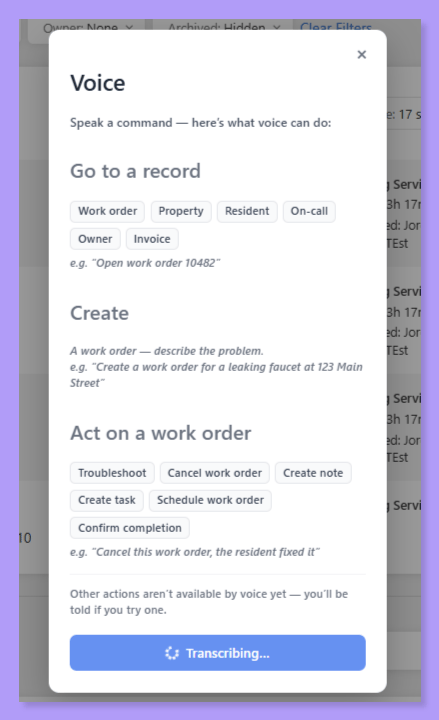
Confirm the action
A short confirmation screen shows you what Latchel understood before anything is finalized, so you always get a chance to double-check before it goes through.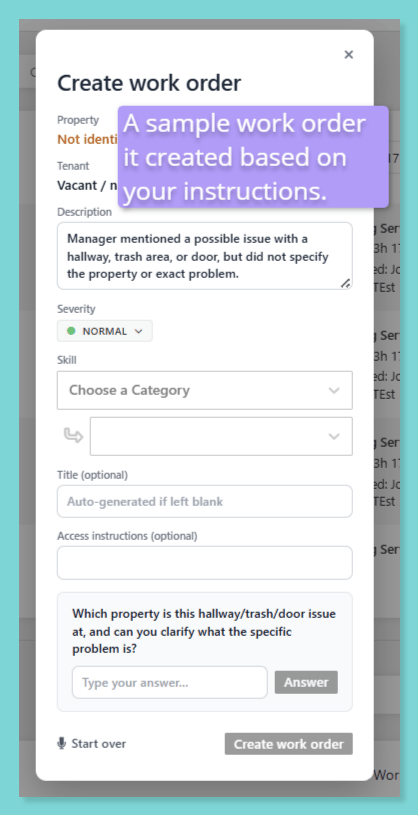
Requirements & Eligibility
Voice Actions are included for every Latchel customer today — no opt-in, no upgrade, and no extra setup. It’s available to property managers, and has also been opened up to vendors and in-house team members working in the field.
A browser or device microphone permission may be required the first time you use voice input — if prompted, allow microphone access to use this feature.
Frequently Asked Questions
Do I need to request access to Voice Actions?
Do I need to request access to Voice Actions?
No. This is already live on every account — just look for the microphone icon in the dashboard.
Can vendors and in-house techs use Voice Actions too, or is this just for property managers?
Can vendors and in-house techs use Voice Actions too, or is this just for property managers?
Both. Voice Actions are open to property managers, vendors, and in-house team members, so anyone in the field can use their voice instead of typing on a phone screen.
What happens if Latchel misunderstands what I said?
What happens if Latchel misunderstands what I said?
You’ll always see a short confirmation screen before the action is finalized, so you can catch and correct anything before it’s submitted.
Is creating a work order by voice different from the regular work order form?
Is creating a work order by voice different from the regular work order form?
It’s a faster path to the same result — you’re simply speaking the details (property, issue, unit) instead of clicking through the traditional work order creation flow.
Will more voice actions be added over time?
Will more voice actions be added over time?
Yes. Latchel is using how customers, vendors, and techs use Voice Actions today to shape which actions and controls get added next.
What happens if I ask for a voice action that isn't supported yet?
What happens if I ask for a voice action that isn't supported yet?
Latchel lets you know the action isn’t available via voice yet, rather than guessing at what you meant — so you can fall back to the regular click-and-type flow for anything outside the current supported list.