
Types of Reports
Click Reports, then choose from Work Orders, Residents, Properties, Invoices, and Time Sheets.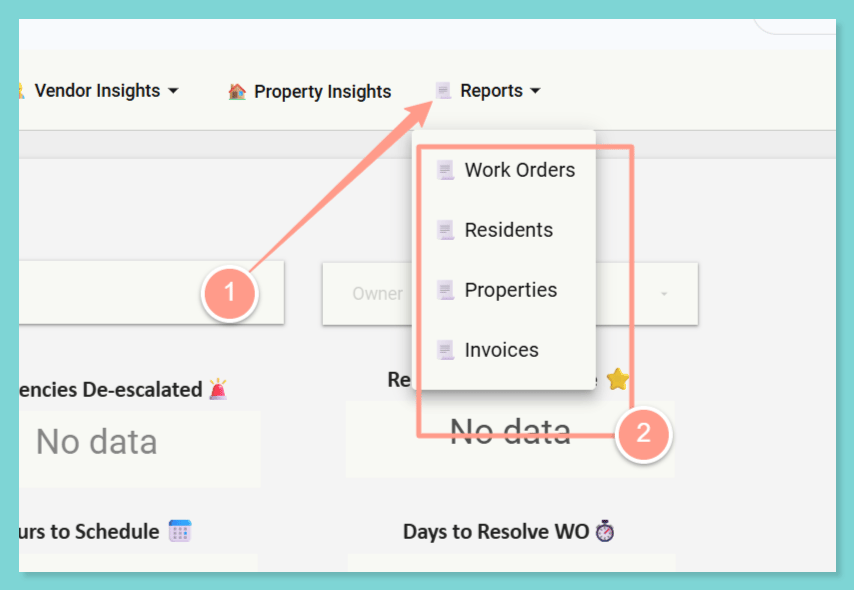
Work Orders
This provides etailed list of all work orders, including key information such as portfolio, owner, job ID, work order number, property address, and associated residents for easy tracking and reference.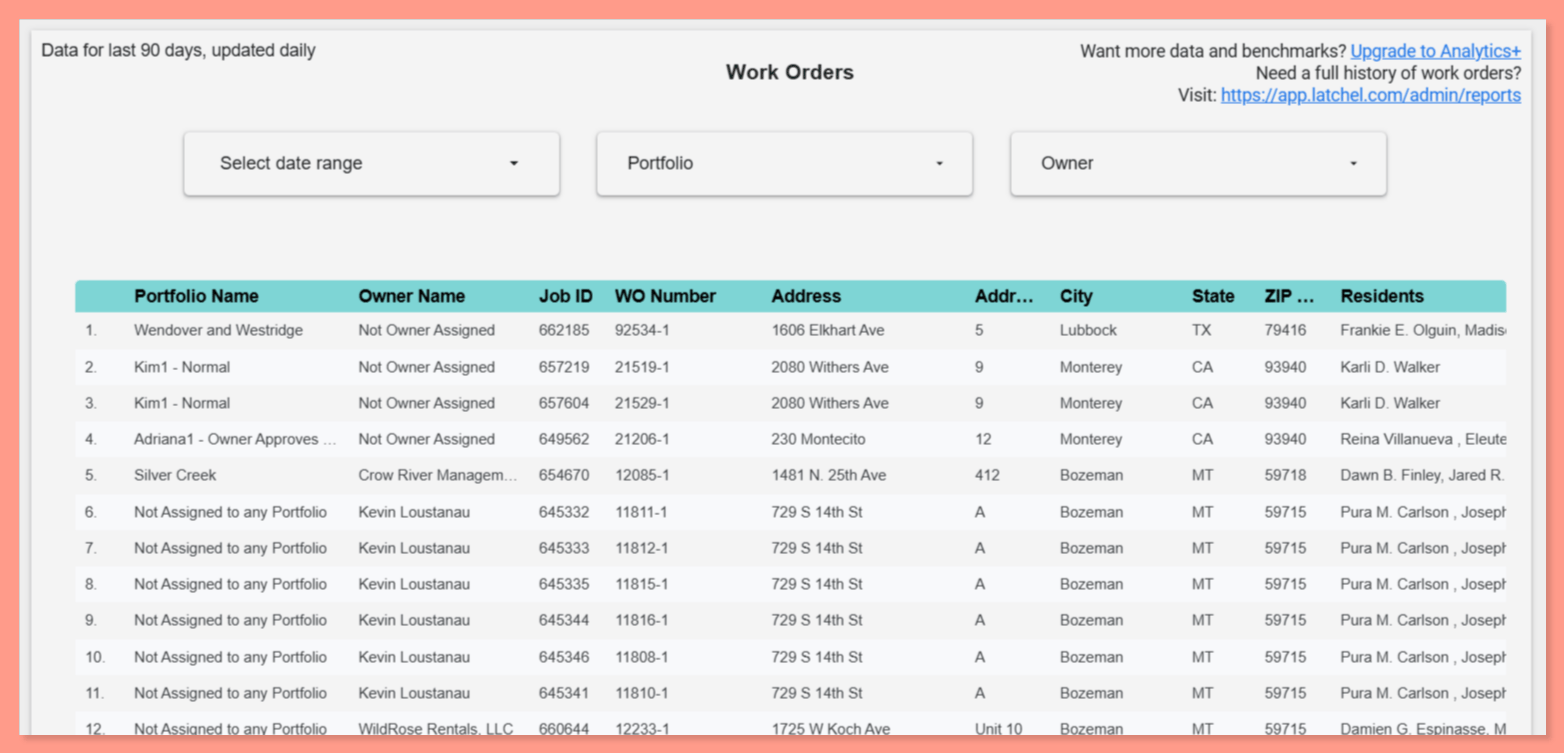
Resident Section
This provides detailed information about active residents, including their contact information, associated properties, and property owner details..png?fit=max&auto=format&n=GSDw3EED3pagF1PV&q=85&s=29c7a931c1372360a6b59f3e783074b9)
Properties Section
This provides comprehensive property information including address, owner details, active residents, and integration data. However, this only includes active properties.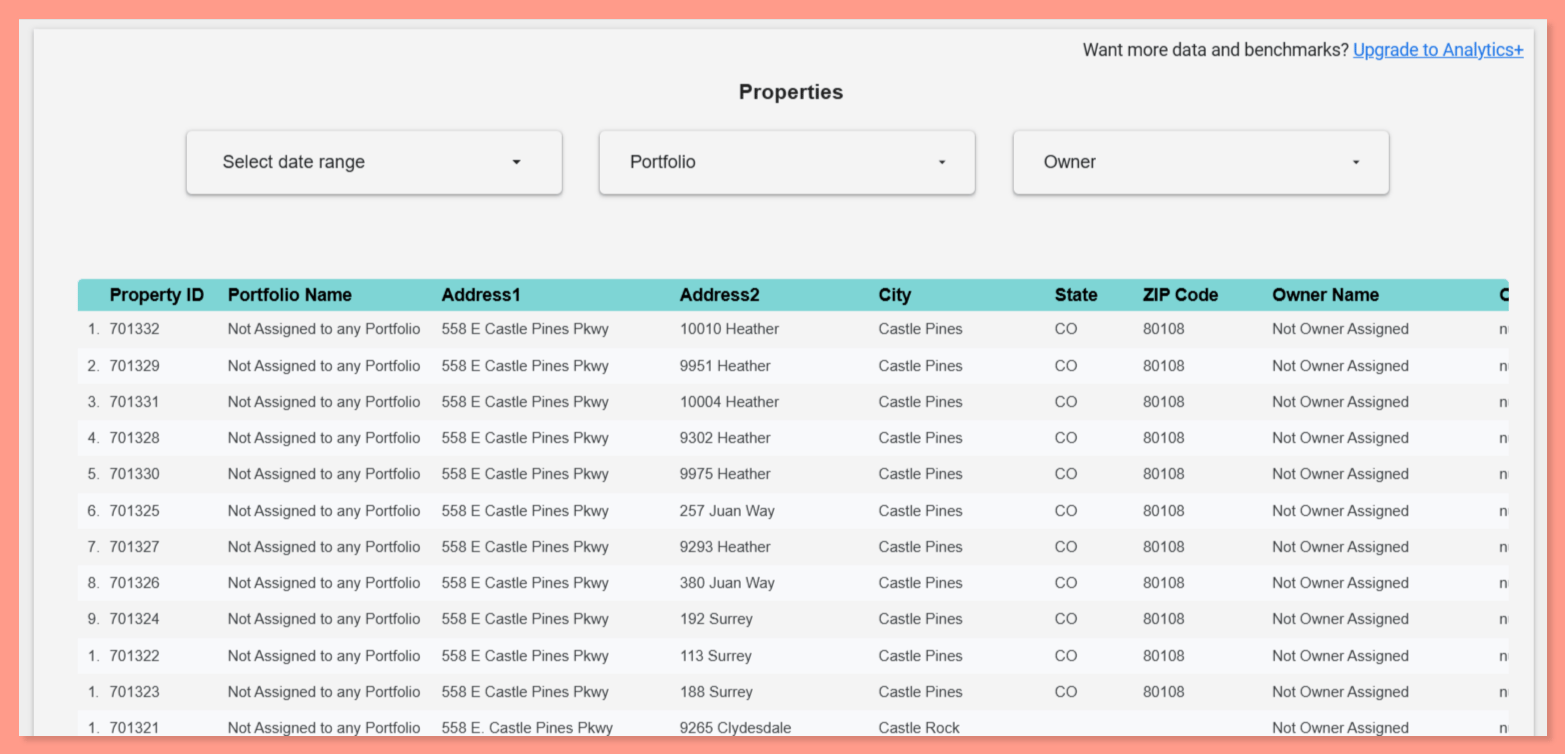
Invoices Section
This provides detailed invoice information including line items, associated work orders, properties, and vendor details. It is useful for financial reporting and invoice tracking.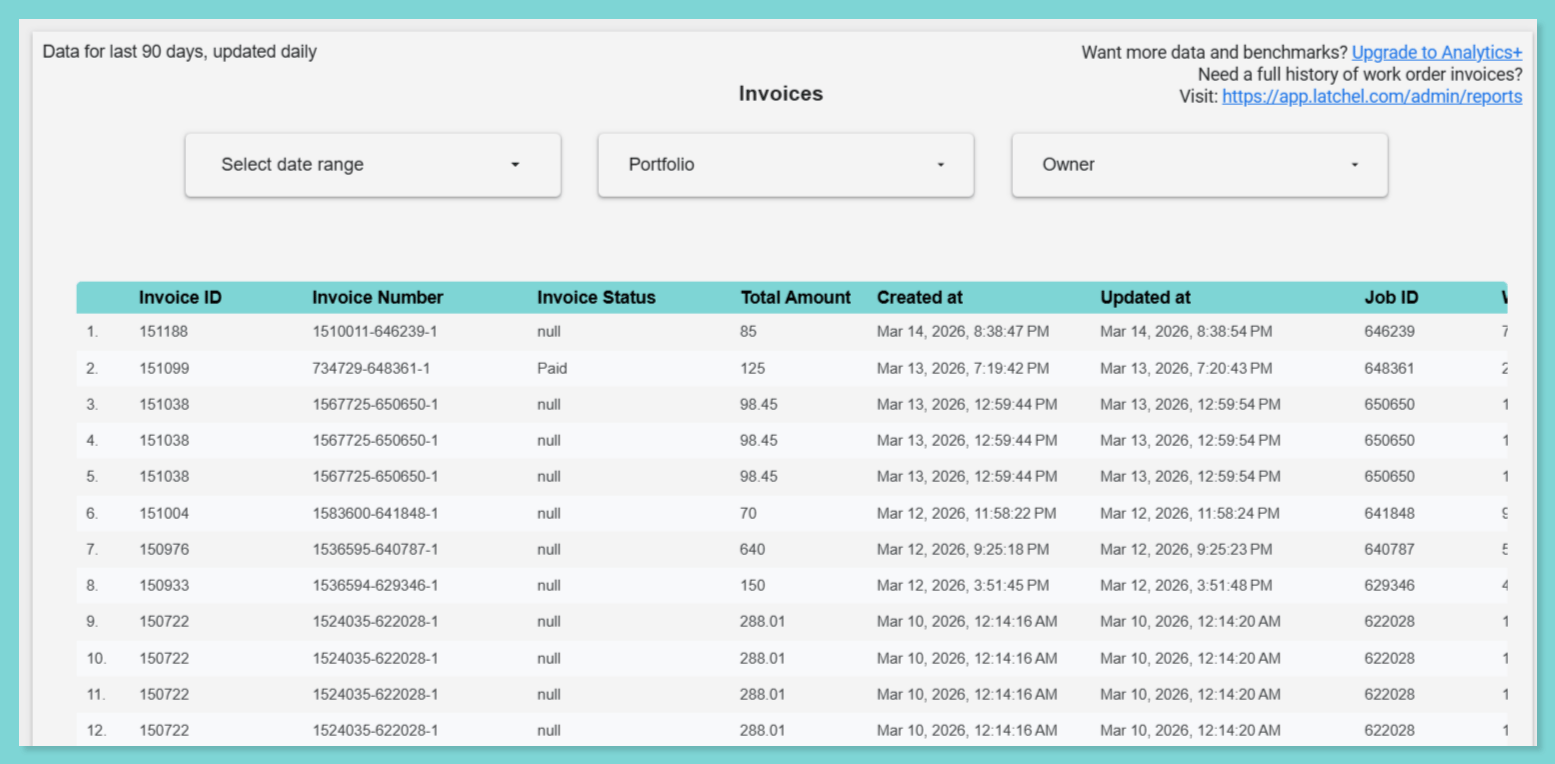
Time Sheets Section
No more guessing how long a job actually took. The Time Sheets report shows the clock-in and clock-out times your in-house techs log on work orders, and you can download it like any other report.- Actual vs. reported hours: Compare the hours a tech was actually clocked in with the hours they reported.
- Two time zones: Times appear in both the property’s time zone and UTC.
- Automatic flags: Big gaps between actual and reported clock-in or clock-out times are highlighted for you. So are unusual cases, like a clock-in and clock-out that span overnight.
Clock In / Clock Out & Timesheets for In-House Techs
Learn how in-house techs log their time on work orders.