
Work Order Details
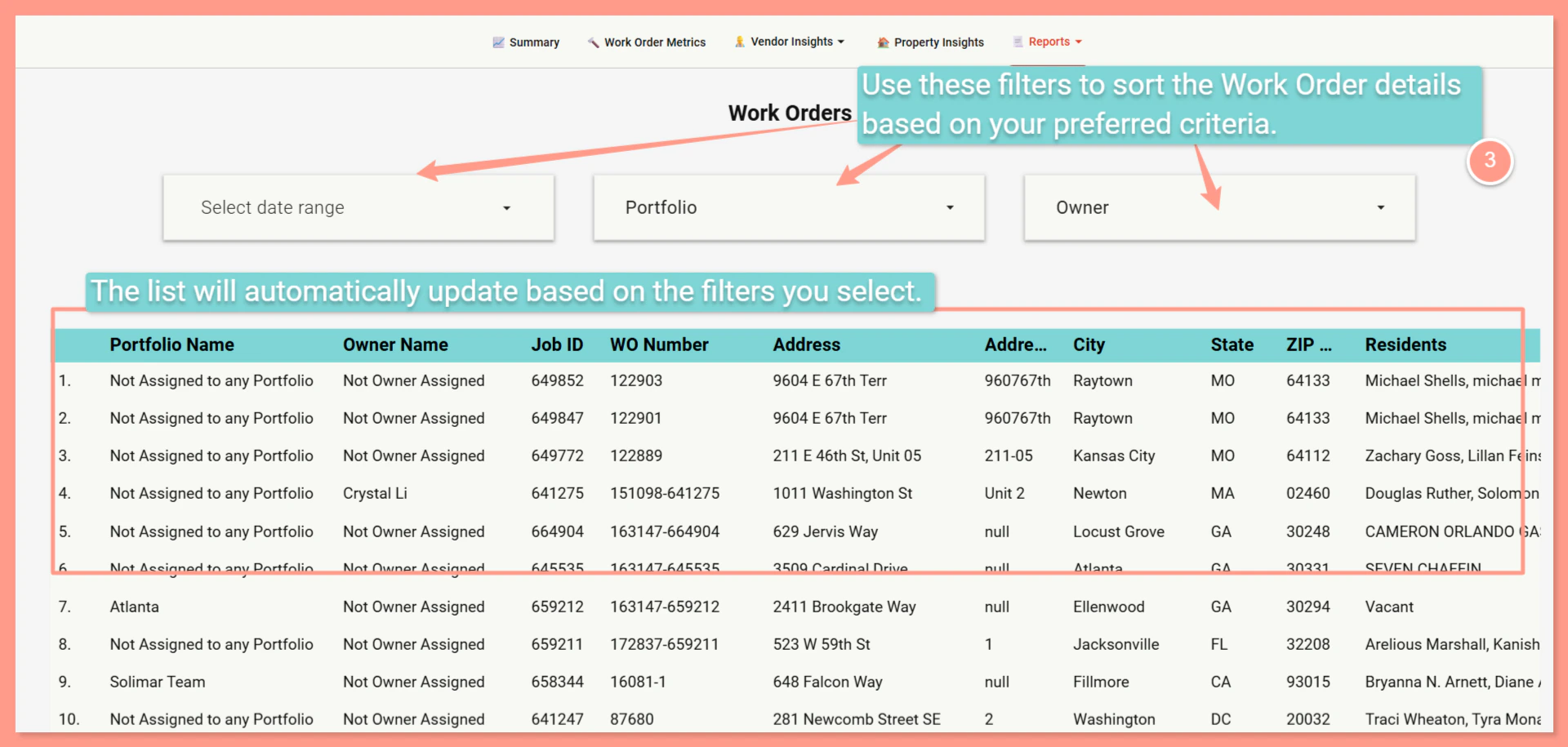
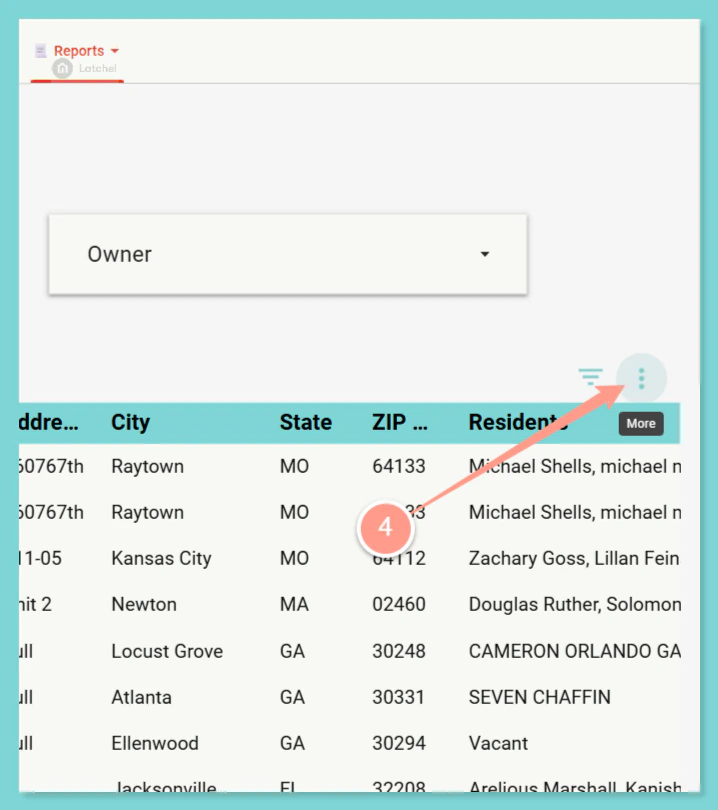
This provides comprehensive work order information including property details, resident names, vendor information, problem/category, state, and creator information. Acces the Reports section, then select Work Orders.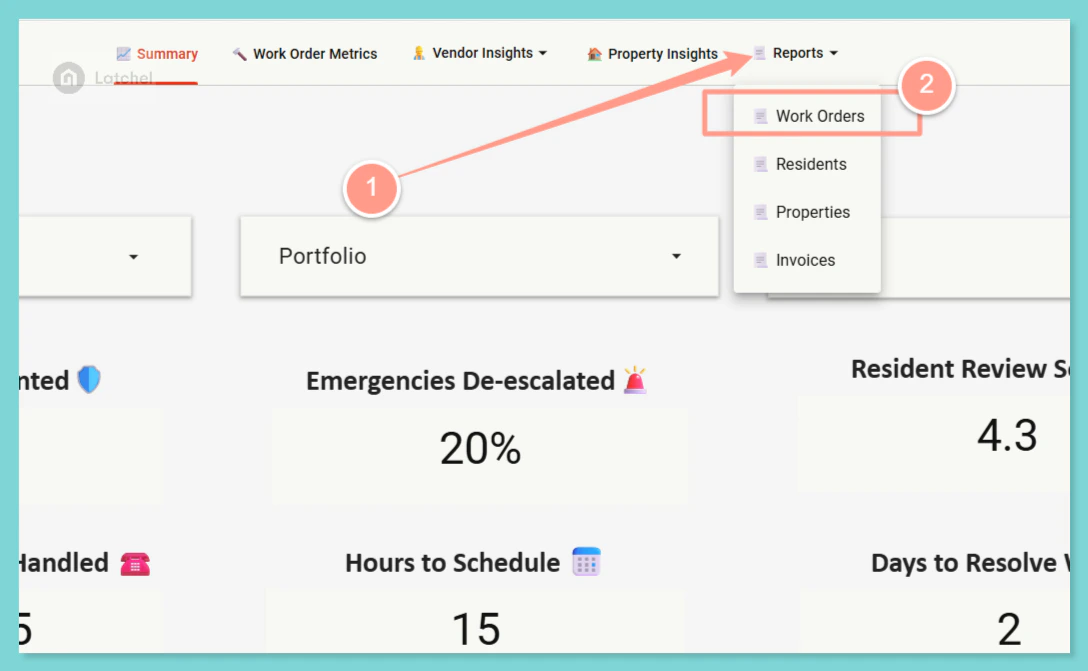
Median Speed to Schedule Appointment
This metric calculates the median time (in hours with decimal precision, e.g., 0.1 hours) between when a job is first offered to a vendor (or assigned if no offer exists) and when the appointment is scheduled. It also measures how quickly vendors schedule appointments after being offered/assigned.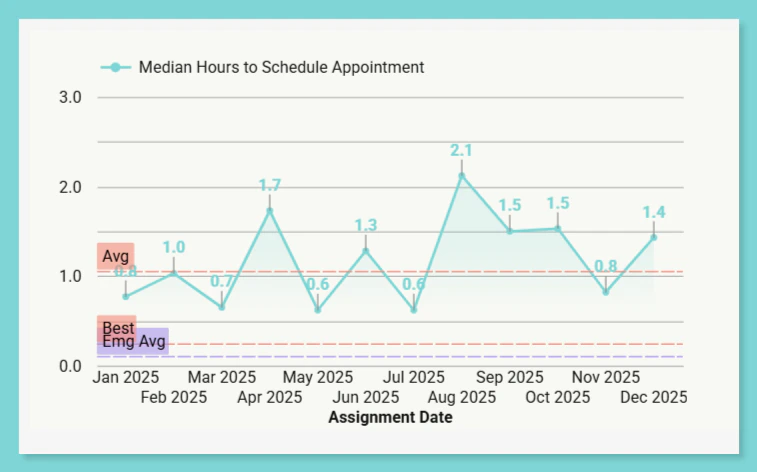
Missed Appointment Rate
This calculates the percentage of work orders that had a confirmed appointment but had a “no show” reported. This metric identifies appointments where the service provider did not show up or where the resident reported issues with the appointment..png?fit=max&auto=format&n=N494_RgkJw3nniXs&q=85&s=c6a9940a0b2128f29a039e987bb08f10)
Average Work Order Review
This calculates the average work order review score. This is a repeat of the “Resident Review Score” metric from the main dashboard, but shown for reviews given each month based on when the work order was updated (since there is no specific review date field).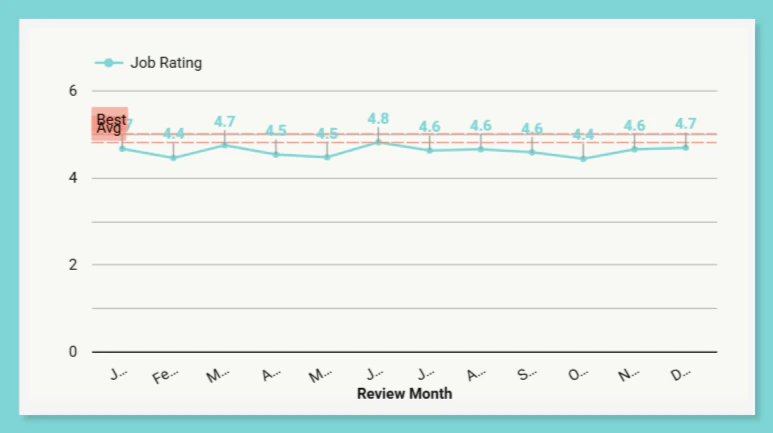
Median Work Order Resolution Time
This calculates the median time (in days) between work order creation and the visit time. This metric measures how long it takes from when a work order is created until the service visit occurs.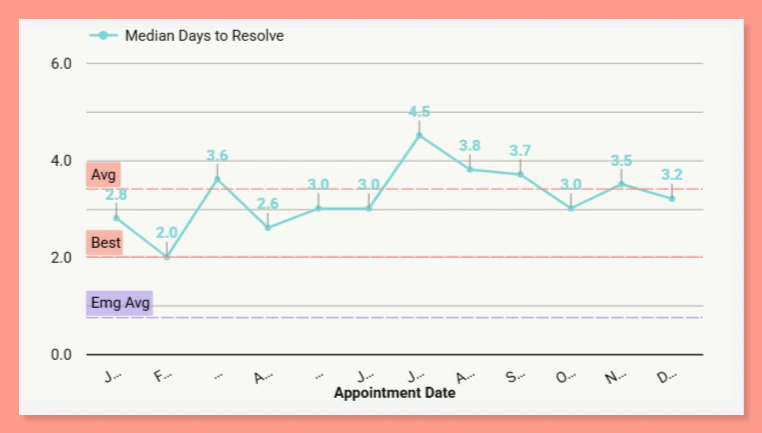
Latchel Analytics: Exporting Reports
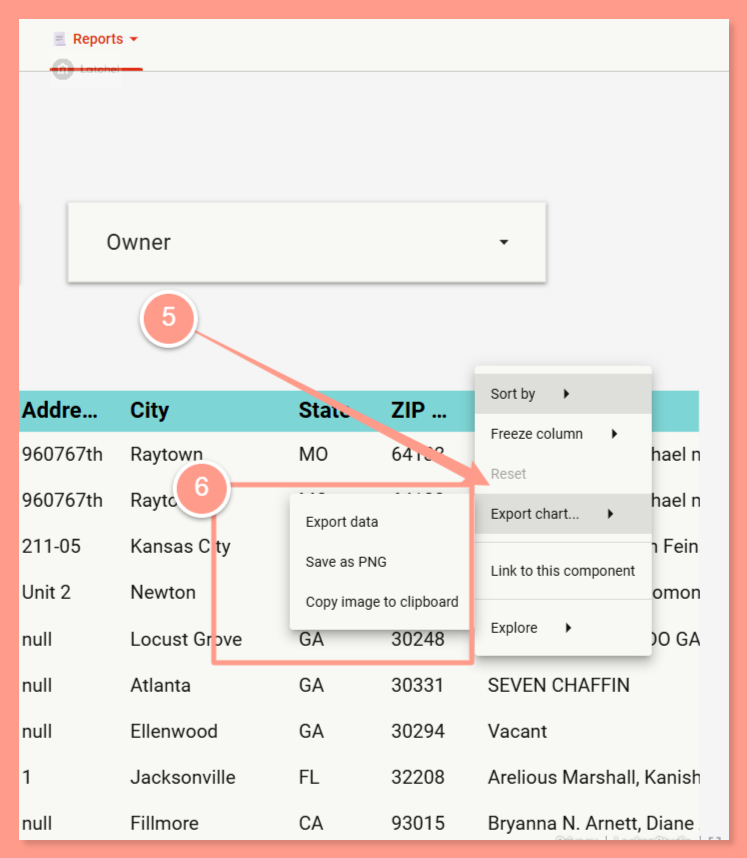
Learn how to export your analytics reports through this guide.