How to Request Assistance From Latchel
Go to your resident dashboard
First, navigate to your resident dashboard by following the steps in the help guide:
Resident Dashboard Overview
Open your dashboard and see where each of your maintenance requests stands.
Select the work order
From your dashboard, select the work order which you need an assistance.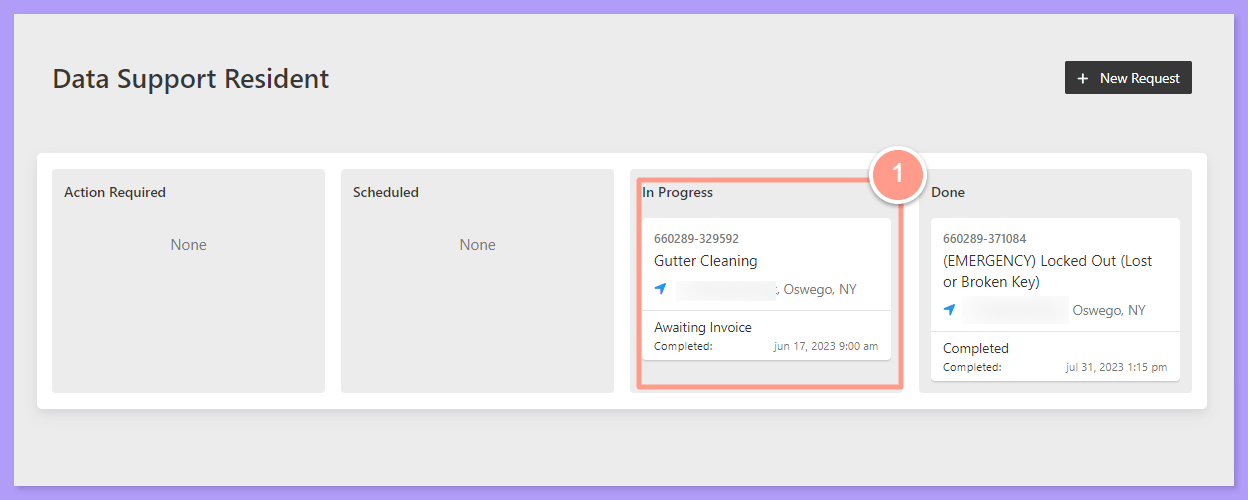
Click Provide Work Order Update
On the Work Order Details page, click Provide Work Order Update button.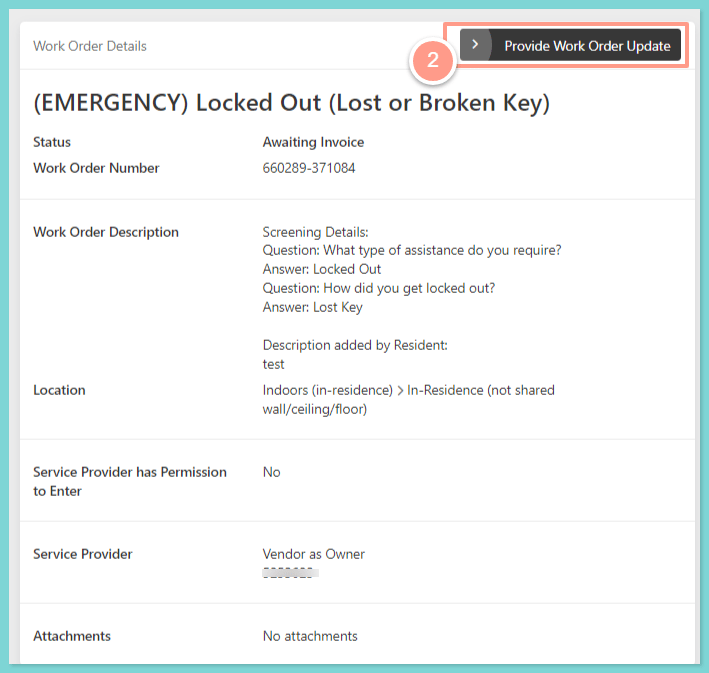
Select I Need Help
Then select I Need Help.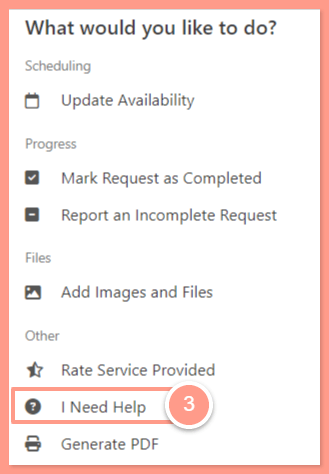
Choose how urgent your concern is
Now identify if your concern is either Time Sensitive or Not Time Sensitive.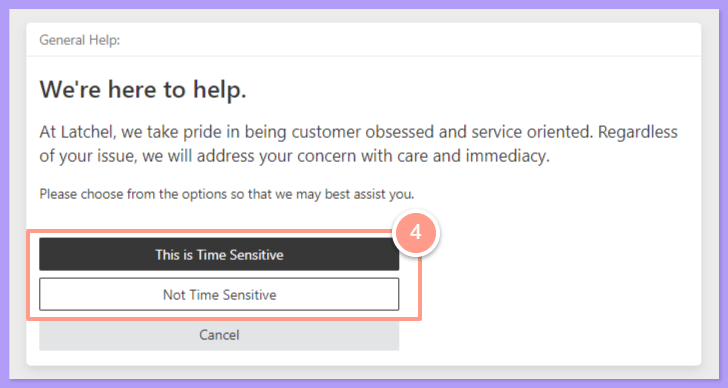
Call Latchel if time sensitive
If it’s a time-sensitive concern, we advise you to call Latchel directly by dialing the number that is shown under Call our team at to resolve the issue immediately and provide the Reference Work Order Number to the Latchel Associate. Then, click Done to exit from the page.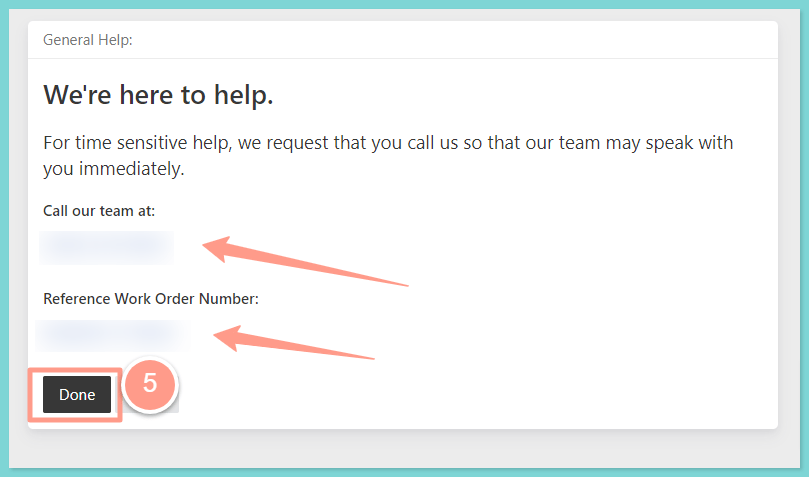
Send details if not time sensitive
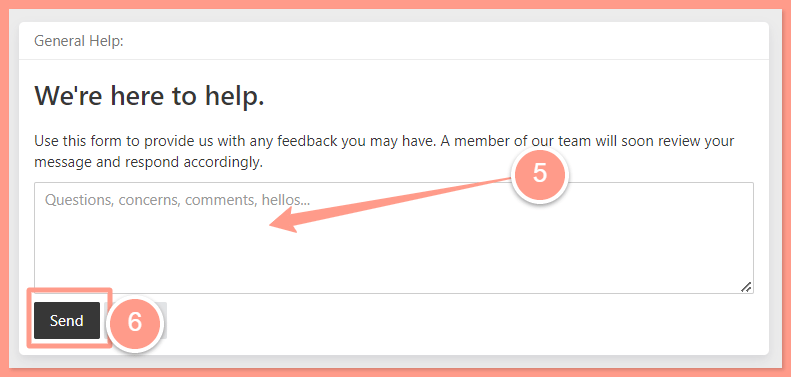
If it’s not a time-sensitive concern, provide the details of your concern and click Send. Based on our volume of assistance requests, a Latchel Associate will reach out to you during business hours.