
How to View or Update a Work Order
Go to your resident dashboard
First, navigate to your resident dashboard by following the steps in the help guide:
Resident Dashboard Overview
Open your dashboard and see where each of your maintenance requests stands.
Select the work order
From your dashboard, select which work order you want to view or update.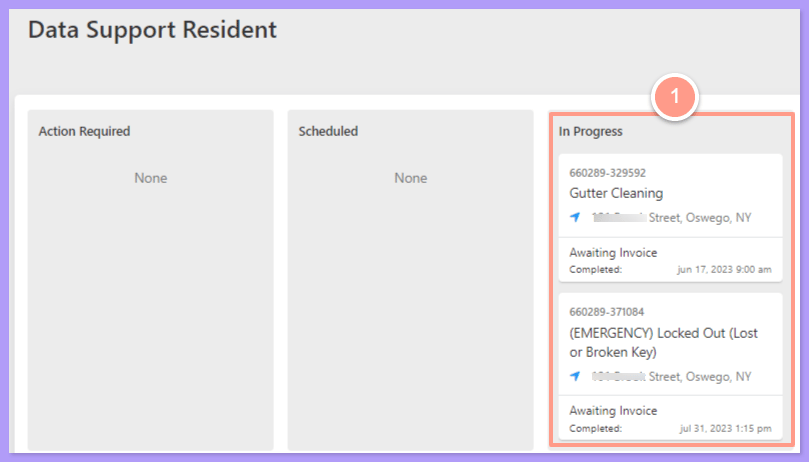
How to Submit a Maintenance Request (Resident)
Create a new maintenance request from your Latchel dashboard.
Click Provide Work Order Update
On the Work Order Details page, you can view the information about the work order. And if you want to update some of the details, you can click Provide Work Order Update.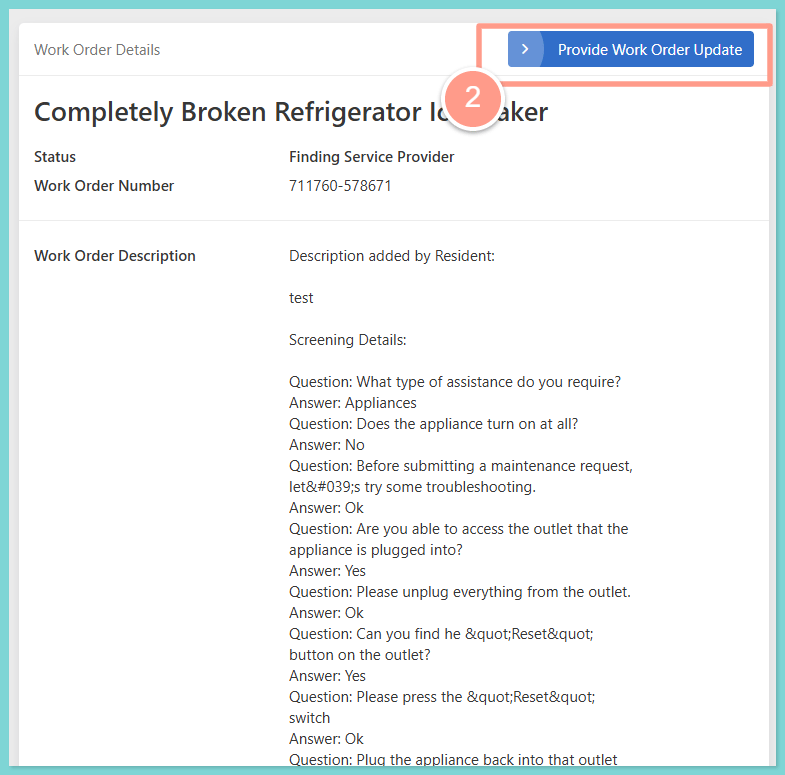
Choose what to update
Next, you’ll be presented with a variety of options for the details you’d like to update. To explore more actions you can take within a maintenance request, check out our full guide on: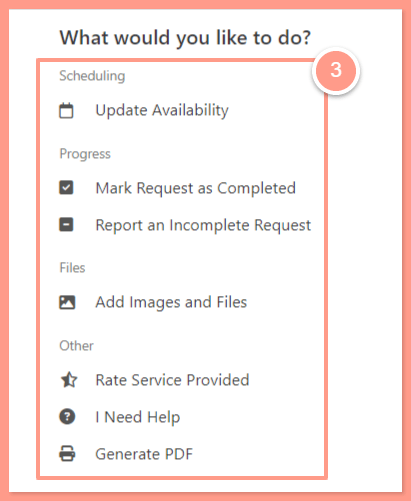
Maintenance Requests
Manage your maintenance requests after you submit them, from messaging us and updating your availability to confirming the repair is done.
The option to cancel a work order will only be available if the work order is on any status except if its in Needs Approval or Needs Owner Approval.