
Steps to Cancel a Work Order
Go to your resident dashboard
First, navigate to your resident dashboard by following the steps in the help guide:
Resident Dashboard Overview
Open your dashboard and see where each of your maintenance requests stands.
Select the work order
Once logged in, select the work order you need to cancel.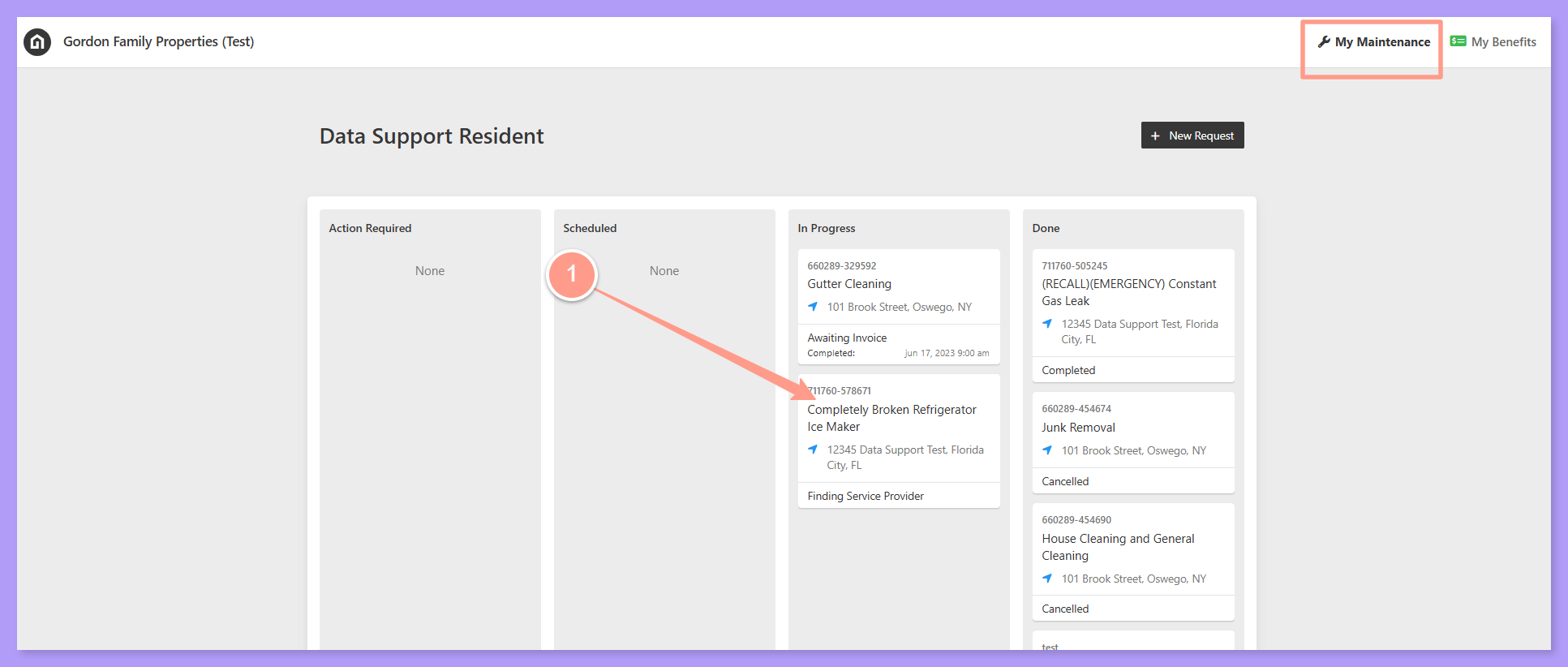
Click Provide Work Order Update
On the Work Order Details page, you can view the information about the work order. Then, click Provide Work Order Update.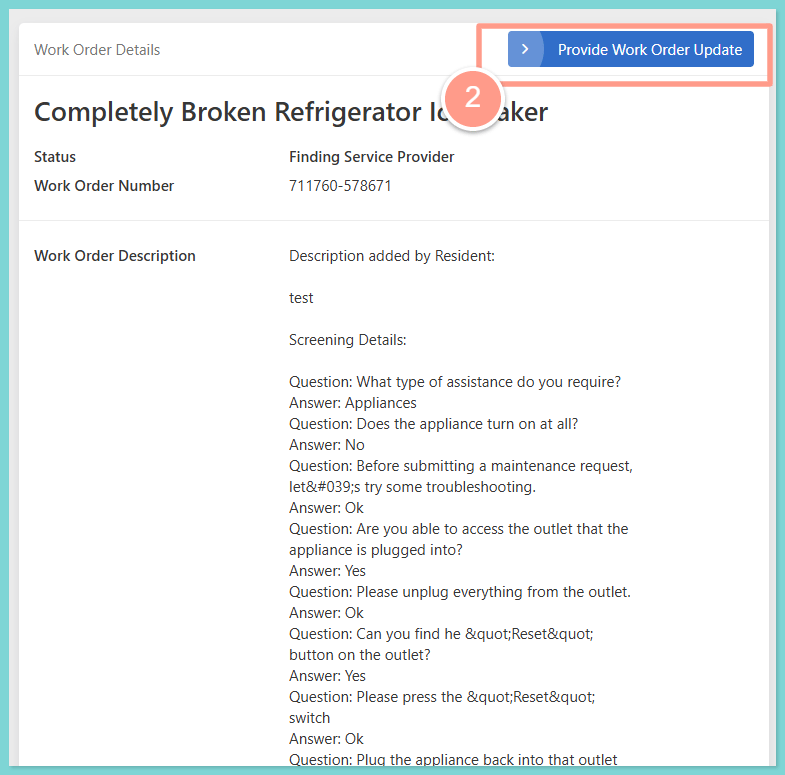
Click Cancel Job Request
Then on the next page, click Cancel Job Request.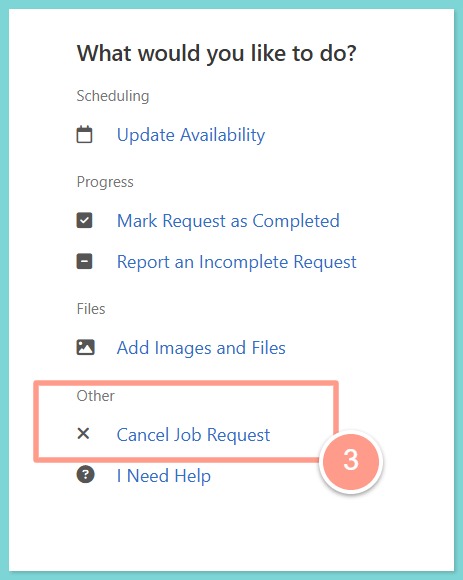
Give a reason and cancel
Next, select reason for cancellation, and provide additional details. Click Cancel This Work Order to complete the cancellation.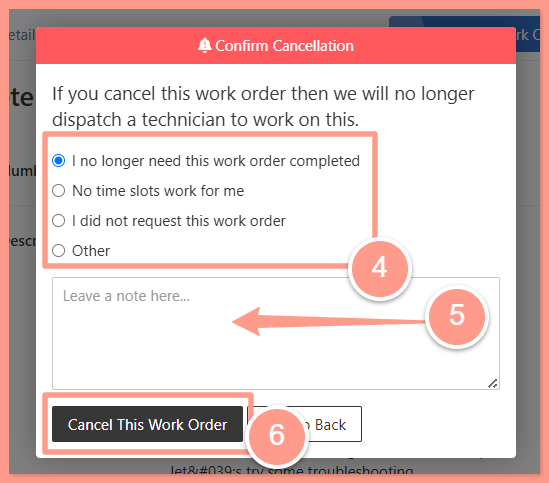
What happens when a work order is cancelled?
- Vendors are notified (if applicable), so they’re aware that the job is no longer moving forward.
- The task is closed out in the Latchel system, and no further action will be taken.
- No charges will be incurred if the service has not yet been dispatched or completed.
- The cancellation reason is logged for internal tracking and reporting purposes.