If you do not have a system integration in place, it’s important to know how to add new properties directly through the Latchel portal. Follow these steps to add a new property.
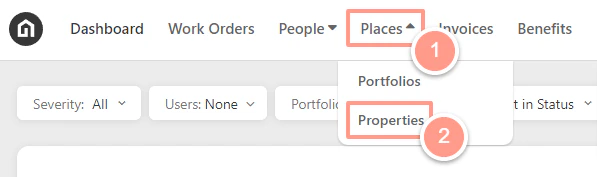
On the upper left-hand side of your dashboard, click Places then Properties.
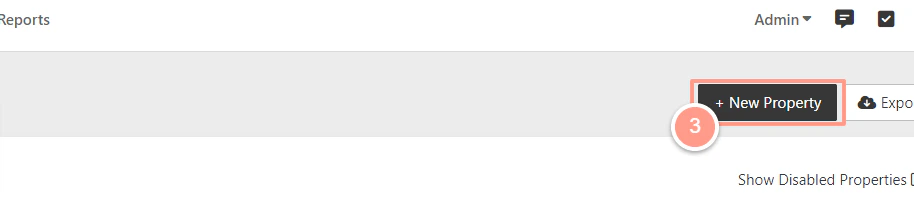
On the upper right-hand side of the screen, click New Property.
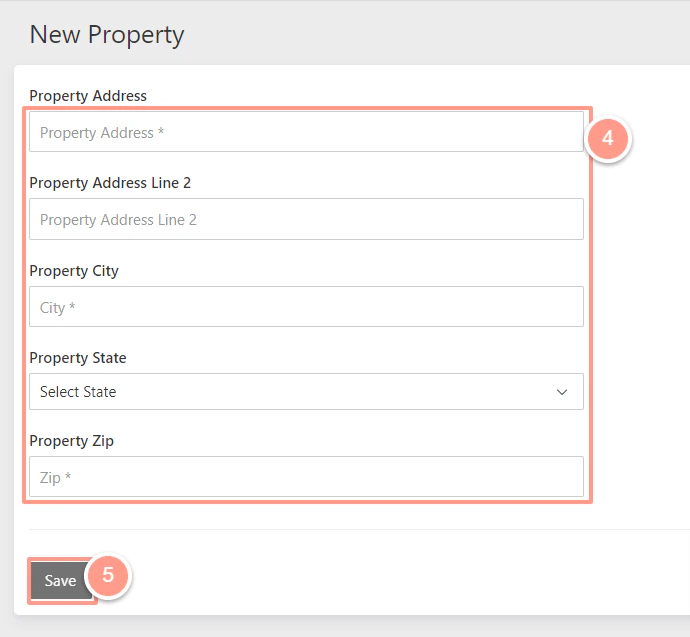
Enter the property details & click Save!
Last modified on May 12, 2026
Was this page helpful?
Assistant
Responses are generated using AI and may contain mistakes.