
Thumbtack search is available on work orders that don’t have a service provider assigned yet. Questions? Email success@latchel.com.
In other words:When you don’t have a service provider for a job, you can find one on Thumbtack from the work order, get quotes, and add the pro to your network if they do great work.
What This Feature Does
Suggested when you need it
If your auto-queue comes up empty, Latchel suggests looking for a pro on Thumbtack.
Real quotes, not just names
Answer a few quick questions about the job, then message one or more nearby pros for quotes.
Right inside the work order
Your search and messages with pros live in a Thumbtack tab on the work order.
Grow your network
Liked how a pro handled the job? Add them as a preferred service provider.
How to Get Bids From New Service Providers with Thumbtack
Open the work order.
Go to Work Orders on your Latchel dashboard and open a work order that doesn’t have a service provider assigned yet.
Start a Thumbtack search.
Click Other Actions and choose the option to find a pro on Thumbtack. If your auto-queue came up empty, you’ll also see a suggestion to look for a pro on Thumbtack.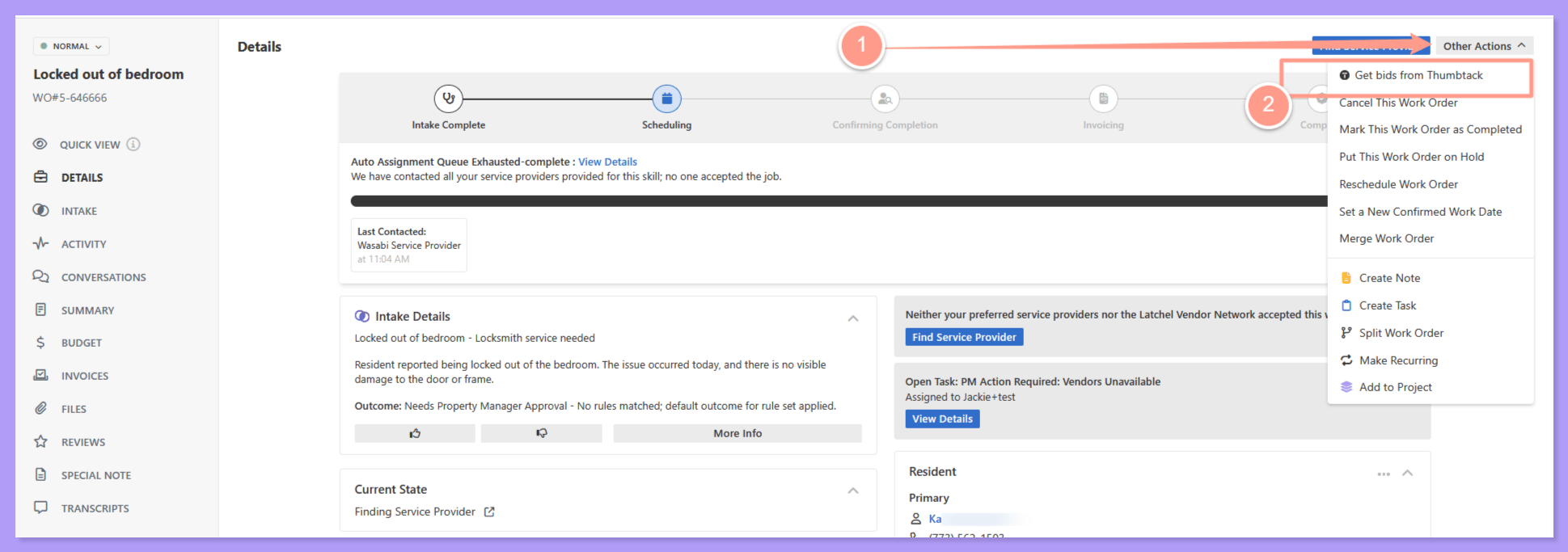
Answer a few questions about the job.
Tell us a bit about the work. We’ll pre-fill what we can from the work order, so you only need to fill in the rest.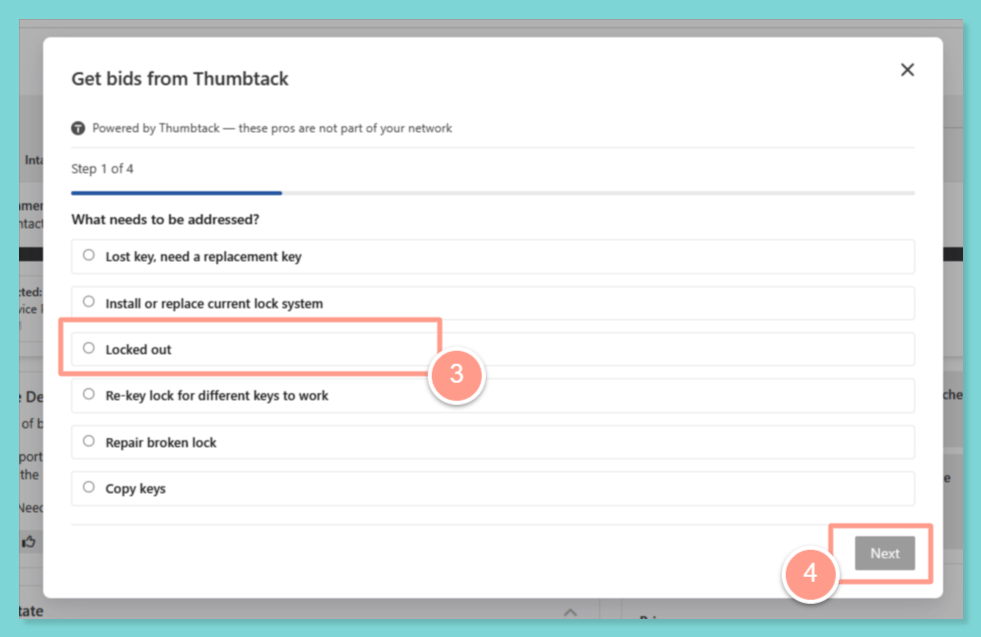
Message pros for quotes.
Pick one or more nearby pros and message them for quotes from the Thumbtack tab on the work order.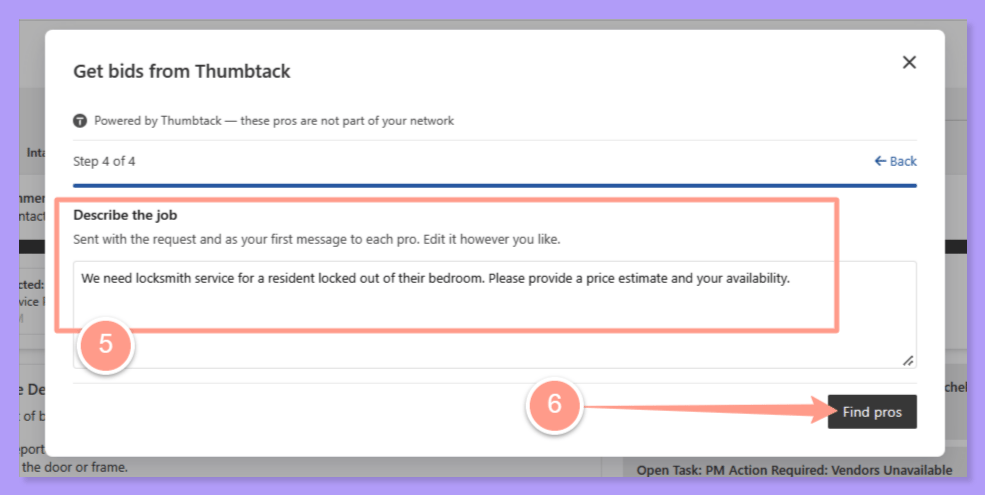
Assign the pro to the work order.
Once you’ve chosen a pro, assign them to the work order so they can get started.
Add them to your network.
When the job is done and you liked the work, add the pro as a preferred service provider so they’re easy to bring back next time.
Things to Remember
Frequently Asked Questions
Can I ask more than one pro for a quote?
Can I ask more than one pro for a quote?
Yes. You can message one or more nearby pros for quotes from the Thumbtack tab on the work order.
Which work orders can I use Thumbtack on?
Which work orders can I use Thumbtack on?
Thumbtack search is available on work orders that don’t have a service provider assigned yet.
Can I use the same pro again?
Can I use the same pro again?
Yes. After the job is done, add them as a preferred service provider and they’ll be part of your network for future work orders.
How to Assign and Reassign Service Providers on Work Order
Update or change assigned providers directly from a work order.
How to Add & Manage Service Providers
Step-by-step guide for onboarding and maintaining provider profiles.