
This guide is for property managers who use on-call alerts. Share it with your on-call technicians so they know how to make sure alerts reach them. On-call needs the ER-SaaS-RBP package with “On-Call”. If you’re not sure it applies to you, reach out to your Customer Success Manager.
In other words:Make sure the technician’s number is right, let Latchel’s alerts through on their phone, and reply to the alert to accept it.
How On-Call Alerts Reach Your Technicians
Calls or texts
Alerts notify your technician by call or text.
Reply to accept
A technician accepts an alert by replying to the call or text.
No reply, next person
If the technician takes no action, the alert passes to the next person in the rotation.
Email as a last resort
If no one acknowledges after all attempts, the final escalation group gets an email.
Contact Rotation: Getting Started
How contact rotations work and how alerts move through them.
How to Make Sure Technicians Receive On-Call Alerts
Check the technician's phone number in the rotation
Open your contact rotation and confirm each technician’s phone number is correct.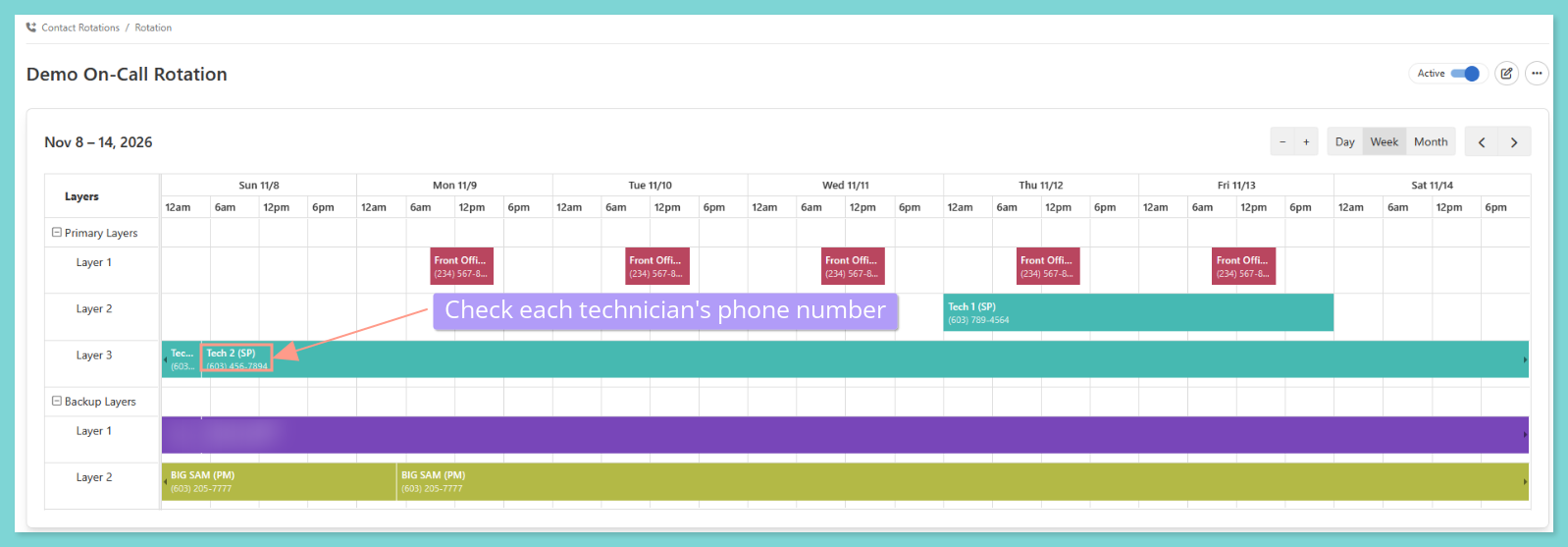 Need the steps for opening or editing a rotation? See the guide below.
How to Set Up and Edit a Contact Rotation
Create a rotation, add layers and people, and change it later.
Let the Latchel on-call number through on the technician's phone
Have each technician save the Latchel on-call number and allow calls and texts from it.Make a one-page setup guide with your logo and your Latchel numbers, then download it or share the link with your technicians. It covers the iPhone and Android settings step by step.
Technician Setup Guide for Emergency Alerts
Build a branded one-pager that shows technicians how to let on-call calls and texts through.
Reply to the alert to accept it
When an alert comes in by call or text, the technician replies to accept it.
Add a backup contact
Add backup layers to your rotation so the alert moves on if the first technician can’t answer. See the guide below.
How to Set Up and Edit a Contact Rotation
Create a rotation, add layers and people, and change it later.
Things to Remember
After a technician accepts an alert, they can call the resident from the alert page. See the guide below.
How to Call a Resident From an On-Call Alert
Call the resident straight from the alert page after you accept it.
Frequently Asked Questions
What if a technician still isn't getting alerts?
What if a technician still isn't getting alerts?
Check the phone number in the rotation first, then check that the technician allows calls and texts from the Latchel on-call number. If it still doesn’t work, email success@latchel.com.
What happens if nobody answers the alert?
What happens if nobody answers the alert?
The alert passes to the next person in the rotation. If no one acknowledges it after all attempts, the final escalation group gets an email.