For each completed maintenance request, you’ll receive a notification to review your experience. In the email, click Leave a Review to be directed to the work order detail page.

How to Rate the Service Provided
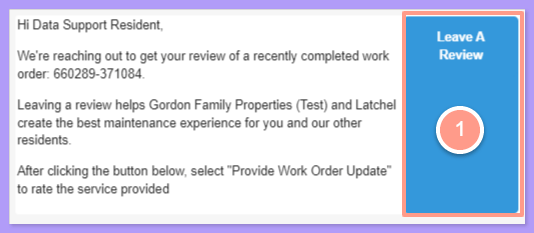
image.png

Click Provide Work Order Update

On the work order details page, click Provide Work Order Update button.
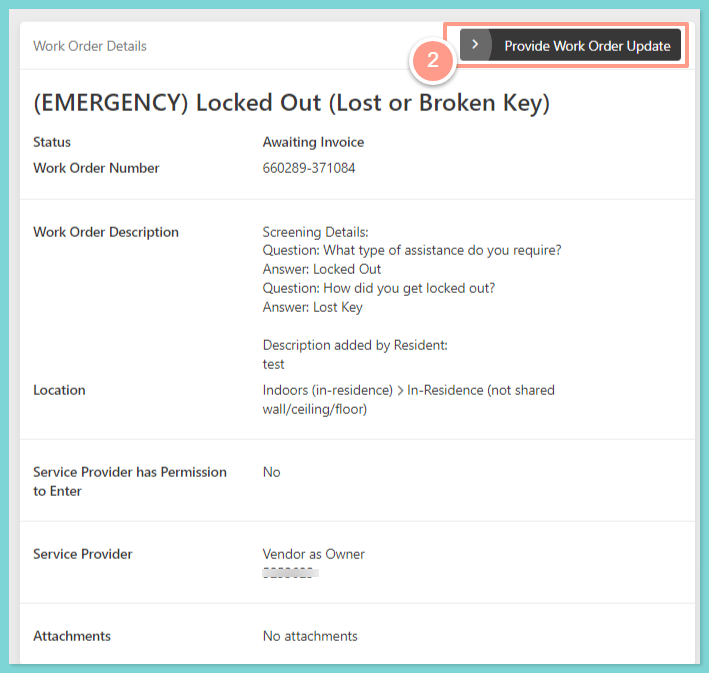
image.png

Select Rate Service Provided

Then select Rate Service Provided.
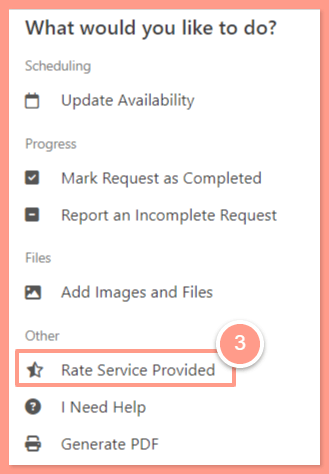
image.png

Rate and submit

From here, rate your experience, leave any additional comments based on the work of the service provider, and then hit Submit.
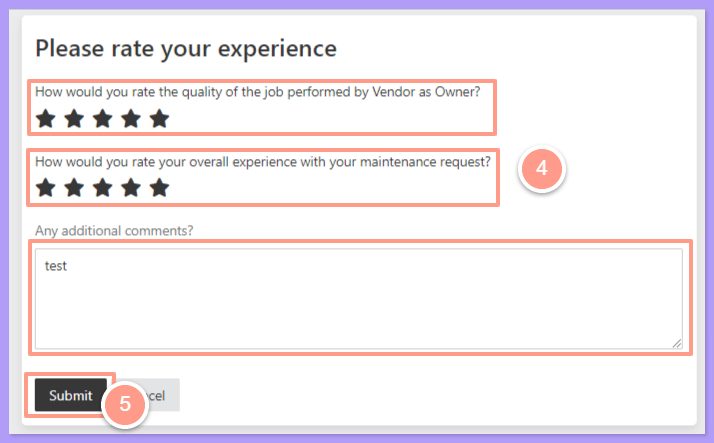
image.png
And that’s all there is to it! Your property manager and Latchel greatly appreciate the ratings you’ve provided.
Last modified on November 4, 2026